S10/S12/S10A/S12A Patient Monitor User’s Manual
18-3
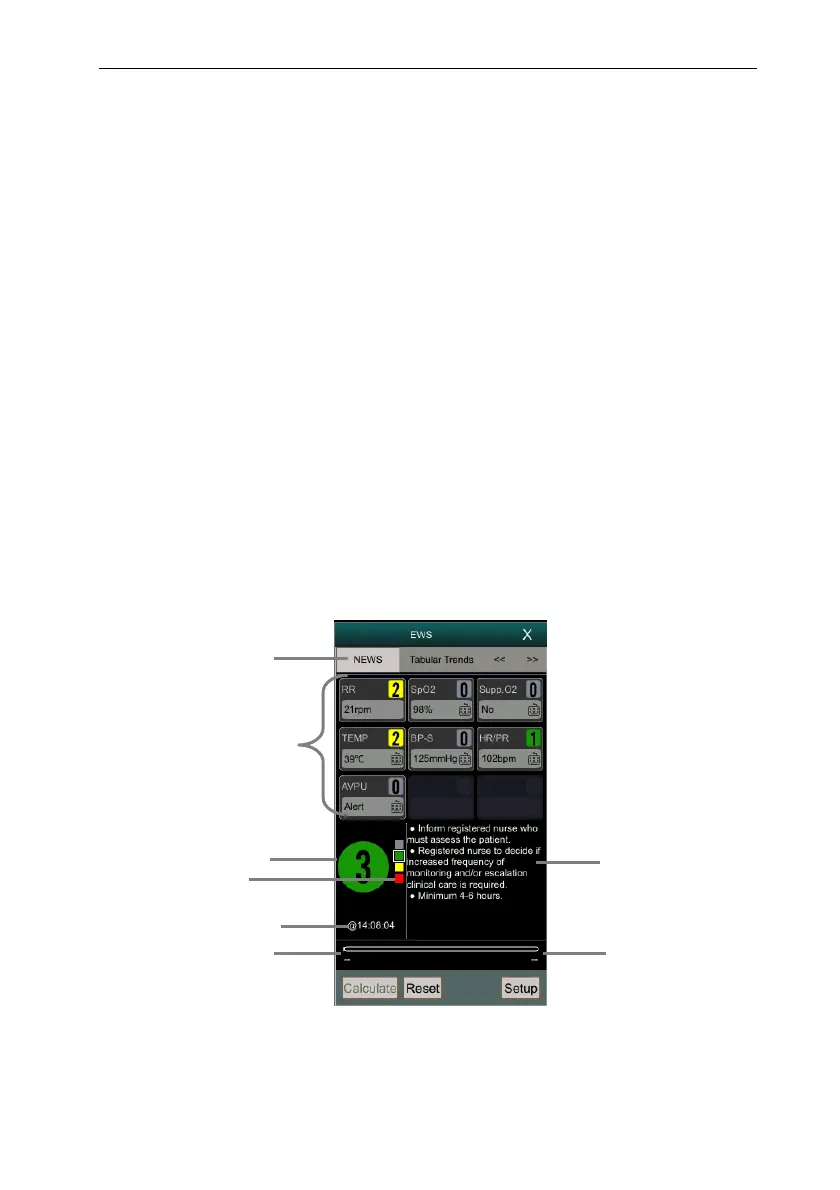
(4) Indicator of scoring grade: increasing from top to bottom according to
the degree of early warning danger. The current level is shown in the
box.
(5) Score interval
(6) Countdown to next scoring
18.1.3. Entering EWS Interface
In addition to the EWS parameter area, this monitor also provides an independent
EWS interface. Select one of the following methods to enter the EWS interface:
Select 【EWS】 parameter area.
Select 【Screen Setup】quick key → select 【Screen Select】submenu
→ select 【EWS screen】.
Select 【Main Menu】quick key → select 【Screen Select】 from
【Display】column → select 【EWS screen】.
Take NEWS as an example, the EWS screen displays as follows. The actual
interface display will vary according to the selected scoring system and settings.
(1) Name of scoring system
(2) Parameter area: displays the parameter value and score of a single
parameter. The keyboard icon indicates that the parameter value comes
2
4
7
8
1
3
5
6



 To Next Page