Operation Instruction manual GSP
50 / 92 38107010002 en-US
Tare
The complete weighing range can be used
for tare. The tared value is subtracted from
the entire weighing range.
Apply tare, wait until scale comes to a
standstill.
Fig.57: Apply a tare
Press <T>.
The weight display goes to zero. The
scale is ready for operation for net
weighing.
Deleting tare:
Unload scale.
Tare is automatically deleted, weight dis-
play changes to zero.
Fig.58: Tare
Changing values of the direct selection keys
Press a direct selection key and hold for more than 1.5 s.
The numeric keypad to change the value (weight or number of slices) is shown.
Change of preset parameter values
Three preset values are symbolized by bars of different lengths.
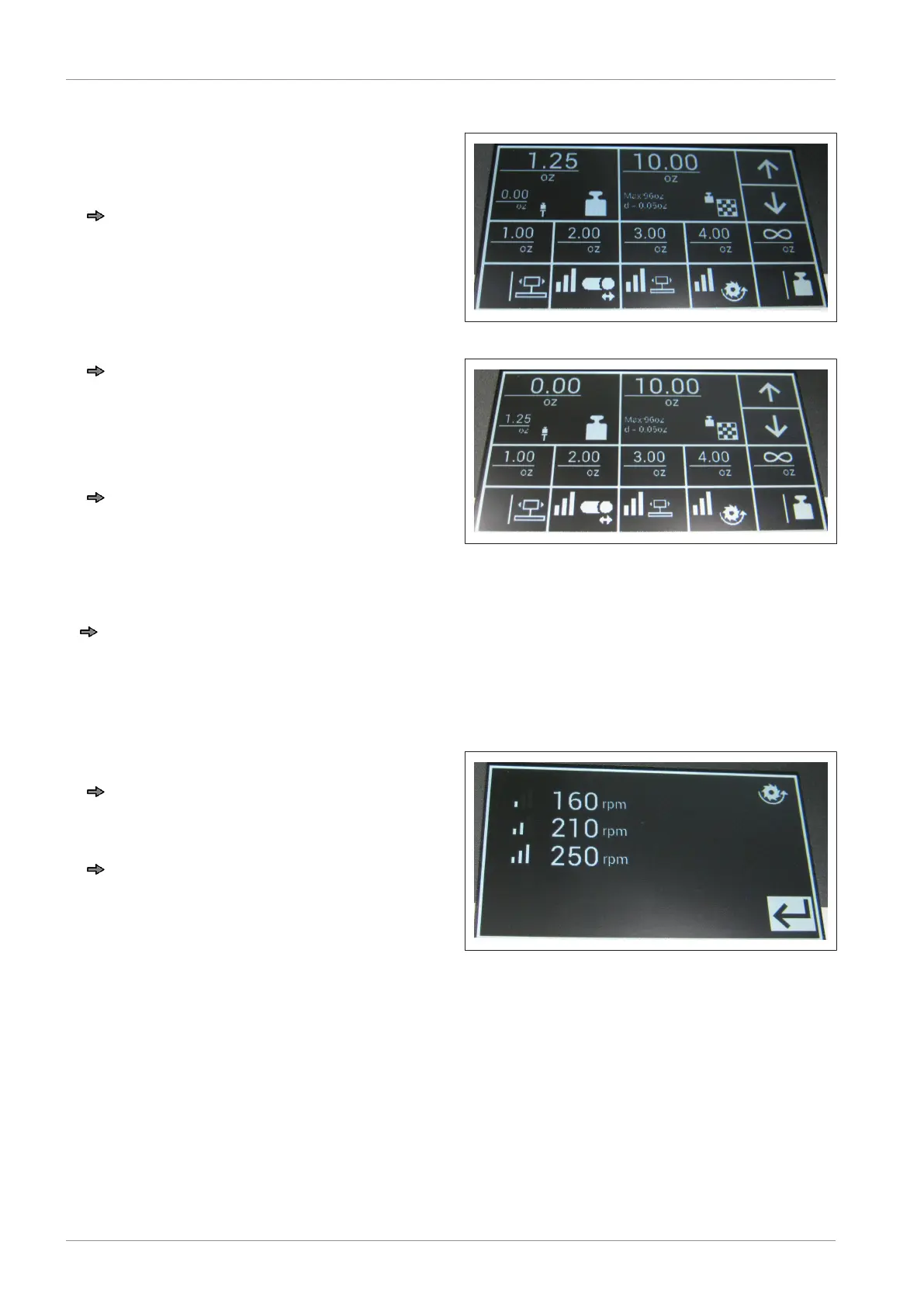
Blade speed
Press and hold button for blade speed
for more than 1.5 seconds.
The preset values are displayed.
Press a value and hold for more than 1.5
s.
The image to change the parameter
value is shown.
Fig.59: Blade speed


 To Next Page
 Loading...