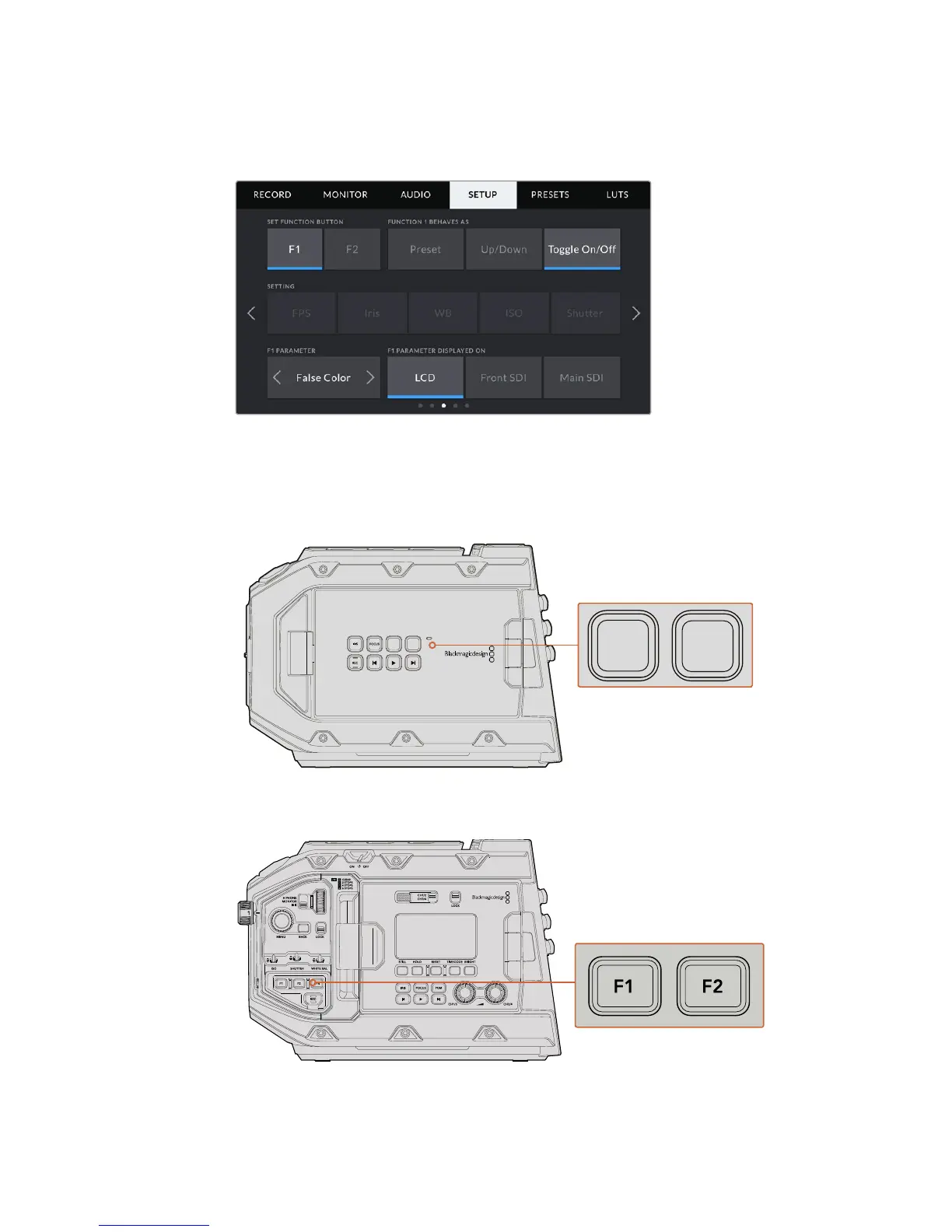
Setup Settings Page 3
The third page of your URSA Mini's 'setup' tab contains the following settings
Set Function Button
On the outside of your URSA Mini’s LCD touchscreen, you’ll notice two function buttons, ‘F1’ and
‘F2.’ These are mappable to frequently used features and are quickly accessible when using
your camera with the LCD touchscreen closed, such as when you are using URSA Viewfinder.
Your URSA Mini's F1 and F2 buttons are located
on the outside of the LCD touchscreens
URSA Mini Pro 4.6K










 To Next Page