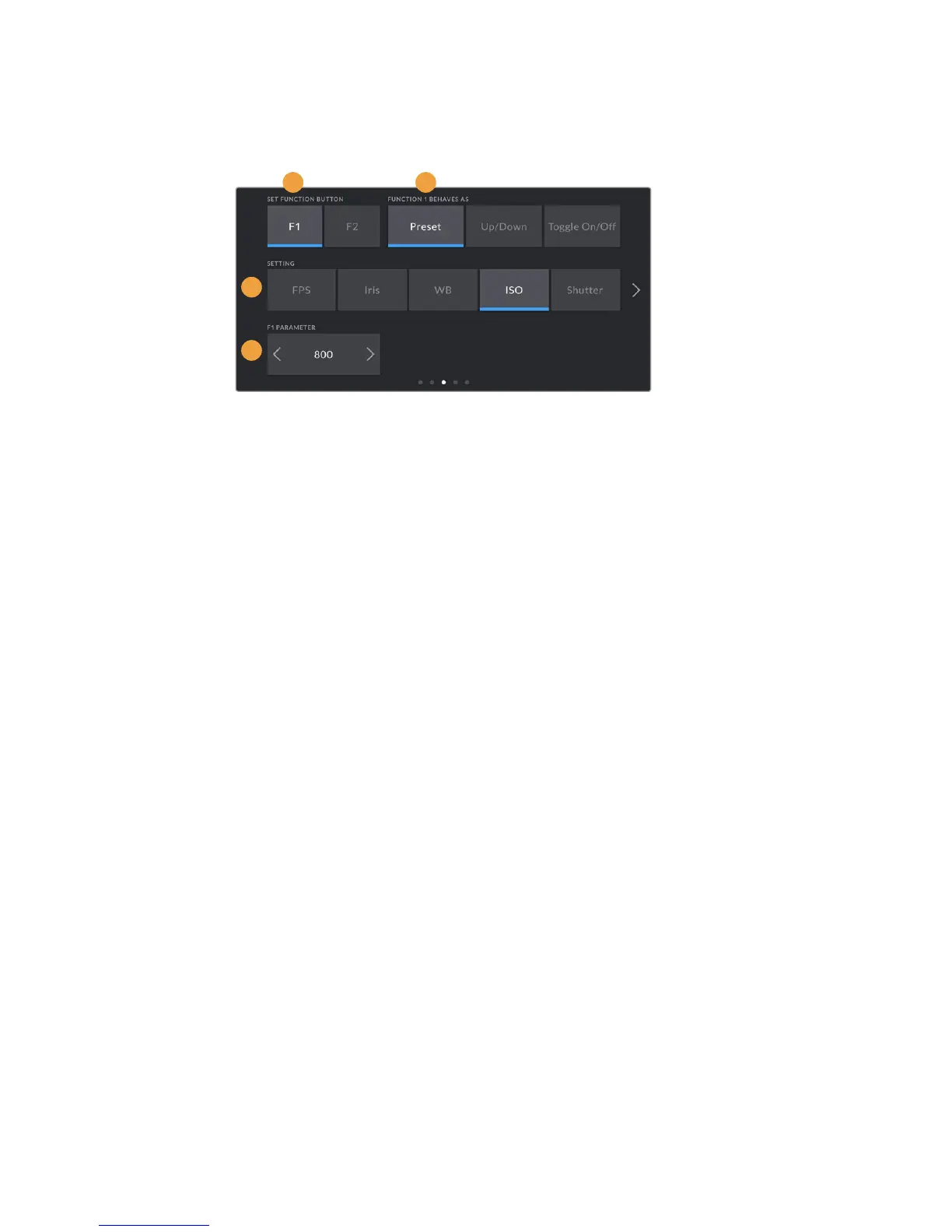
To set these buttons, select a function button and then its behavior, a setting, and
aparameterfor that setting.
1 Button
2 Behavior
3 Setting
4 Parameter
Function 1/2 Behaves as
Once you have selected the function button you want to map, you can select a behavior.
Theavailable options are:
Preset
When set to this behavior, pressing a function button will recall a combination of a
setting and a parameter.
To set a preset, select the setting you want to use from the ‘setting’ menu, and adjust
that setting by tapping the arrow icons on either side of the ‘parameter’ menu.
For example, to set the F1 button to recall a preset aperture of f8, select the ‘preset’
behavior, tap the ‘iris’ setting, and tap the arrows on either side of the ‘parameter’ menu
until you get to f8.' Tapping the preset again returns your camera to the previous setting.
Up/Down
When set to this behavior, pressing a function button will move a particular setting
up or down.
For example, you may want to set F1 to increase your lens aperture and F2 to decrease
it. To do this, select the ‘F1’ function button, set the behavior to ‘up/down’, and the
parameter to ‘up.’ Do the same for the ‘F2’ function button, but set the option to ‘down.’
Toggle On/Off
When set to this behavior, pressing a function button will toggle a particular setting on
or off. The ‘setting’ menu is disabled in this mode. Instead, tap the left or right arrows
in the parameter menu to scroll through the available options. These are 'off speed
recording,' 'color bars,' 'push to talk,' 'clean feed,' 'display LUT,' 'frame guides,' 'focus
assist,' 'false color,' and 'zebra.'
Using the ‘Toggle On/Off’ behavior also lets you select the output this setting applies
to. Simply tap any combination of ‘LCD,’ ‘front SDI’ and ‘main SDI’ to select. Ifthe output
for an option is not available, such as 'color bars' which always applies to all outputs,
the 'LCD,' 'front SDI', and 'main SDI' settings are disabled.
1 2
3
4
113Settings










 To Next Page