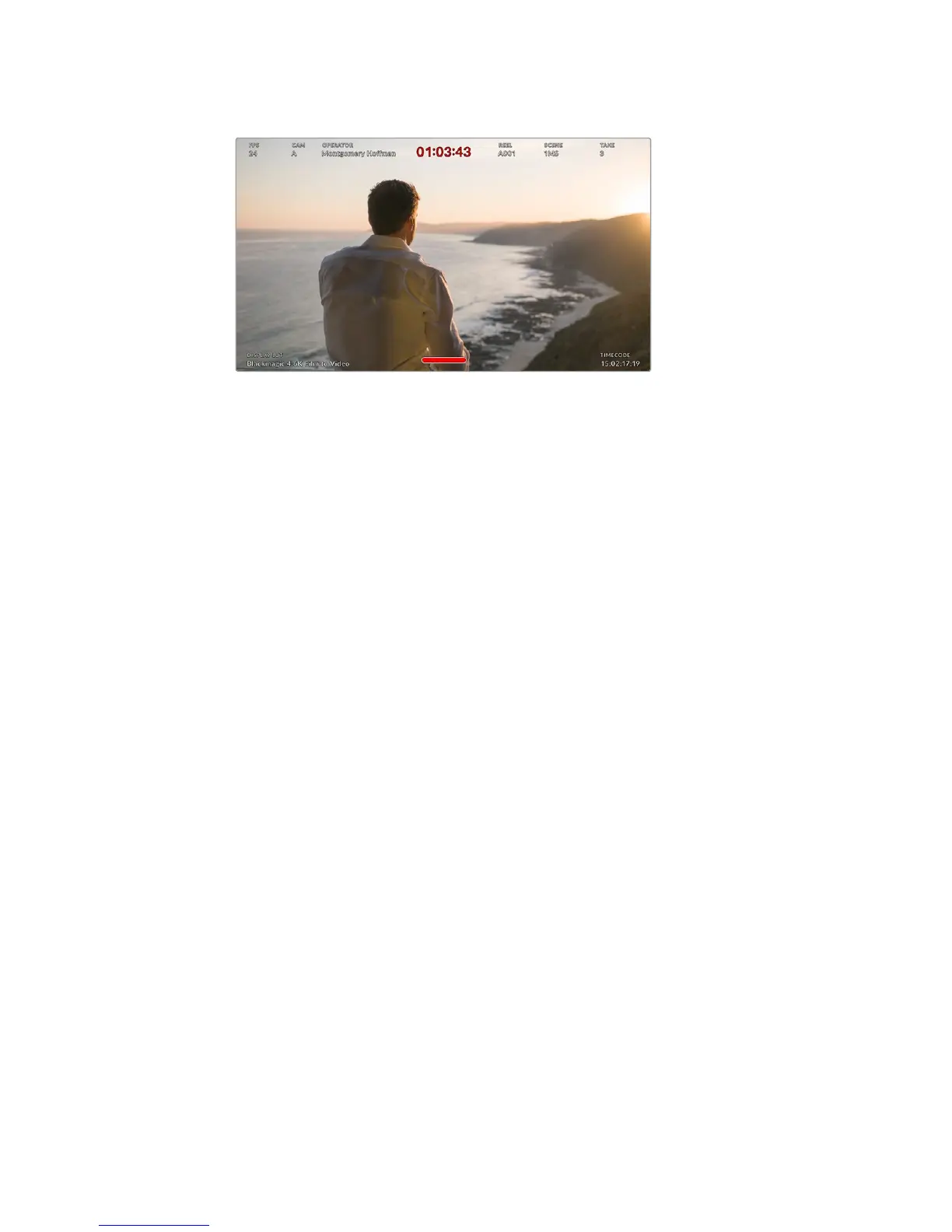
Your URSA Mini can display director specific status text
on its front and main SDI outputs
Setting the status text to ‘director’ in your URSA Mini’s 'front SDI' or 'main SDI' monitor
settings changes the status text for that output to show the following information.
FPS
Displays the currently selected frames per second for that camera. If off speed frame
rate is disabled, only the project frame rate will be shown. If an off speed frame rate is
being used, the sensor frame rate will be shown, followed by the project frame rate.
CAM
Displays the camera index as set in your URSA Mini’s Slate. See the ‘slate’ section later
in this manual for more information.
OPERATOR
Identifies the camera operator as set in your URSA Mini’s Slate. See the ‘slate’ section
later in this manual for more information.
DURATION DISPLAY
Displays the duration of the current clip, while recording, or the last recorded clip in the
following format: hours:minutes:seconds
REEL, SCENE, TAKE
Displays the current reel, scene and take. For more information on reels, scenes, takes
and their labelling conventions, refer to the ‘slate’ section later in this manual.
DYNAMIC RANGE
The bottom left hand corner of the monitor displays your URSA Mini’s currently
appliedLUT, if applied to that output. If no LUT is applied, ‘film’ or ‘video’ dynamic
range will bedisplayed.
TIMECODE
The bottom right of the monitor displays your URSA Mini’s timecode, in the following
format: hours:minutes:seconds:frames
SDI Output
Both outputs allow you to choose between progressive and interlaced HD output,
while your URSA Mini's main SDI output also has to option of progressive Ultra HD.
The options available in this setting depend on your camera's resolution and frame rate
settings.
Progressive HD, or '1080p' is always available regardless of your recording resolution
and framerate, while interlaced HD, or '1080i' is available when your project frame rate
is set to 50, 59.94 or 60.
100Settings










 To Next Page