123
4.14 Operation of CapacityTester 4.14 Operation of CapacityTester
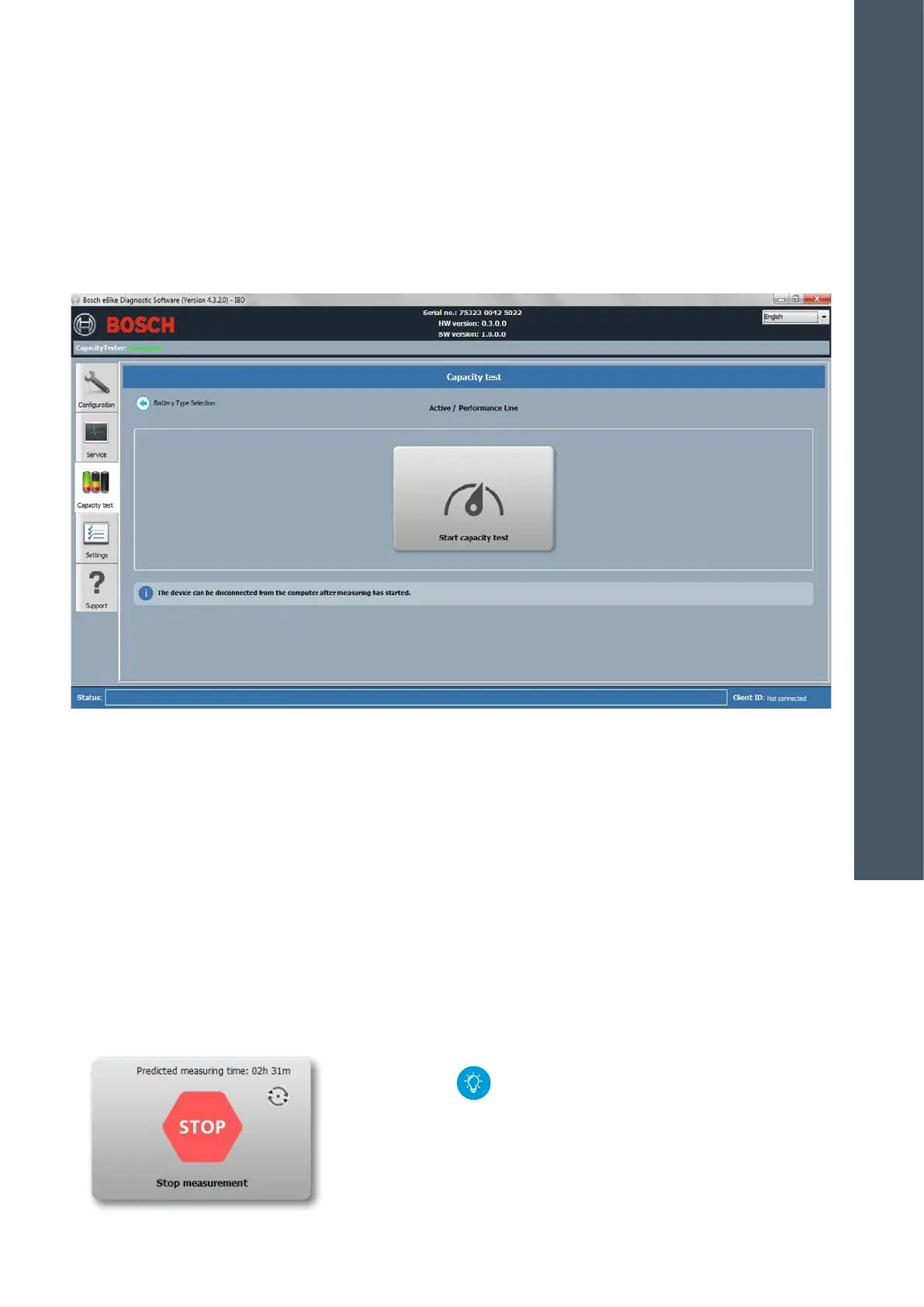
Perform capacity test
1. Connect battery to the CapacityTester.
2. Click on the "Capacity Test" tab.
3. Select battery type.
4. Only start measuring after the "Ready" LED of
CapacityTester is lit. Start by pressing the "Capacity
Test" button. An estimated measurement duration is
displayed.
5. If a measurement is actively being taken, then this is
displayed in the DiagnosticTool. The “Running” LED is
lit on the CapacityTester.
6. During the measurement procedure, the Capacity-
Tester can be disconnected from the computer. The
computer is then freed for other applications.
7. Measurement can be cancelled by pressing the
"Stop" button in the DiagnosticTool.
8. If the battery is completely discharged, then the
"Finished" LED lights up on the CapacityTester.
9. If needed, reconnect the CapacityTester with the
DiagnosticTool.
10. DiagnosticTool displays the measurement values.
11. Create a battery capacity report. The storage loca-
tion can be specified in the "Settings" menu (see p.
114). Do not disconnect the plug-in power adaptor
of the CapacityTester before the report is printed.
12. Always completely recharge the battery before
returning it to the customer.
X CapacityTester uses flashing LEDs to indicate
error messages. Connect to DiagnosticTool
for details about the error message.
X Test duration: 300 Wh battery: approx. 1.6 h
400 Wh battery: approx. 2.3 h
500 Wh battery: approx. 2.8 h
4
DIAGNOSTICS










 To Next Page