NEW
35
1.12 Intelligently Networked with Nyon 1.12 Intelligently Networked with Nyon
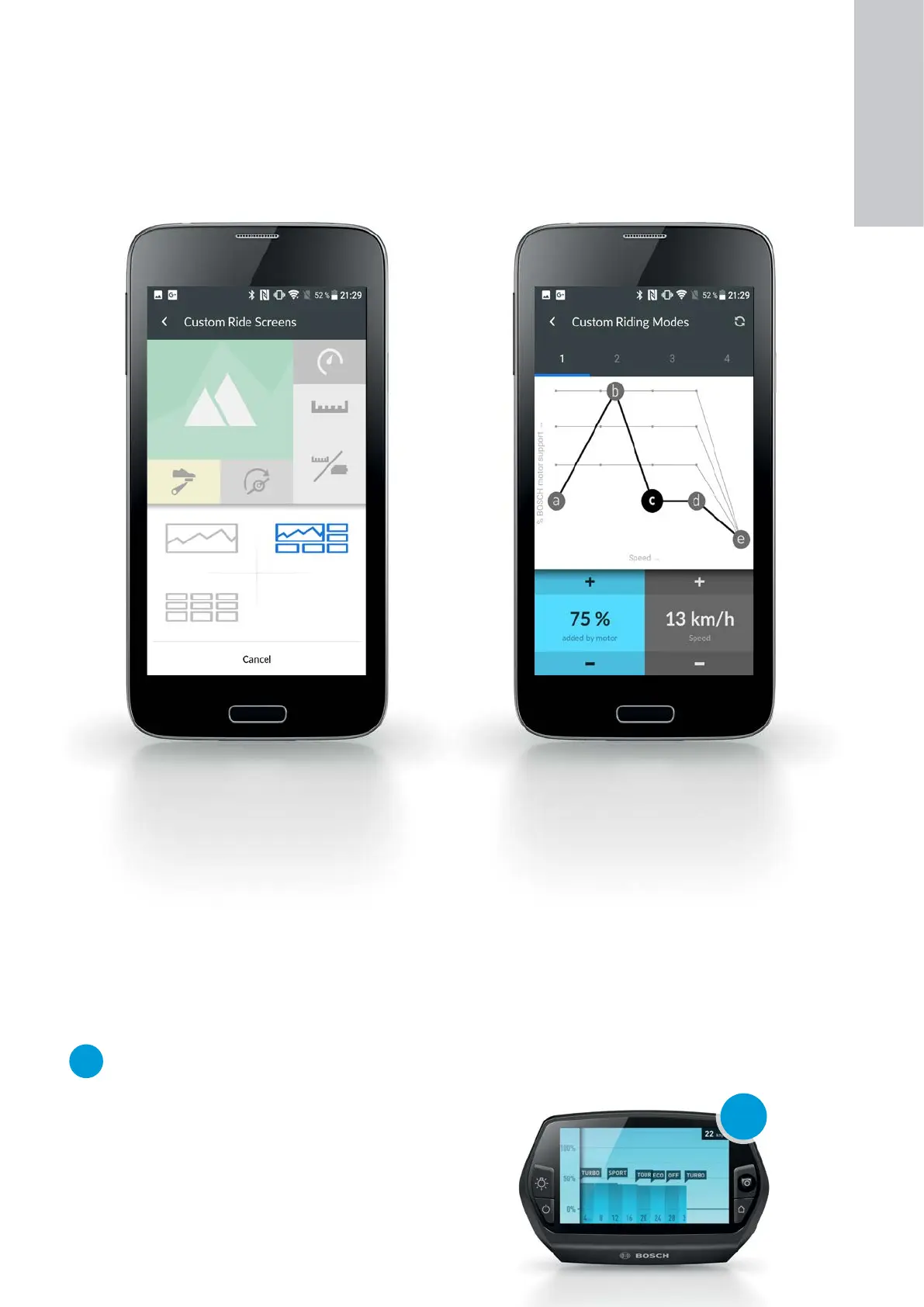
"Creating custom screens"
1. Call up the menu point "Custom Ride Screens" or
"Custom Fitness Screens"
2. You can choose from three layouts from the upper
section of the display. Select the existing layout or
"Change layout"
3. Define display values by tapping in the correspond-
ing button area and selecting the desired values
from the list.
NEW
New display values: residual energy content of
battery and battery consumption in various
riding modes (see figure on right)
4. Confirm with "Save".
5. Transfer to Nyon as soon as a Bluetooth connection
exists
"Configure custom riding modes"
1. Call up menu point "Custom riding modes"
2. There are five definable "checkpoints" or stages
available (a to e). For the middle three points
(b – c – d), you can select any desired speed and
performance support by means of the "+" and "–"
buttons.
3. For points "a" and "e", you can only change the
performance support.
4. Confirm with "Save".
5. Transfer to Nyon as soon as a Bluetooth connection
exists
1
ON-BOARD
COMPUTER










 To Next Page