40
1.12 Intelligently Networked with Nyon
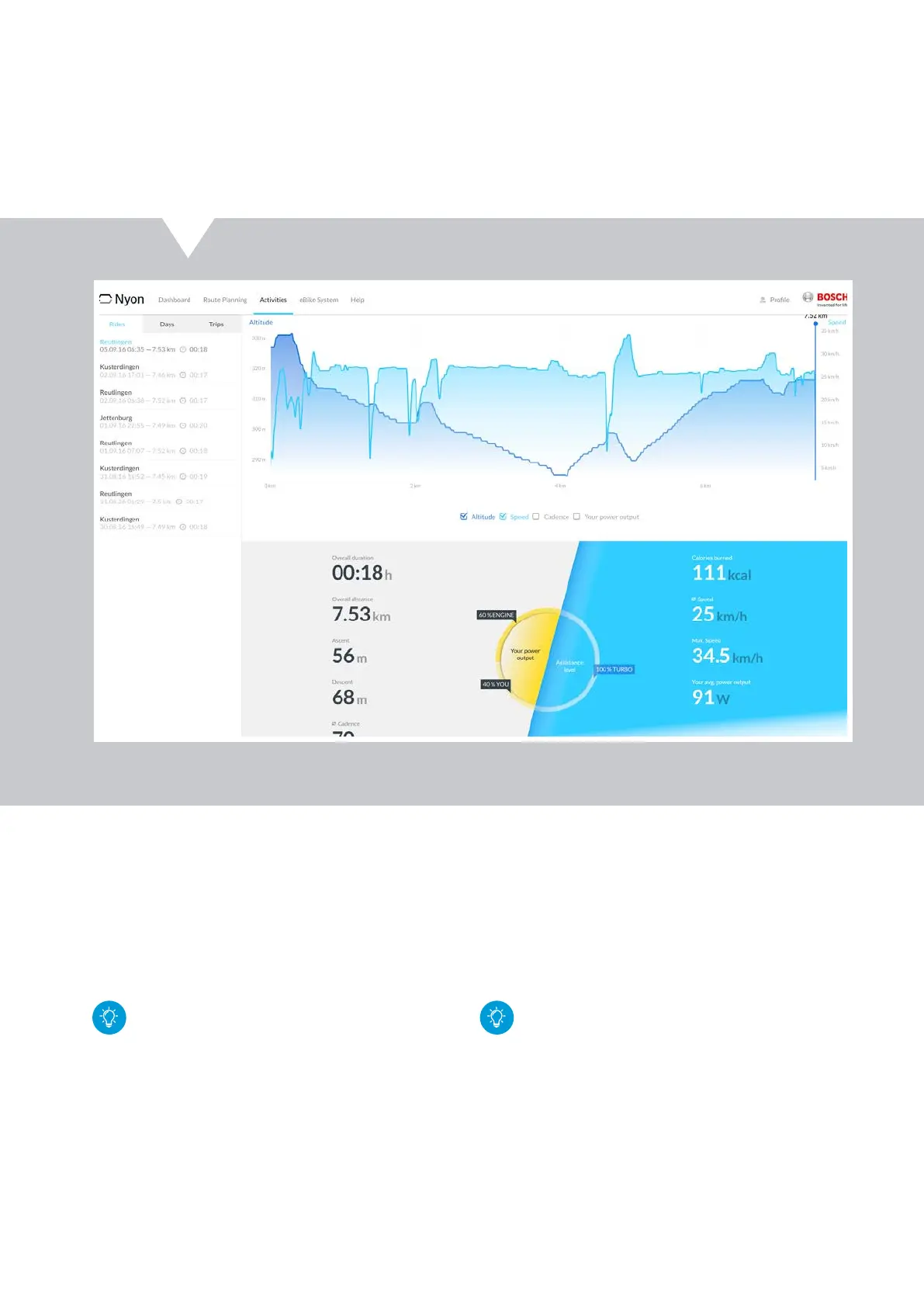
"Activities" menu
X Documentation of trips can be displayed in three
selectable views:
– Rides: individual rides (from switch-on of the
Nyon until switch-off)
– Days: summary of all rides begun within one day
– Trips: all rides undertaken since the last reset
Unfinished/synchronised rides are especially
earmarked. Activities are only evaluated as fin-
ished after Nyon is removed from the mount and
a synchronisation is carried out.
X Analysis of recorded trip with the optional display
of the progressive course of cadence,
speed, altitude profile or heart rate (if connected
with a pulse monitor during the ride)
X The route travelled will be displayed on a map
along with information about route length, ride
duration and average speed
X Saving of one's own activities as routes for navigation
– After synchronisation with Nyon, the new route
will be displayed in the operating mode "Map &
Navigation" under "Saved Routes".
X With the "Export" button ,already ridden routes
can be exported in GPX files and e.g. sent via e-mail.
If the user account of
&
eBike-Connect.com is
connected with Facebook, then you can share
your own activities on Facebook.
Online portal eBike-Connect.com










 To Next Page