Page 6045349D © 2002 Radionics
D6412/D4412 Installation Guide
D6412/D4412
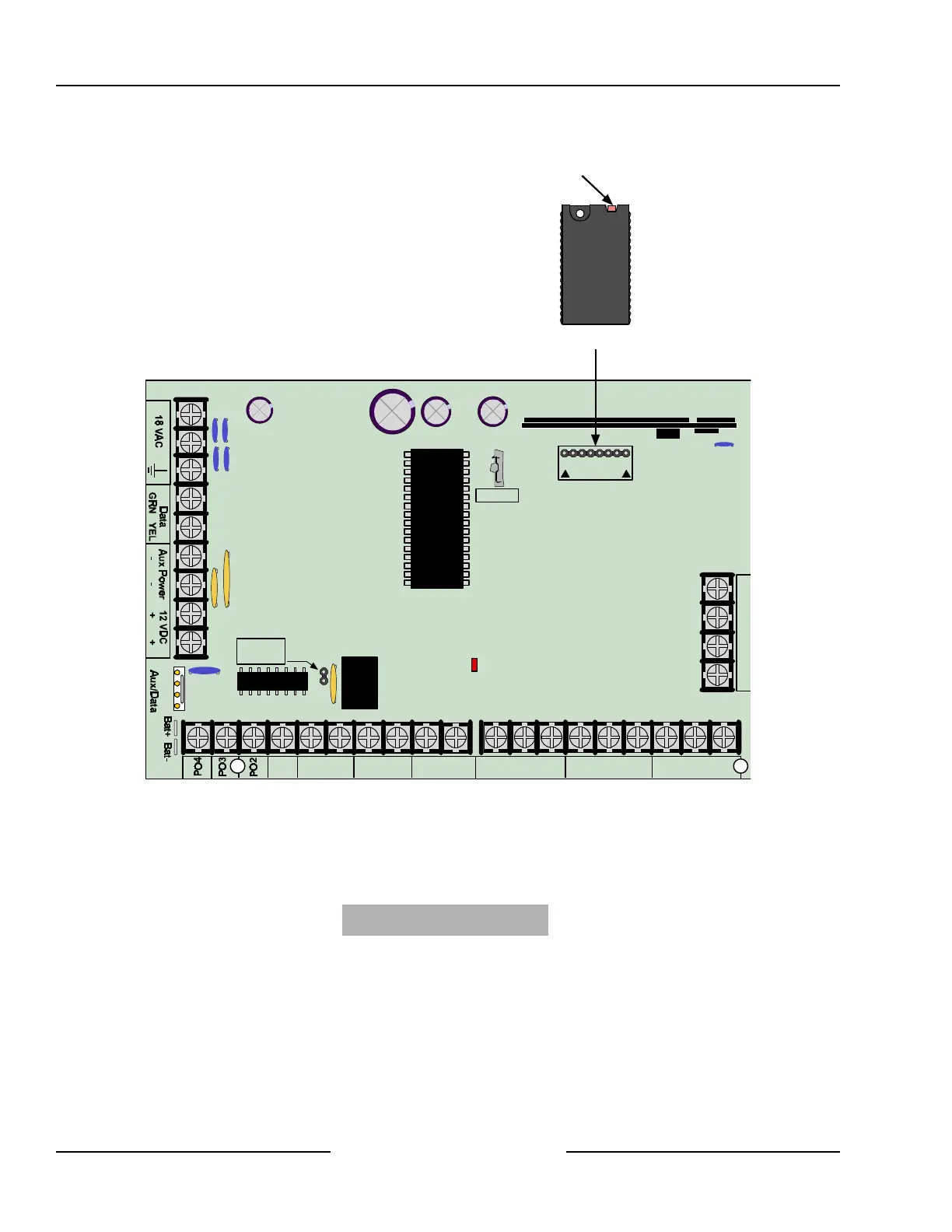
The PK32 connects to the pins marked AUXILIARY (JP1) on the panel’s PCB.
R
Y
G
B
Alrm
+
PO1
A B L-1
+
-
L-2Com L-4ComL-3 L-6ComL-5 L-8ComL-7
T
T1
R1
R
AUXILIARY
JP1
Installer
JP2-PO1
Select
Programming Key (PK32)
Status LED
D6412/D4412 PCB
Figure 51: PK32 to D6412/D4412 Connections
13.3.10 Exiting the Installer’s Menu
When you are ready to exit the Installer’s Menu and return the system to normal operation, open the Installer’s
Switch. The following screen appears for approximately 10 seconds (panel model number may vary):
D6412 Rev
X.XX
Please Wait...
After the 10-second wait period, the text command center display returns to normal (disarmed, no fault/trouble
conditions).
Installer’s Keypad & Installer Mode



 To Next Page