33
Chapter 2
Switching Patches with the Pedals (Patch Select Mode)
You can switch patches not only by rotating the PATCH/VALUE
dial in the Play screen, but also with the RC-50’s pedals.
The mode in which you can switch patches with the RC-50’s pedals
is called “Patch Select mode.”
You cannot stop current operations (recording, playback, and
overdubbing) in Patch Select mode.
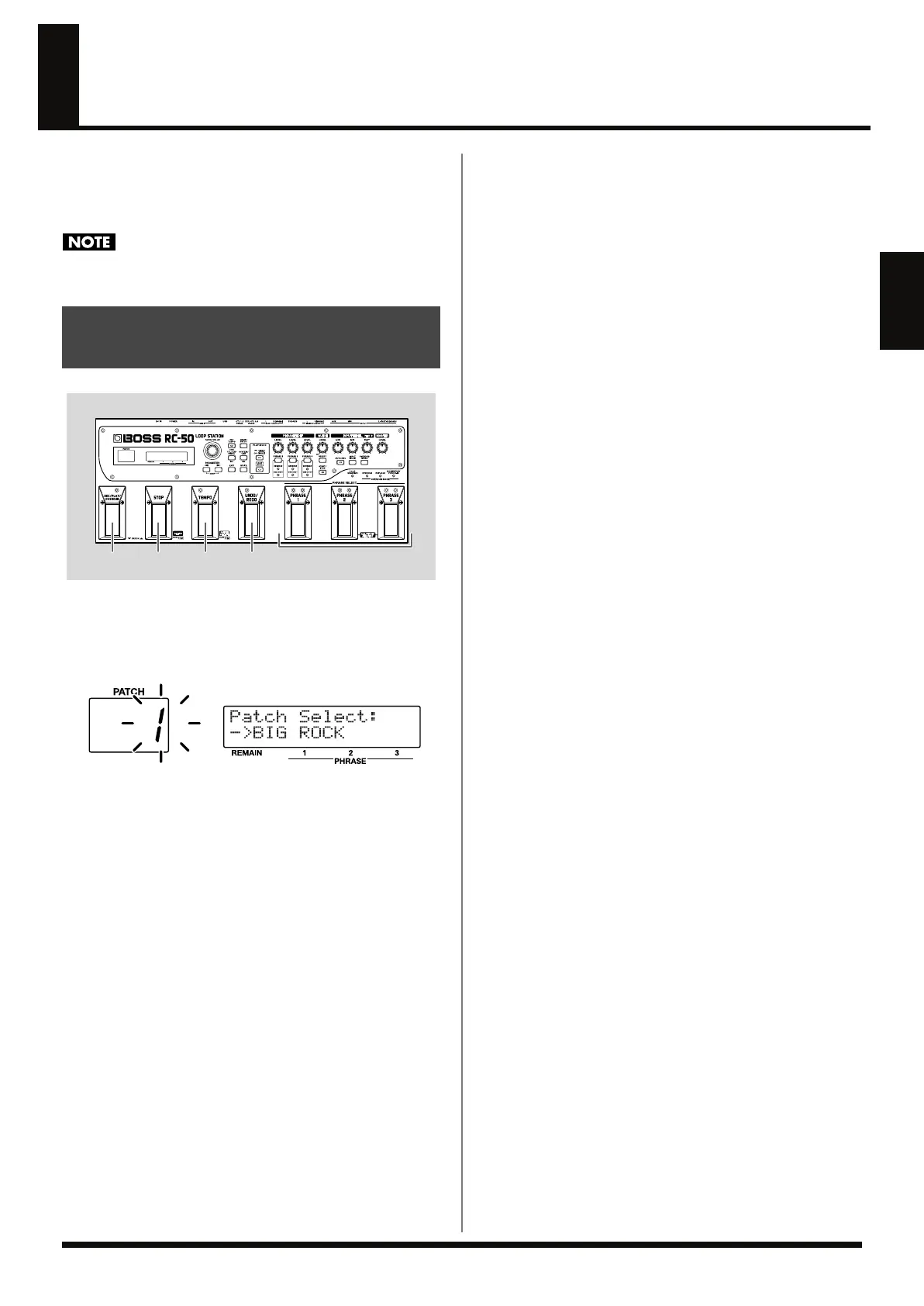
fig.02-070
1.
In the Play screen, hold down the TEMPO pedal for at least
two seconds.
The patch number flashes in the left display, indicating that the
RC-50 has switched to Patch Select mode.
fig.02-080d
2.
Press the STOP pedal or REC/PLAY/OVERDUB pedal to
switch the patch number up or down.
The left (orange) indicators on the pedals flash, indicating the
current phrase of the patches to which you switch.
3.
Select one of the following operations.
3-1.
After selecting as Patch number, press the TEMPO pedal one
time to switch patches.
While performing:
When Phrase Change mode (p. 49) is set to IMMEDIATE, the
Play screen returns to the display, and the RC-50 immediately
switches to the next patch.
When Phrase Change mode is set to LOOP END, the Play
screen returns to the display, and the patch is put on hold,
programmed to wait for switching.
The [TAP TEMPO] indicator flashes in time with the patch
tempo of the patch to which you are switching.
When playback of the current phrase is finished, the RC-50
switches to the patch programmed to play next.
While stopped:
The Play screen returns to the display, and the RC-50
immediately switches to the next patch.
3-2. To change the current phrase in the next patch, press a
PHRASE pedal one time.
While performing:
When Phrase Change mode (p. 49) is set to IMMEDIATE, the
Play screen returns to the display, and the RC-50 immediately
switches to the next patch.
Simultaneously, the phrase assigned to the pressed PHRASE
pedal becomes the current phrase.
When Phrase Change mode is set to LOOP END, the Play
screen returns to the display, and the patch is placed on hold for
switching.
The [TAP TEMPO] indicator flashes in time with the patch
tempo of the patch to which you are switching.
When playback of the current phrase is finished, the RC-50
switches to the patch programmed to play next.
Simultaneously, the phrase assigned to the pressed PHRASE
pedal becomes the current phrase.
While stopped:
The Play screen returns to the display, and the RC-50
immediately switches to the next patch.
Simultaneously, the phrase assigned to the pressed PHRASE
pedal becomes the current phrase.
3-3.
To cancel Patch Select and return to the Play screen, press the
UNDO/REDO pedal once.
The RC-50 quits Patch Select mode and the Play screen returns
to the display.
Switching Patches in Patch
Select Mode
1,3-1 3-3 3-222
RC-50_e.book 33 ページ 2009年4月10日 金曜日 午後1時17分















 To Next Page