94
About MIDI
MIDI is an acronym for Musical Instrument Digital Interface, and is
a world-wide standard for allowing electronic musical equipment to
communicate by transmitting messages such as performance
information and sound selections. Any MIDI equipped device is able
to transmit applicable types of data to another MIDI equipped
device, even if the two devices are different models or were made by
different manufacturers.
In MIDI, performance information such as playing a key or pressing
a pedal are transmitted as MIDI Messages.
First, we will explain briefly how MIDI messages are transmitted
and received.
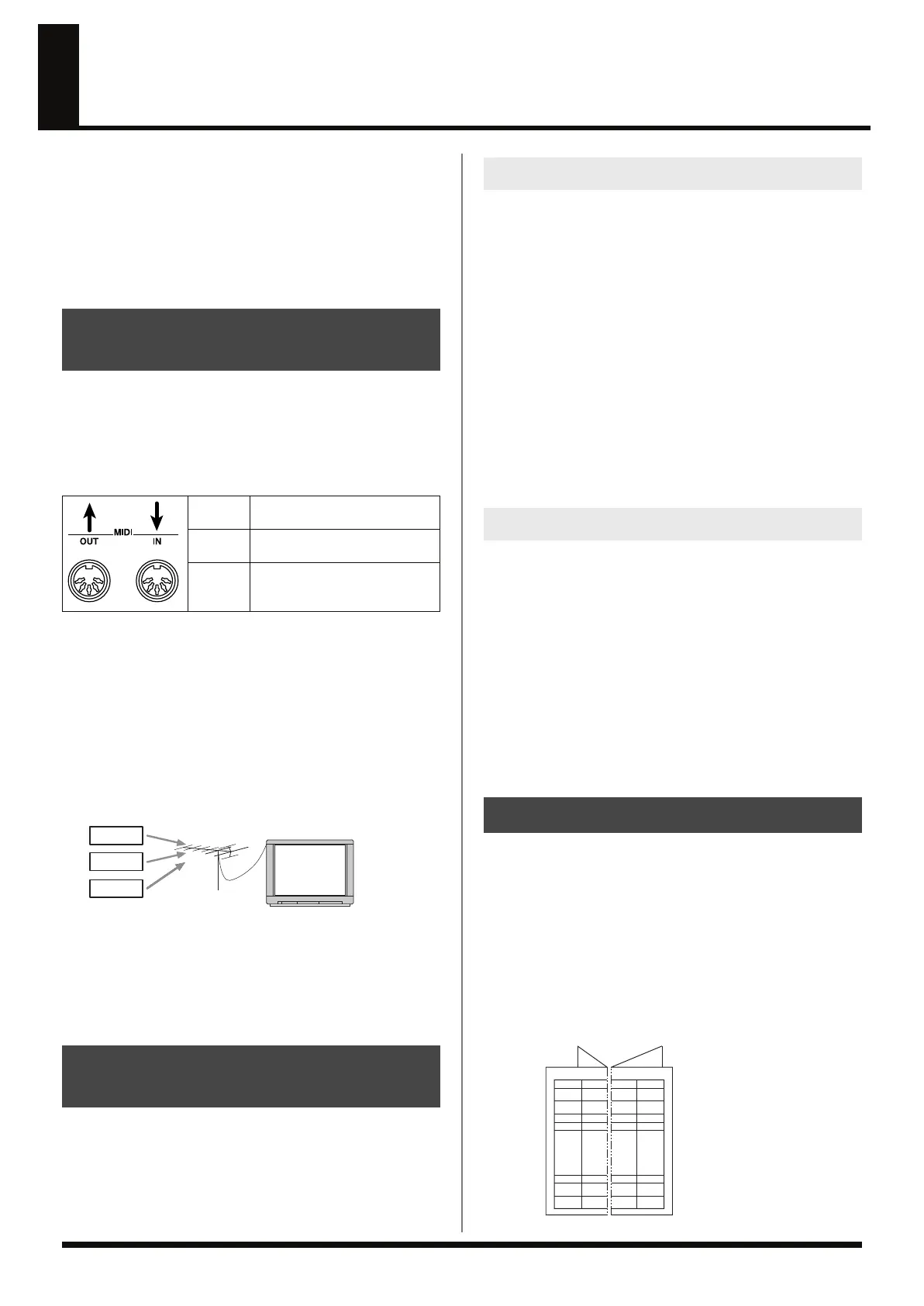
MIDI connectors
The following types of connector are used to convey MIDI messages.
MIDI cables are connected to these connectors as needed.
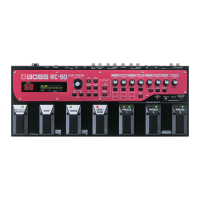
The RC-50 features both MIDI IN and MIDI OUT connectors.
MIDI channels
MIDI is able to independently control more than one MIDI device
over a single MIDI cable. This is possible because of the concept of
MIDI channels.
The idea of MIDI channels is somewhat similar to the idea of
television channels. By changing channels on a television set, you
can view a variety of programs. This is because the information of a
particular channel is received when the channels of the transmitter
and receiver match.
fig.11-020
MIDI has sixteen channels 1–16, and MIDI messages will be received
by the instrument (the receiving device) whose channel matches the
channel of the transmitter.
If omni mode is on, data of all MIDI channels will be received
regardless of the MIDI channel setting. If you do not need to control
a specific MIDI channel, you may set Omni On.
MIDI includes many types of MIDI messages that can convey a
variety of information. MIDI messages can be broadly divided into
two types; messages that are handled separately by MIDI channel
(channel messages), and messages that are handled without
reference to a MIDI channel (system messages).
These messages are used to convey performance information.
Normally these messages perform most of the control. The way in
which a receiving device will react to each type of MIDI message will
be determined by the settings of the receiving device.
Program change messages
These messages are generally used to select sounds, and include a
program change number from 1 to 128 which specifies the desired
sound. The RC-50 also allows you to select any of the 99 different
patch numbers.
Control change messages
These messages are used to enhance the expressiveness of a
performance. Each message includes a controller number, and the
settings of the receiving device will determine what aspect of the
sound will be affected by control change messages of a given
controller number. With the RC-50, you can control specified
functions with the CC#1/CC#7/CC#80 functions.
System messages include exclusive messages, messages used for
synchronization, and messages used to keep a MIDI system running
correctly. The RC-50 handles the following types of messages.
Realtime Messages
These messages are used for synchronization. They include Clock
messages used to synchronize the tempo, Start and Stop messages to
start/stop playback, and Continue (which re-starts playback from
where it was last stopped).
The RC-50 handles Start (FA) and Stop (FC) messages.
In addition, Realtime messages also include Active Sensing
messages, which are used to monitor things such as whether or not
any MIDI cables have been disconnected; the RC-50 supports the use
of these messages.
MIDI allows a variety of messages to be exchanged between
instruments, but it is not necessarily the case that all types of
message can be exchanged between any two MIDI devices. Two
devices can communicate only if they both use the types of messages
that they have in common.
Thus, every owner’s manual for a MIDI device includes a MIDI
Implementation Chart. This chart shows the types of message that
the device is able to transmit and receive. By comparing the MIDI
implementation charts of two devices, you can tell at a glance which
messages they will be able to exchange. Since the charts are always
of a uniform size, you can simply place the two charts side by side.
fig.11-030
How MIDI messages are
transmitted and received
MIDI IN
This connector receives messages
from another MIDI device.
MIDI OUT
This connector transmits messag-
es from this device.
MIDI
THRU
This connector re-transmits the
messages that were received at
MIDI IN.
Main types of MIDI message
used by the RC-50
Broadcasting
Station A
T.V. information from many different broadcasting station is
sent through an antenna.
Select the channel of the broadcasting
station you wish to watch
Broadcasting
Station B
Broadcasting
Station C
Channel messages
System messages
About the MIDI Implementation Chart
TransmitFunction
Fold here
MIDI Device A MIDI Device B
Recognized
Remarks
RC-50_e.book 94 ページ 2009年4月10日 金曜日 午後1時17分




 To Next Page