89
Trouble-
Shooting
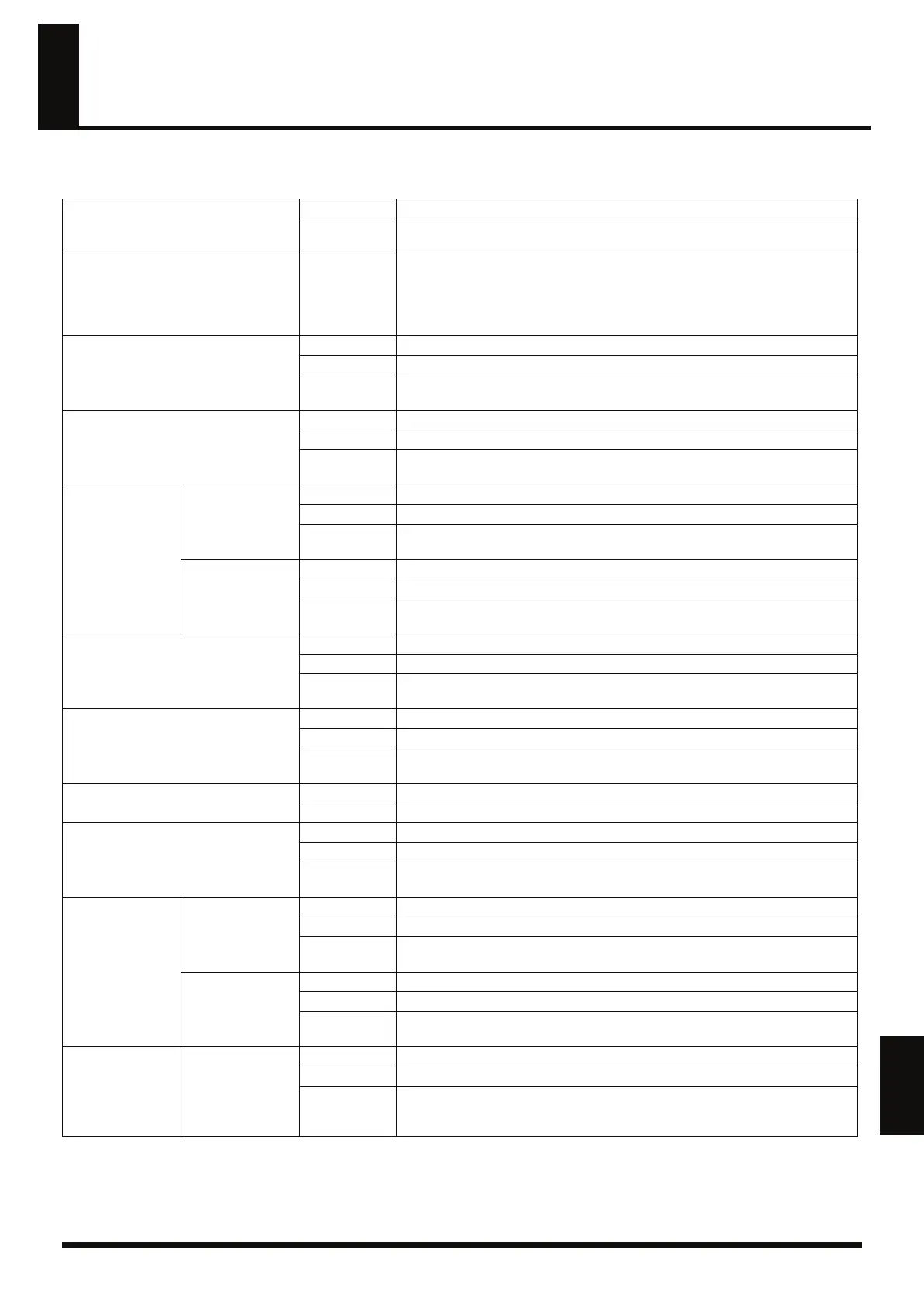
Correspondence Between the Indicators and Operational Status
If, while using the RC-50, you find that you are unaware of the current operating status, refer to the table below and determine the current status
by viewing the indicators.
Left Display
Numbers lit
Indicates current patch number.
Numbers
flashing
Indicates that a patch has been selected in advance to be switched.
[TAP TEMPO]
Flashing
Flashes in time with the current patch’s patch tempo. Flashes red on the downbeat
of the measure, green on other beats.
When the RC-50 is in Patch Select mode (p. 33), or a patch has been selected in ad-
vance to be switched, the indicator flashes at the tempo of patch to which you are
switching.
[PLAY MODE]
Off
Play mode (p. 28) is set to Single mode.
Lit Play mode (p. 28) is set to Multi mode.
Flashing
When a patch has been selected in advance to be switched, this indicates that the
Play mode in the patch to which you are switching is set to Multi mode.
[LOOP SYNC]
Off
Loop Sync (p. 28) is set to OFF.
Lit Loop Sync (p. 28) is set to ON.
Flashing
When a patch has been selected in advance to be switched, this indicates that Loop
Sync (p. 28) in the patch to which you are switching is set to ON.
PHRASE 1/2/3
REVERSE
Off
Reverse (p. 52) in the respective phrase is set to OFF.
Lit Reverse (p. 52) in the respective phrase is set to ON.
Flashing
When a patch has been selected in advance to be switched, this indicates that Re-
verse (p. 52) in the phrases for the patch to which you are switching are set to ON.
ONE SHOT
Off
The phrase is set to LOOP (p. 52).
Lit The respective phrase is set to ONE SHOT (p. 52).
Flashing
When a patch has been selected in advance to be switched, this indicates that the
phrases for the patch to which you are switching are set to ONE SHOT (p. 52).
GUIDE [START/STOP]
Off
The guide (p. 39) is stopped.
Lit The guide (p. 39) is playing.
Flashing
When a patch has been selected in advance to be switched, this indicates that the
phrases for the patch to which you are switching are set to ONE SHOT (p. 52).
[AUTO REC]
Off
Auto Recording (p. 47) is set to OFF.
Lit Auto Recording (p. 47) is set to ON.
Flashing
When a patch has been selected in advance to be switched, this indicates that Auto
Recording (p. 47) in the patch to which you are switching is set to ON.
PEAK
Off
Input level is appropriate, or sound is muted.
Lit Sound input level is too high.
LOOP QUANTIZE
Off
Loop Quantize (p. 42) is disabled.
Lit Loop Quantize (p. 42) is enabled.
Flashing
When a patch has been selected in advance to be switched, this indicates that Loop
Quantize (p. 42) in the patch to which you are switching is enabled.
OVERDUB MODE
OVERDUB
Off
Overdubbing mode (p. 47) is not set to OVERDUB.
Lit Overdubbing mode (p. 47) is set to OVERDUB.
Flashing
When a patch has been selected in advance to be switched, this indicates that Over-
dubbing mode (p. 47) in the patch to which you are switching is set to OVERDUB.
REPLACE
Off
Overdubbing mode (p. 47) is not set to REPLACE.
Lit Overdubbing mode (p. 47) is set to REPLACE.
Flashing
When a patch has been selected in advance to be switched, this indicates that Over-
dubbing mode (p. 47) in the patch to which you are switching is set to REPLACE.
OVERDUB MODE
MOMENTARY
PUNCH-IN
Off
Overdubbing mode (p. 47) is not set to MOMENTARY PUNCH-IN.
Lit Overdubbing mode (p. 47) is set to MOMENTARY PUNCH-IN.
Flashing
When a patch has been selected in advance to be switched, this indicates that Over-
dubbing mode (p. 47) in the patch to which you are switching is set to MOMEN-
TARY PUNCH-IN.
RC-50_e.book 89 ページ 2009年4月10日 金曜日 午後1時17分















 To Next Page