39
Chapter 3
Performing While Listening to the Rhythm Sound—About the Guide
When recording phrases with the RC-50, it can convenient to use the
guide, which can be used like a metronome.
The guide features numerous pre-programmed rhythm sounds with
drums and percussion in a variety of time signatures, so you can use
it not just as a metronome but also as a simple rhythm machine to
provide backing rhythm.
Additionally, by setting the tempo and guide beat before recording
and then recording in time with the guide, you can record looped
phrases at the correct length (Loop Quantize; p. 42).
The following provides a description of guide settings.
Guide settings are saved to each patch individually.
The guide sound starts automatically when you begin recording or
playback of a phrase.
The guide automatically stops when recording, playback, or
overdubbing of all phrases (1–3) is finished.
You can also press [GUIDE START/STOP] to manually start the
guide when recording or playback is stopped, or stop the guide
when the performance is in progress.
If there is no need to start automatically, set the Guide Level
(next section) to OFF.
You can adjust the volume level of the guide sound with the GUIDE
LEVEL knob.
No guide sound is played when the GUIDE LEVEL knob is turned
completely to the left (set to OFF).
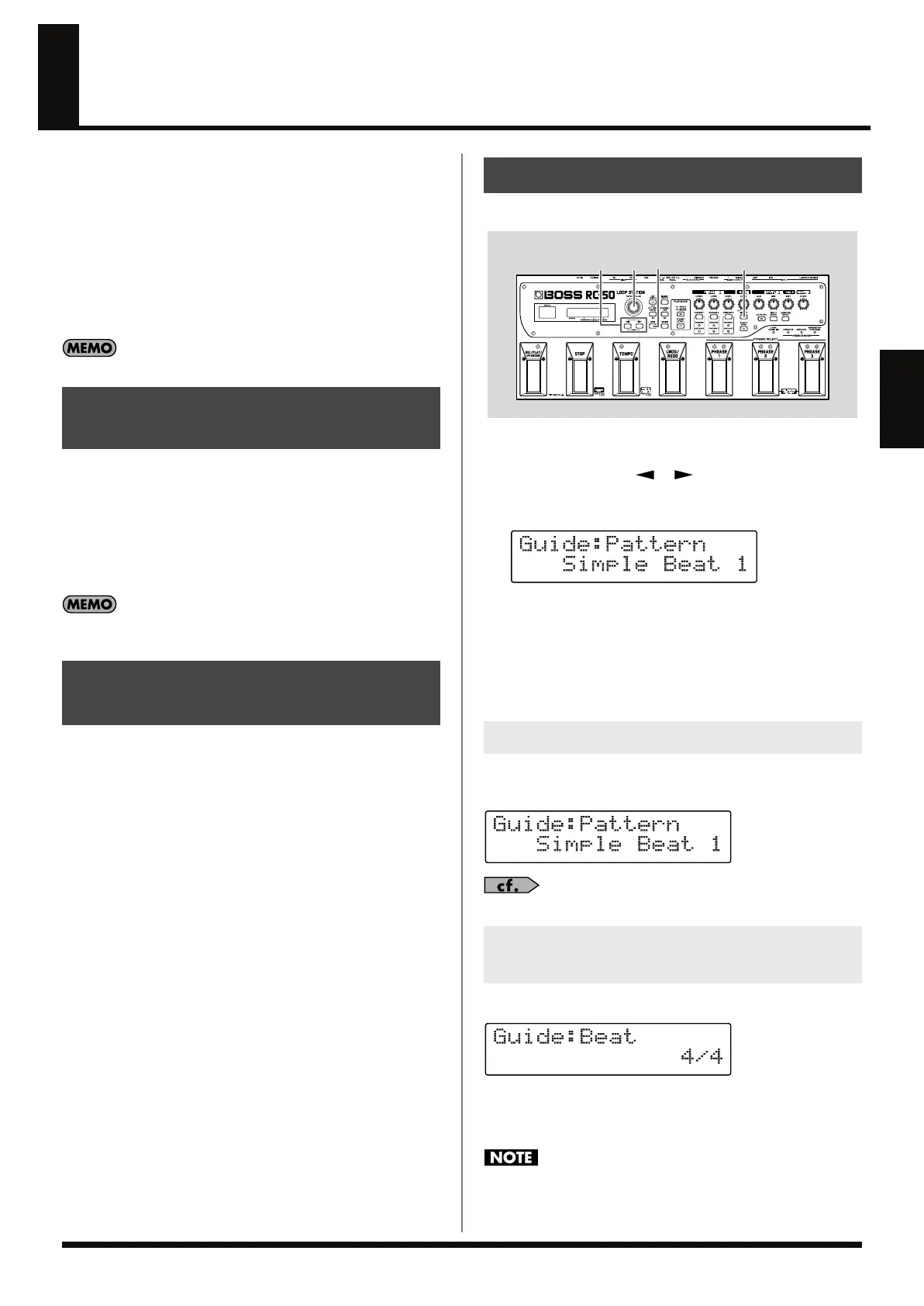
Use the following procedure to change the guide settings.
fig.03-070
1.
Press [GUIDE SELECT] to display the guide settings screen.
2.
Press PARAMETER [ ] [ ] to display the parameter
you want to set.
fig.03-080d
3.
Rotate the PATCH/VALUE dial to change the value of the
setting.
4.
Repeat Steps 2–3 as needed.
5.
When finished making the settings, press [EXIT] to return to
the Play screen.
You can select the guide’s performance pattern from a choice of rock
drums, Latin percussion, and other patterns.
fig.03-091d
“Guide Pattern List” (p. 41)
This selects the guide sound beat.
fig.03-090d
Available Settings:
2/4, 3/4, 4/4, 5/4, 6/4, 7/4, 5/8, 6/8, 7/8, 8/8, 9/8, 10/8, 11/8,
12/8, 13/8, 14/8, 15/8
You cannot change a phrase’s beat after the phrase is recorded.
Be sure to set this before recording.
Starting and Stopping the
Guide
Adjusting the Volume of the
Guide Sound (Guide Level)
Setting the Guide
Selecting the Guide Sound (Guide Pattern)
Selecting the Beat (Time Signature)
for the Guide Sound (Beat)
32 1
5
RC-50_e.book 39 ページ 2009年4月10日 金曜日 午後1時17分















 To Next Page