37
About Tempos
Chapter 3
When Loop Sync is set to OFF:
As in Single Mode, determination of the original tempo changes
according to whether the guide is on or off.
If, however, in addition to the phrase you are about to record, a
recorded phrase meeting both of the conditions below is being
played back, the original tempo is set to the same tempo as that of
the phrase being played back (the patch tempo).
• Tempo Sync is ON
• One Shot (p. 52) is set to LOOP
At this time, the Loop Quantize indicator lights.
fig.03-021
When Loop Sync is set to ON:
As in Single Mode, determination of the original tempo changes
according to whether the guide is on or off.
If, however, in addition to the phrase you are about to record, there
is a recorded phrase with One Shot set to LOOP, the original tempo
is set to the same tempo as the patch tempo.
At this time, the Loop Quantize indicator lights.
fig.03-020
When the RC-50 is connected to an external MIDI device with a
MIDI cable and set so that it runs synchronized to the external
MIDI device’s tempo, the patch tempo is switched to the tempo
of the external MIDI device.
“Setting Tempo Synchronization with MIDI (MIDI Sync)” (p. 50)
All of the phrases play back at the same tempo
Even if each phrase has been recorded at a different tempo, by
changing the phrases’ playback speed to synchronize them to the
patch tempo.
“Synchronizing Playback of the Phrase to the Patch Tempo
(Tempo Sync)” (p. 53)
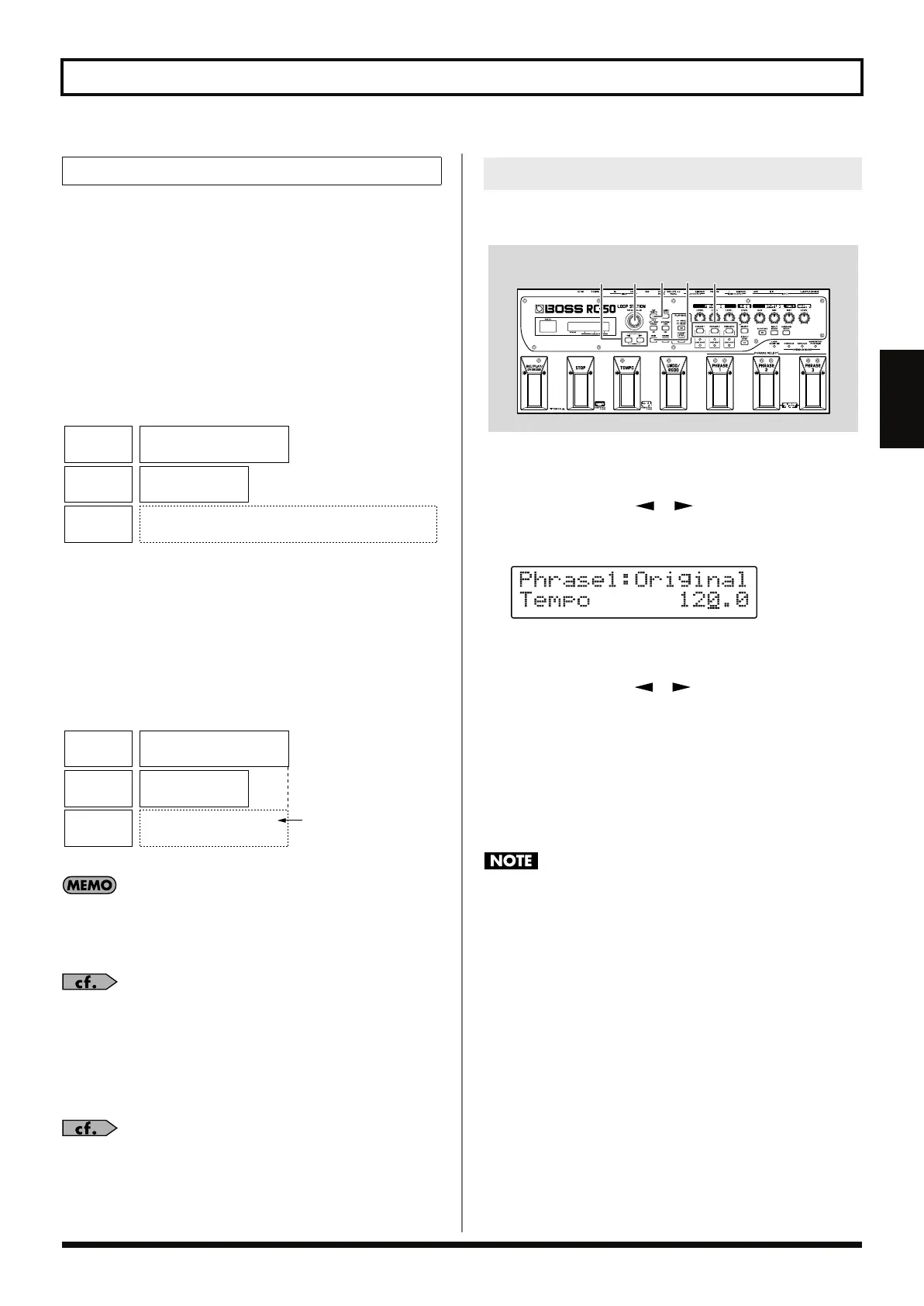
You can confirm and set the original tempo with the following
procedure.
fig.03-030
1.
Press [PHRASE] to select the phrase whose original tempo
you want to confirm or set.
2.
Press PARAMETER [ ] [ ] until Original Tempo is
displayed.
The phrase’s original tempo is indicated.
fig.03-040d
3.
When changing the original tempo, use the following
procedure.
3-1.
Press PARAMETER [ ] [ ] to move the cursor to the
digit you want to change, then rotate the PATCH/VALUE dial to
adjust the original tempo.
Available Settings: 40.0–250.0
3-2.
Press [TAP TEMPO] several times.
The tempo is set to the interval between taps of the button.
4.
When you have finished confirming or setting the value, press
[EXIT] to return to the Play screen.
You cannot change the original tempo of a phrase that has not
been saved. If you want to change the original tempo, first save
the patch (p. 54) then change the tempo.
Multi Mode
Phrase 1
Patch Tempo: 120
Original Tempo: 84
Tempo Sync: ON
Phrase 2
Original Tempo: 147
Tempo Sync: OFF
Original Tempo: 120
Tempo Sync: OFF
Newly
Recorded
Phrase
Phrase 1
Patch Tempo: 120
Original Tempo: 84
Tempo Sync: ON
Phrase 2
Original Tempo: 147
Tempo Sync: OFF
Original Tempo: 120
Tempo Sync: OFF
Same setting
as patch tempo
Newly
Recorded
Phrase
Confirming and Setting the Original Tempo
13-1 42,3-1
3-2
RC-50_e.book 37 ページ 2009年4月10日 金曜日 午後1時17分















 To Next Page