50
Making the Patch Settings
In Multi mode, there may be instances when you want to start
playback of a phrase other than the current phrase along with the
current phrase.
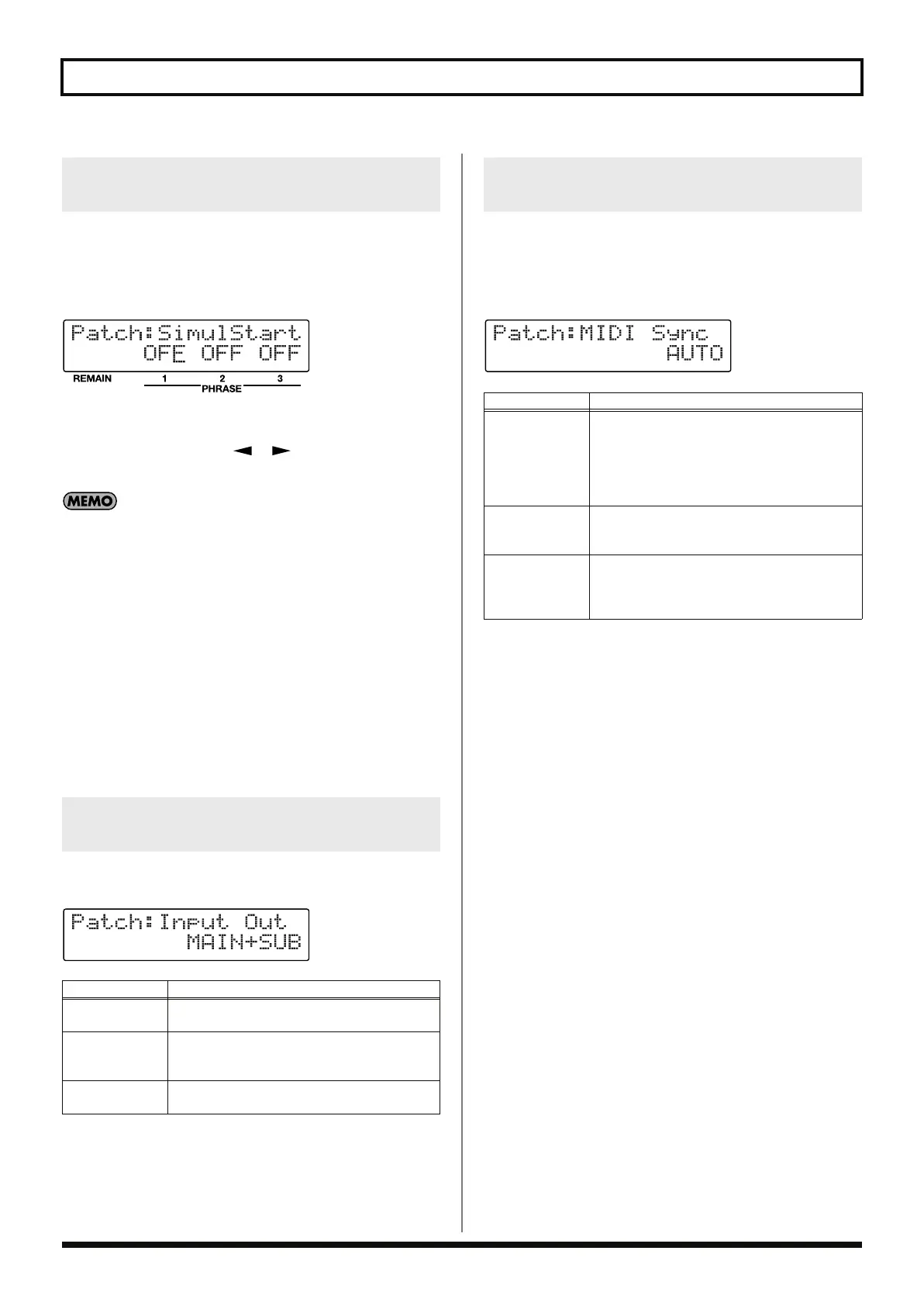
By setting Simul-Start, you can always start playback simultaneously
with the current phrase.
fig.04-220d
The Simul-Start On/Off status for the three phrases is indicated in
the screen.
After pressing PARAMETER [ ] [ ] to select the phrase,
rotate the PATCH/VALUE dial to switch the function on or off.
• Holding down a PHRASE pedal for at least two seconds in
Multi mode while the phrase is stopped switches on Simul-Start
for that phrase.
Holding down the pedal again for at least two seconds switches
the Simul-Start setting to OFF again.
• Pressing the REC/PLAY/OVERDUB pedal always starts
recording or playback, regardless of whether or not the current
phrase has Simul-Start on or off.
Example:
When Phrase 1 is the current phrase and Simul-Start is set to
ON only for Phrase 2 and Phrase 3, all phrases start playing
when the REC/PLAY/OVERDUB pedal is pressed.
• Using the All Start function (p. 61) is a convenient way to have
all three phrases play back simultaneously.
This selects the output connector to be used for the output of sounds
arriving at the INPUT connectors (INST/MIC/AUX).
fig.04-212d
This procedure is used to make the settings for performing at the
same tempo as a performance from an external MIDI device
(synchronized performance).
For more detailed information about MIDI and synchronization,
refer to “What You Can Do with MIDI” (p. 74).
fig.04-211d
Playing Multiple Phrases
Simultaneously (Simul-Start)
Setting the Output for the Sounds
Being Input (Input Output Select)
Available Settings
Description
MAIN
The sound is output from the MAIN OUTPUT
and PHONES jacks.
SUB
The sound is output from SUB OUTPUT jacks.
The sound is not output from the MAIN OUT-
PUT and PHONES jacks.
MAIN+SUB
The sound is output from the MAIN and
SUB OUTPUT jacks and the PHONES jack.
Setting Tempo Synchronization
with MIDI (MIDI Sync)
Available Settings
Description
AUTO
Performances are normally played at the patch
tempo set with the RC-50, but when the RC-50 is
stopped and MIDI start message is received, the
performance automatically starts playing at the
tempo determined by the MIDI clock data from
the external MIDI device.
INTERNAL
Performances are played at the tempo set with
the RC-50, with recording, playback, and over-
dubbing carried out with the RC-50’s controls.
REMOTE
Although performances are played at the tempo
set with the RC-50, the start of recording, play-
back, and stopping (only) are controlled with the
external MIDI device.
RC-50_e.book 50 ページ 2009年4月10日 金曜日 午後1時17分















 To Next Page