95
Appendices
Restoring the Factory
Settings (Factory Reset)
Restoring the RC-50’s system settings (System parameters) to their
original factory default settings is referred to as “Factory Reset.”
In addition to restoring the system settings to the original factory
settings, you can also initialize all of the patches (INIT PATCH).
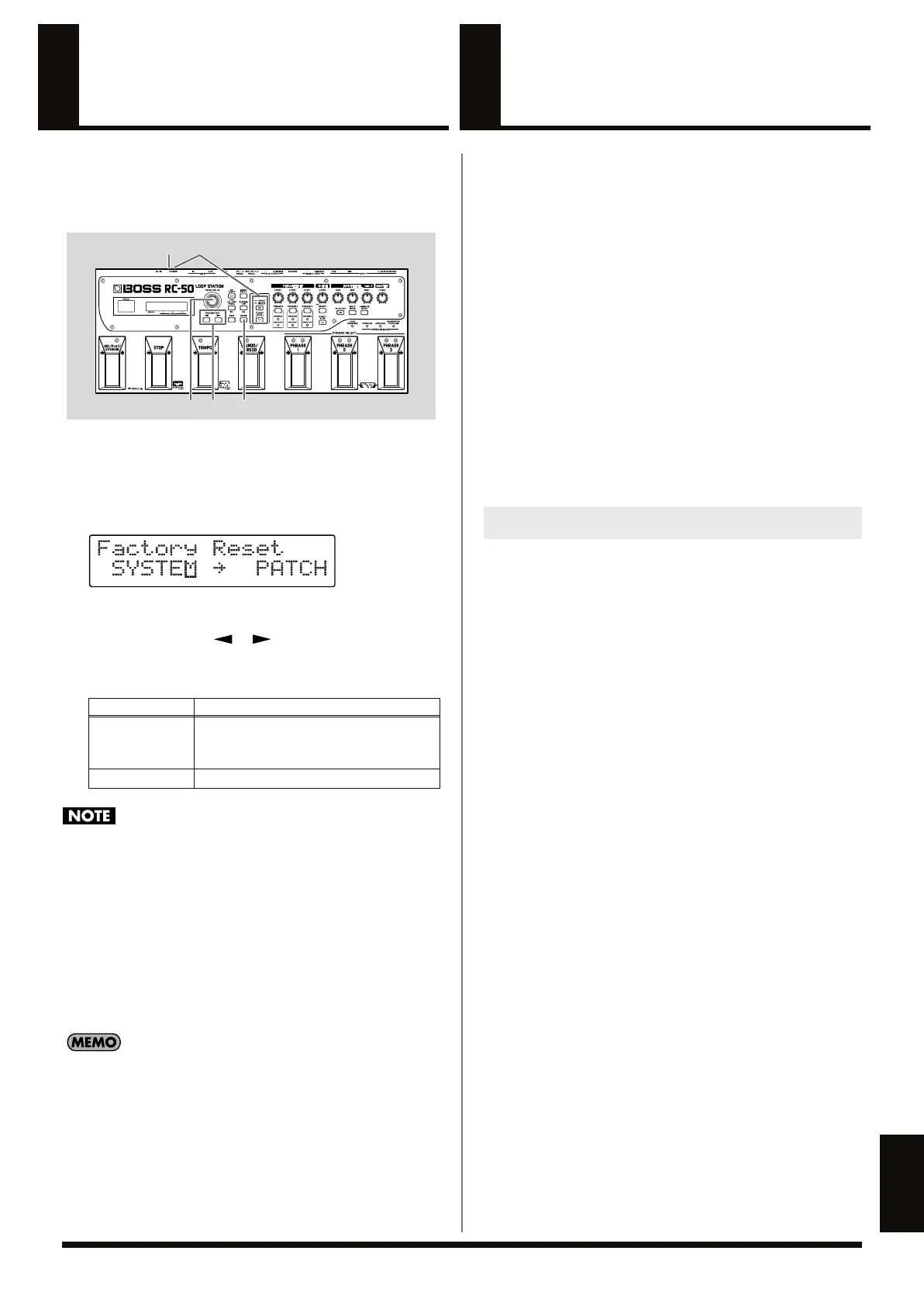
fig.11-040
1.
Turn off the power.
2.
While holding down [PLAY MODE] and [LOOP SYNC], turn
on the power.
The Factory Reset range setting screen appears in the display.
fig.11-050d
* To cancel Factory Reset, press [EXIT].
3.
Press PARAMETER [ ] [ ] to move the cursor, and
rotate the PATCH/VALUE dial to specify the range of settings
you want to restore to factory settings.
Selecting PATCH results in a loss of all patch content.
* When Preset Protect (p. 69) is set to ON, the data in Patch Numbers
1–5 is left intact.
4.
If you want to proceed with the factory reset, press [ENTER].
When SYSTEM is selected, the System Parameters are returned
to their original factory settings.
When PATCH is selected, all of the patches are initialized.
Once the Factory Reset is completed, the Play screen returns to
the display.
• For more on the factory default settings for each parameter,
refer to the “Parameter List” (p. 96).
• The included CD contains the “ROLAND” folder with the
factory default data.
If you want to restore the factory default patches and phrases,
recover the data as described in “Chapter 9 Connecting to
Computers” (p. 79).
Available Settings
Description
SYSTEM
System parameters
* Does not include the Preset Protect (p. 69)
settings.
PATCH
All patches (all phrase data deleted)
21
33 4
Switching Playback-
start Operation
You can switch the manner for starting playback immediately when
the REC/PLAY/OVERDUB pedal is operated while recording is in
progress.
Priority Given to Rhythm
(Factory Default)
This preserves the performance rhythm from the time that
recording started.
When you operate the pedal, the performance-start location is
adjusted and playback is started accordingly.
Although it may sometimes sound as if playback has started from
the middle of a phrase, from the following loop, playback takes
place as recorded.
Priority Given to Sound
This starts playback from the beginning of the recorded data.
Note, however, that for recordings synchronized with MIDI or
recorded phrases, playback starts with “Rhythm Priority.”
1.
To choose the mode you want to use, hold down the
corresponding buttons described below as you switch on the
power.
Check what’s displayed on the title screen, then release the
buttons.
Rhythm Priority: [LOOP SYNC] + [PHRASE 1]
Sound Priority: [LOOP SYNC] + [PHRASE 2]
* The setting is saved in memory, so you don’t need to carry out this
procedure the next time you start up. You should carry out this
procedure only when you want to change to a different mode.
How to Change the Operational Mode
RC-50_e.book 95 ページ 2009年4月10日 金曜日 午後1時17分















 To Next Page