5 Operation
38 Operating Manual ARC 400 BOWA-IFU-11779-ARC400-V2.1.0-S0-EN
5. Operation
5.1. Program overview
5.1.1. Display
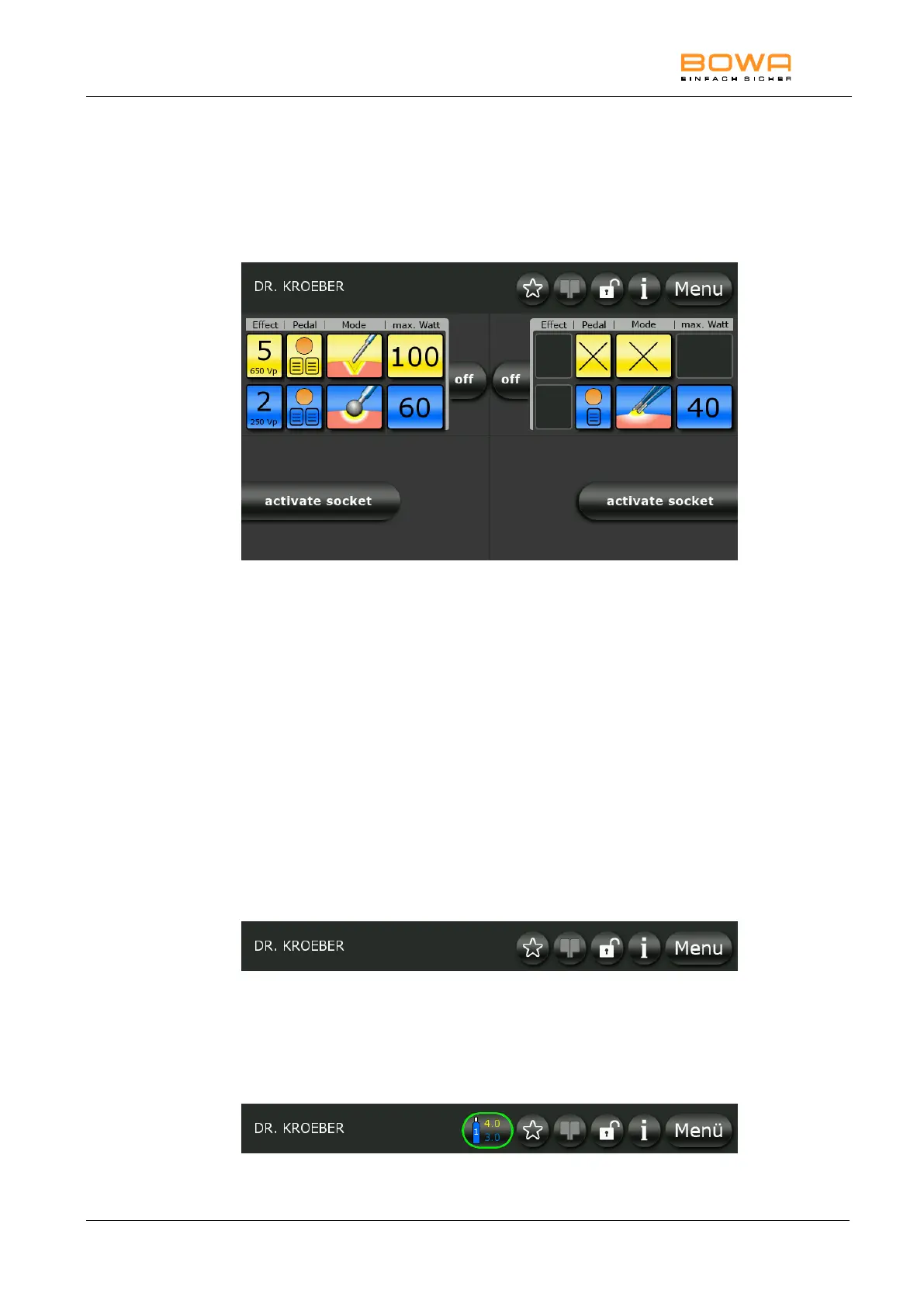
Figure 5-1: Main screen
The status bar is located at the top of the display.
The settings of the four socket connectors are shown below the status bar.
Settings can be configured for each of the connectors.
The "Effect" button is used to set the effect of electrosurgical cutting.
The "Pedal" button allows the activation of specific functions to be assigned
to the foot pedal.
The "Mode" button allows the desired type of current to be selected.
The "max. Watt" button is used to set the maximum output power.
The “max. Watt” power settings are relative values. This setting configures
the maximum value of the desired upper power limit. Measured power
values can and may therefore deviate from the characteristic power curves
(see Section 10.2) by ±20%.
5.1.2. Status bar
Figure 5-2: Status bar with Favourite
Five buttons are located on the status bar: "Favourite", "EASY", „Keylock“,
"Help" and "Menu".
The “Argon” button is also displayed in conjunction with ARC PLUS and
selection of an Argon mode.
Figure 5-3: Status bar with Argon



 To Next Page