5 Operation
BOWA-IFU-11779-ARC400-V2.1.0-S0-EN Operating Manual ARC 400 51
5.4.7. Plug’n Cut COMFORT
The automatic instrument identification Plug’n Cut COMFORT recognises
the connected BOWA COMFORT instrument and selects the default
parameters automatically.
1. Insert the COMFORT instrument into a socket of ARC 400.
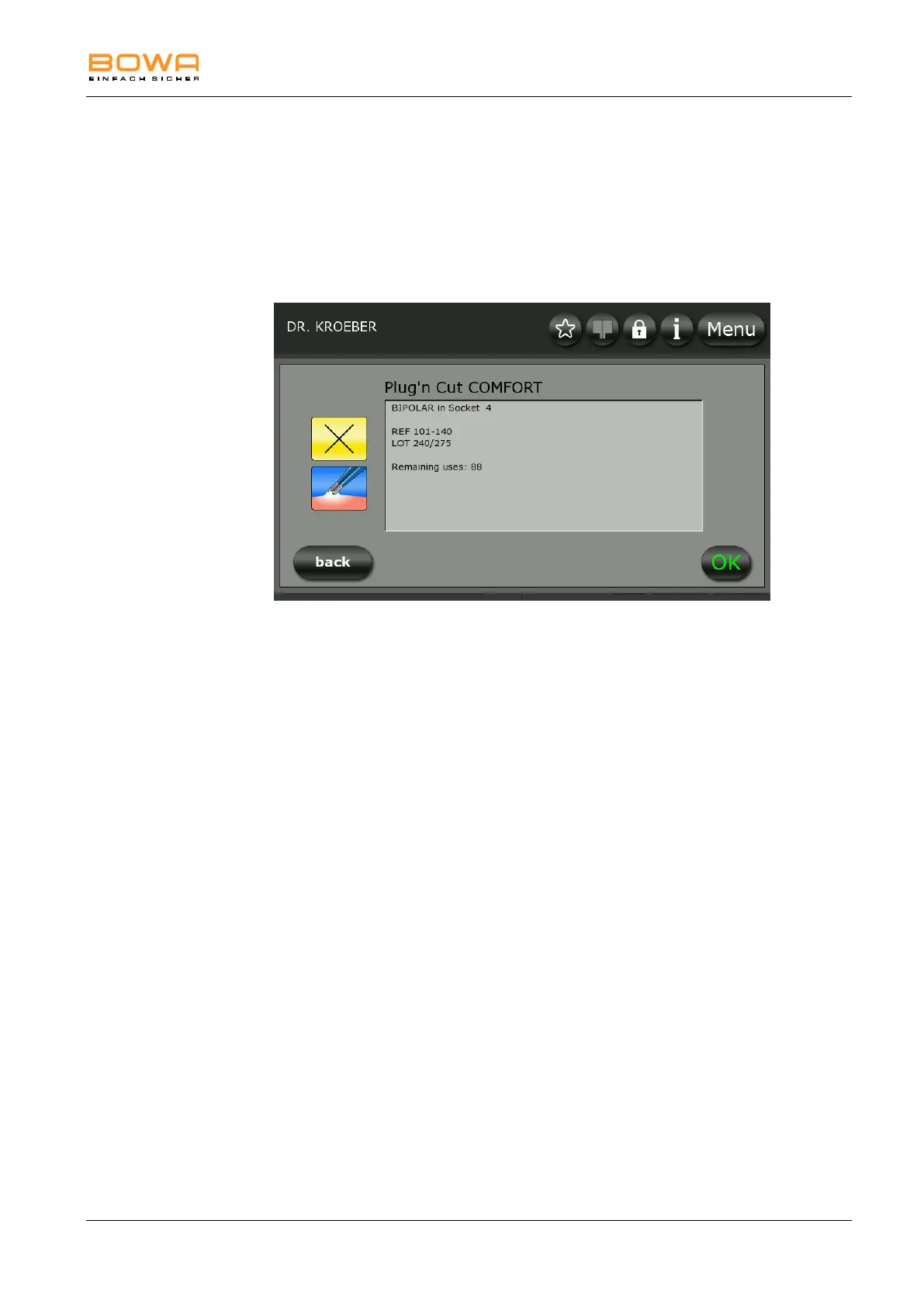
The instrument data is read
Figure 5-17: Plug’n Cut COMFORT
A description of the instrument appears:
Instrument name
Recognised socket
Item number
Lot number
Remaining use cycles with reusable instruments. Remaining use
cycles are not displayed with disposable instruments.
The parameters are accepted automatically after 5s and shown on the
main screen.
If the COMFORT instrument is connected to a socket without
preset parameters, the ideal settings for the BOWA COMFORT
instrument are loaded via Plug’n Cut COMFORT.
If the COMFORT instrument is connected to a socket with preset
parameters, a plausibility check is carried out. The preset values
for the COMFORT instrument are not overwritten if they are within
a permissible range. The COMFORT instrument can now be used
with the preset parameters.
- or-
Press "OK" to accept the selection.
Press "back" to return to the main screen without carrying
changes to the selection.
The COMFORT instrument can now be used.
The permissible parameters for the BOWA COMFORT instrument
remain accessible; all other modes are greyed out.



 To Next Page