5 Operation
BOWA-IFU-11779-ARC400-V2.1.0-S0-EN Operating Manual ARC 400 41
5.4. Configuring output currents
All selection windows are closed 10 seconds after the last screen touch.
If selection windows are open, all screen areas outside this area have
the same effect as the “Back” button.
Activations also have the same effect as the “Back” button.
A change to the currently loaded program, e.g. by adjusting the output, is
indicated by the information “changed” below the program name.
5.4.1. Selecting the mode
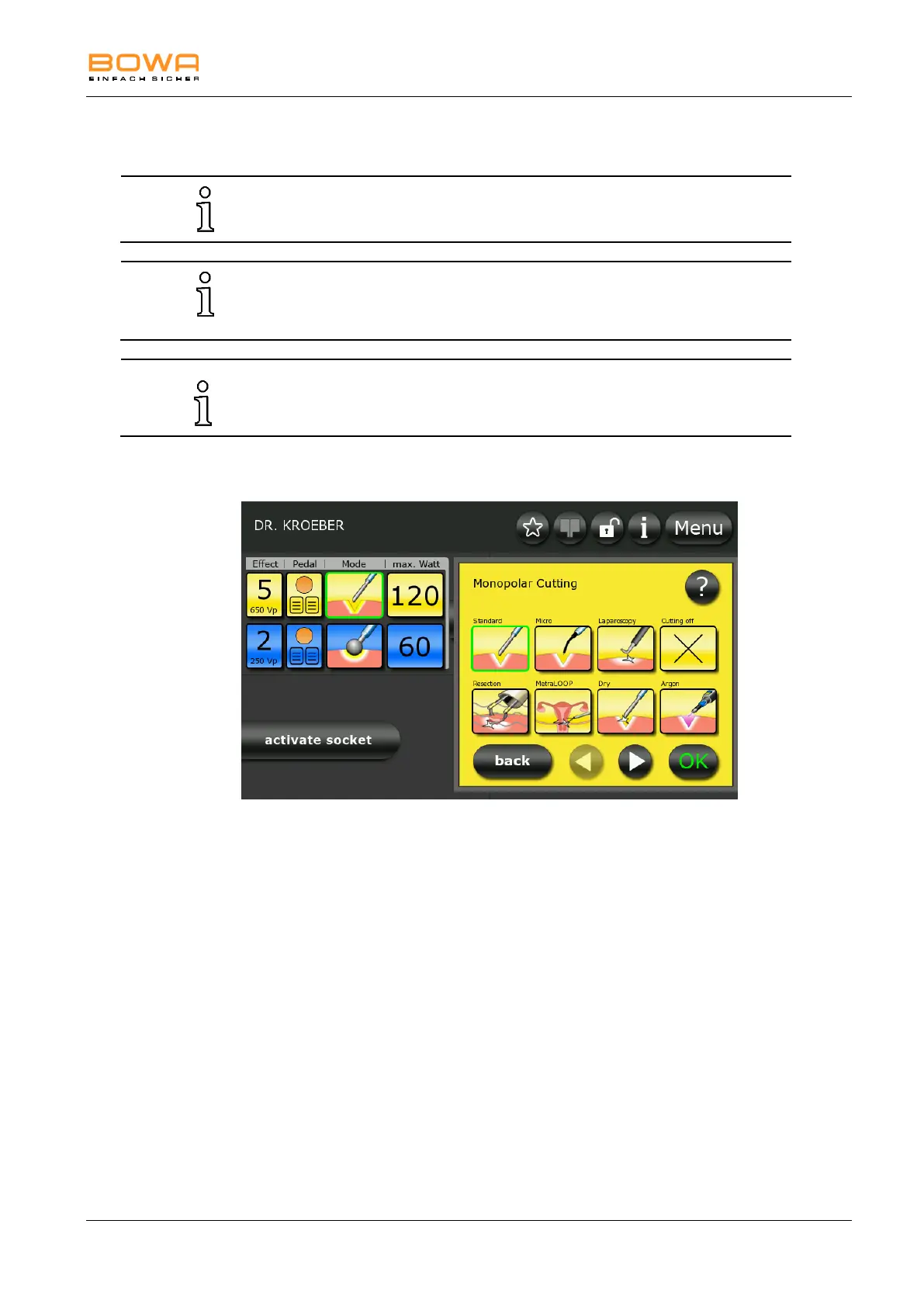
Figure 5-8: Modes monopolar cutting
1. To select the type of current for monopolar cutting, first select one of
the two socket connectors on the left side.
2. Press the yellow icon under the "Mode" button.
A selection screen appears for the available modes, and the rim of the
associated connector starts blinking.
3. Select the desired mode by pressing the corresponding button.
- or -
Deactivate the mode by pressing the button “mode off”.
4. Press the "?" button for more information on this selection.
5. Additional options in the selection window can be accessed with the
arrow keys..
6. Confirm your selection by pressing the "OK" button.
The main screen will be displayed.
- or -
Press the "Back" button to return to the main screen without changing
the selection.



 To Next Page