5 Operation
BOWA-IFU-11779-ARC400-V2.1.0-S0-EN Operating Manual ARC 400 43
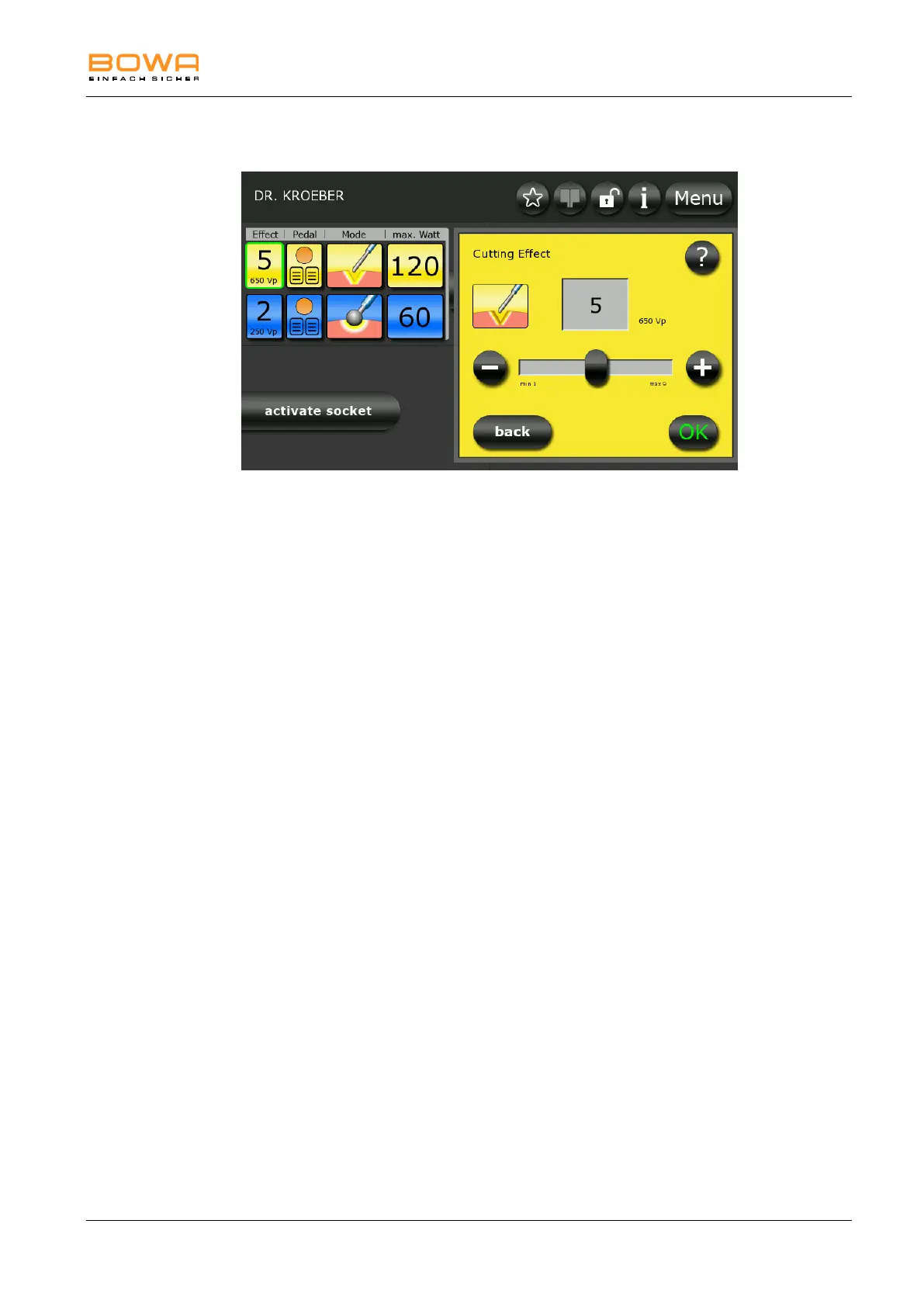
5.4.3. Selecting the effect
Figure 5-10: Effect monopolar cutting
1. To select the effect for monopolar cutting, first select one of the two
socket connectors on the left side and press the yellow icon under the
“Effect” button.
2. Use the "+" and "-" buttons to adjust the effect in individual steps.
– or –
Use the slider to set the effect.
3. Press the "?" button for more information on this selection.
4. Confirm your selection by pressing the "OK" button.
- or -
Press the "back" button to return to the main screen without changing
the selection.



 To Next Page