5 Operation
BOWA-IFU-11779-ARC400-V2.1.0-S0-EN Operating Manual ARC 400 89
You now have three bipolar ports available.
A socket extension indicator is displayed next to the “Effect” key.
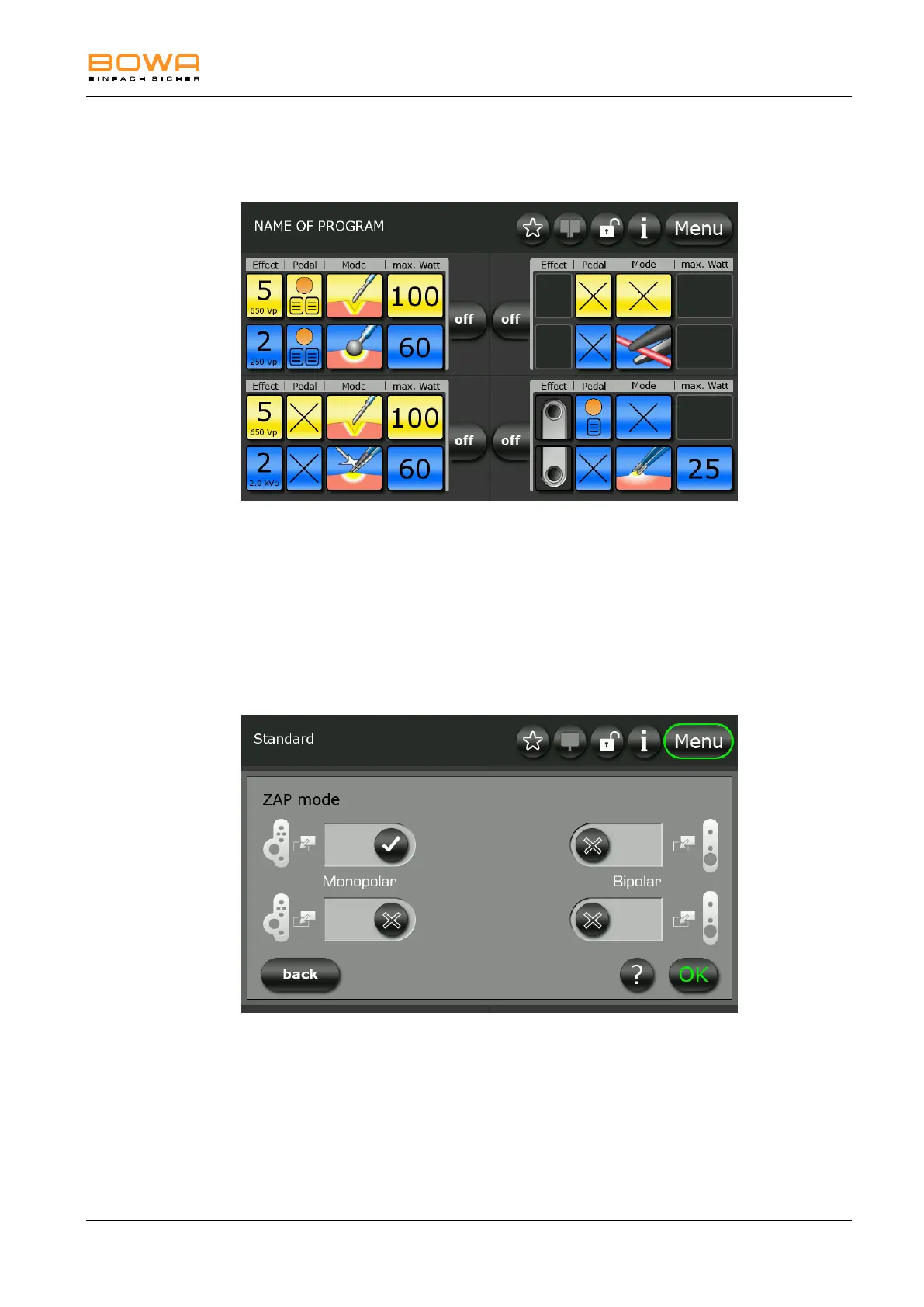
Bild 5-30: Dual operator interface for bottom socket.
5.10.10. ZAP Mode
You can use Zap Mode to switch between two predefined settings for the
same instrument.
1. Select Zap Mode on the “Socket configuration” screen.
2. Enable or disable switching for an individual socket by touching the
check mark next to the socket.
Bild 5-31: Menu "ZAP Mode"
The check mark is filled in when Zap Mode is enabled.
Press “OK” to confirm your selection.
Press “Back” to return to the main screen.
On the main screen, active Zap Mode is indicated by an additional button.



 To Next Page