103
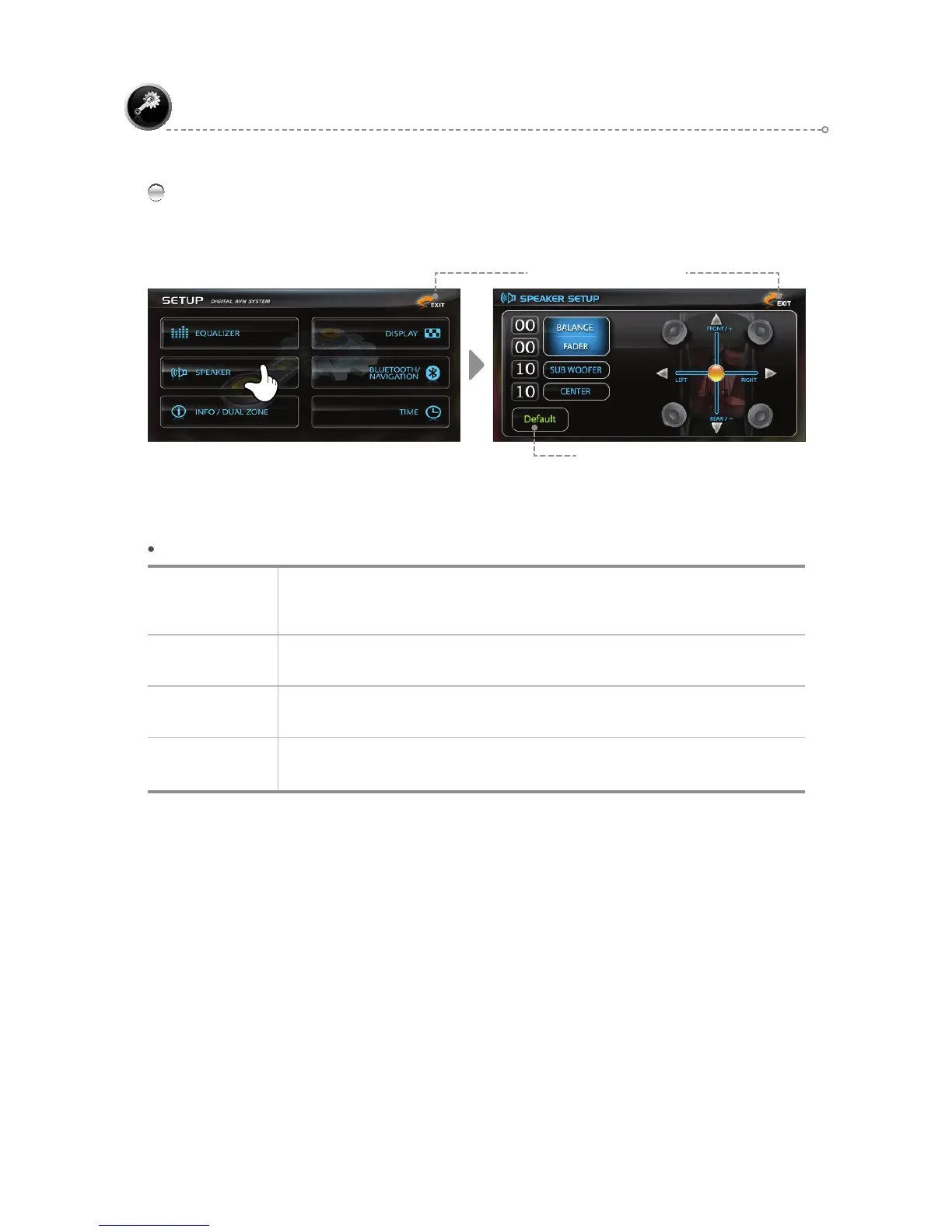
SPEAKER
SETUP
SPEAKER – Menu Description
BALANCE/
FADER
BALANCE: Adjust the left/right sound balance.
FADER: Adjust the initial/closing sound.
Can be set to <-10~0~+10>.
SUB WOOFER
Adjust the sound of the woofer.
Can be set to <0~15>.
CENTER
Adjust the Center Speaker volume.
Can be set to <0~15>.
DEFAULT
BALANCE 0, FADER:0,
SUBWOOFER:10, CENTER:10
Use the [▲▼◄►] icons to adjust the <BALANCE, FADER> menu settings.
Use the [▲▼] icons to adjust the <SUB WOOFER, CENTER> menu settings.
Restore Default Settings
Move to Previous Screen



 To Next Page