92
USB /SD CARD
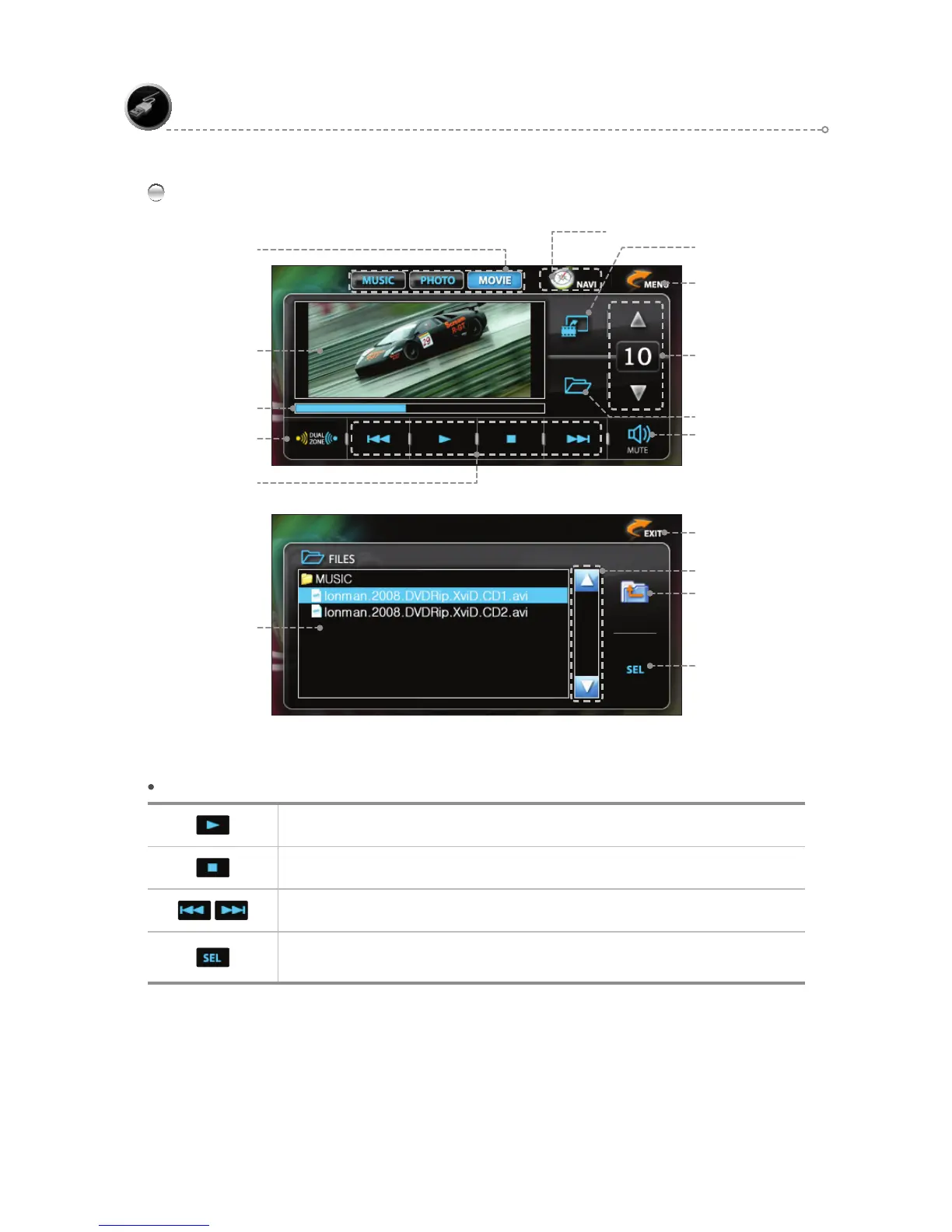
MOVIE Mode Main Screen
MOVE TO MENU Icon
Mute
Progress Bar
Dual ON/OFF
(Refer to page 105.)
MOV E FUNCTION Icons
MOVIE FUNCTION Icons
Play/Pause
Stops currently playing file.
During playback, moves [backward/forward] by 5-second intervals.
After moving to the desired file, press <SEL> to play.
(Touch the playback screen to switch to full screen viewing mode.)
Playback Screen
Full Screen
Mode Select
Movie main screen
Playlist
Scroll
Previous Folder
Play Selected File
Volume Control & Display
File list
File list Screen
NAVIGATION BUTTON ( PIP )



 To Next Page