78
RADIO Detailed Functions
ASM
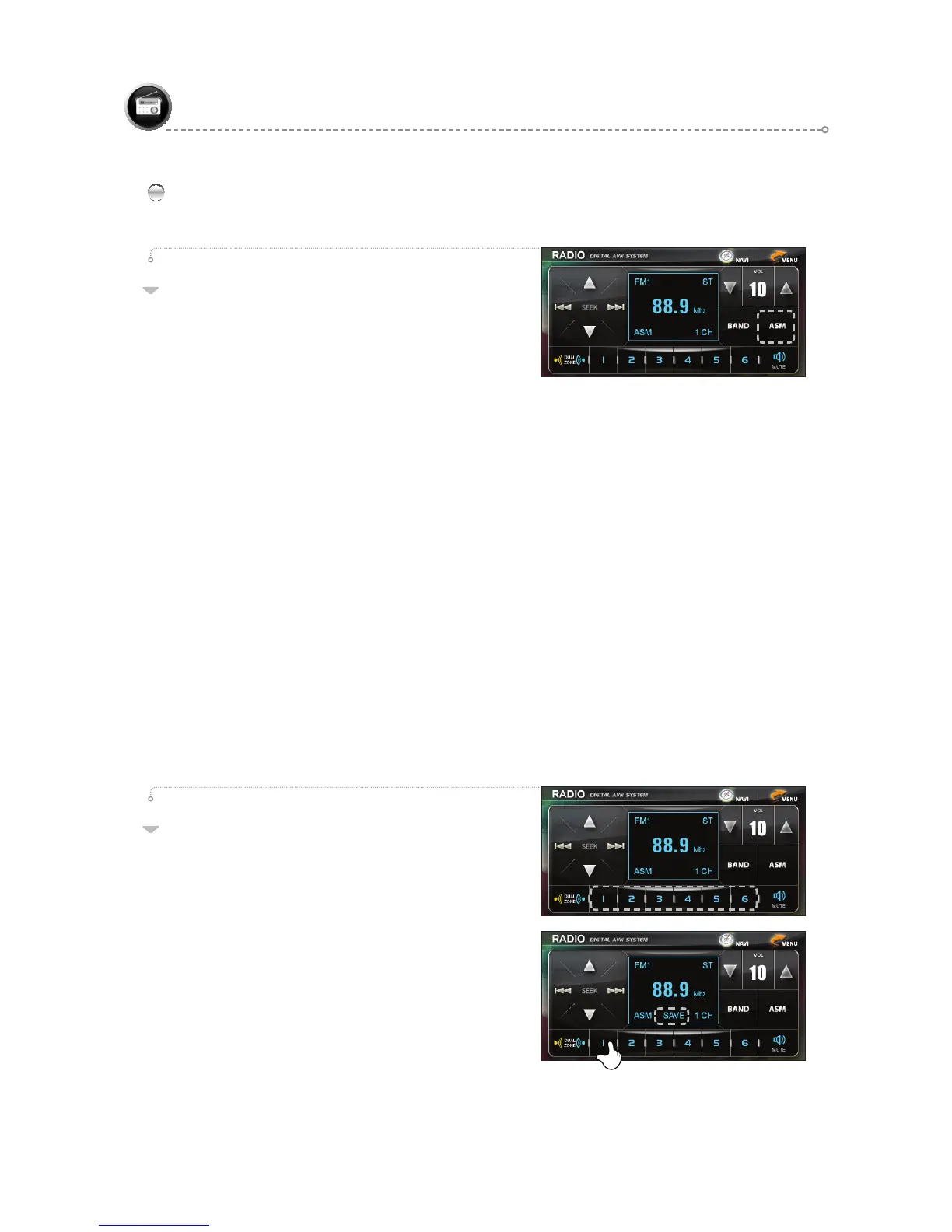
If the ASM icon is pressed, six (1~6) frequencies with
good reception in the current area are automatically
saved via
ASM Mode.
After ASM is completed, each of the six saved
frequencies is played for five seconds to check
reception, followed by a move to preset 1.
If the frequencies saved during ASM do not come to a total of six, the previously saved
frequencies are maintained. (The “ASM” OSD appears on the screen. The “ASM” OSD is
displayed continuously until the “ASM Mode” is exited.)
●
Searching begins from the first frequency in each mode.
●
ASM applies only to the frequencies that match the current BAND. (FM1, FM2, AM)
- ASM Mode & USER Mode
a. Frequency saving can be done in the two modes of ASM Mode and USER Mode
(user directly saves frequencies to the presets) simultaneously.
USER Mode (6 saved frequencies each in FM1, FM2, and AM), ASM Mode (6) for a total
of 24 saved frequencies
b. When running ASM, frequencies are saved to ASM presets. (Switch to ASM Mode.)
Thus, pressing any of the preset channels (1~6) enters ASM Mode operation.
c. When in ASM Mode, pressing he BAND icon switches to USER Mode. (Exits ASM Mode.)
After entering USER Mode, the user can select among presets that were manually saved.
d. ASM Mode remains running until the power is turned on/off or the BAND is changed.
- To stop during ASM:
• Press the SEEK, ASM, or BAND icons.
• Stopping in the middle of ASM results in the maintenance of the frequencies in memory prior
to the stoppage, while ASM OSD is erased. (Switch to USER Mode.)
01
PRESET 1~6
- Recalling a Preset:
Select the desired frequency saved to a preset by
pressing the corresponding preset number (1~6).
Press the preset icon to begin broadcast.
(The frequency and channel number appear on he screen.)
- Saving a Preset:
To save he current frequency to a preset, select
the desired preset (1~6) and press the corresponding
icon for longer than one second until a beep is
emitted, indicating that the current frequency has
been saved to that preset.
(The “SAVE” OSD appears on the screen for one second.)
02
RADIO



 To Next Page