86
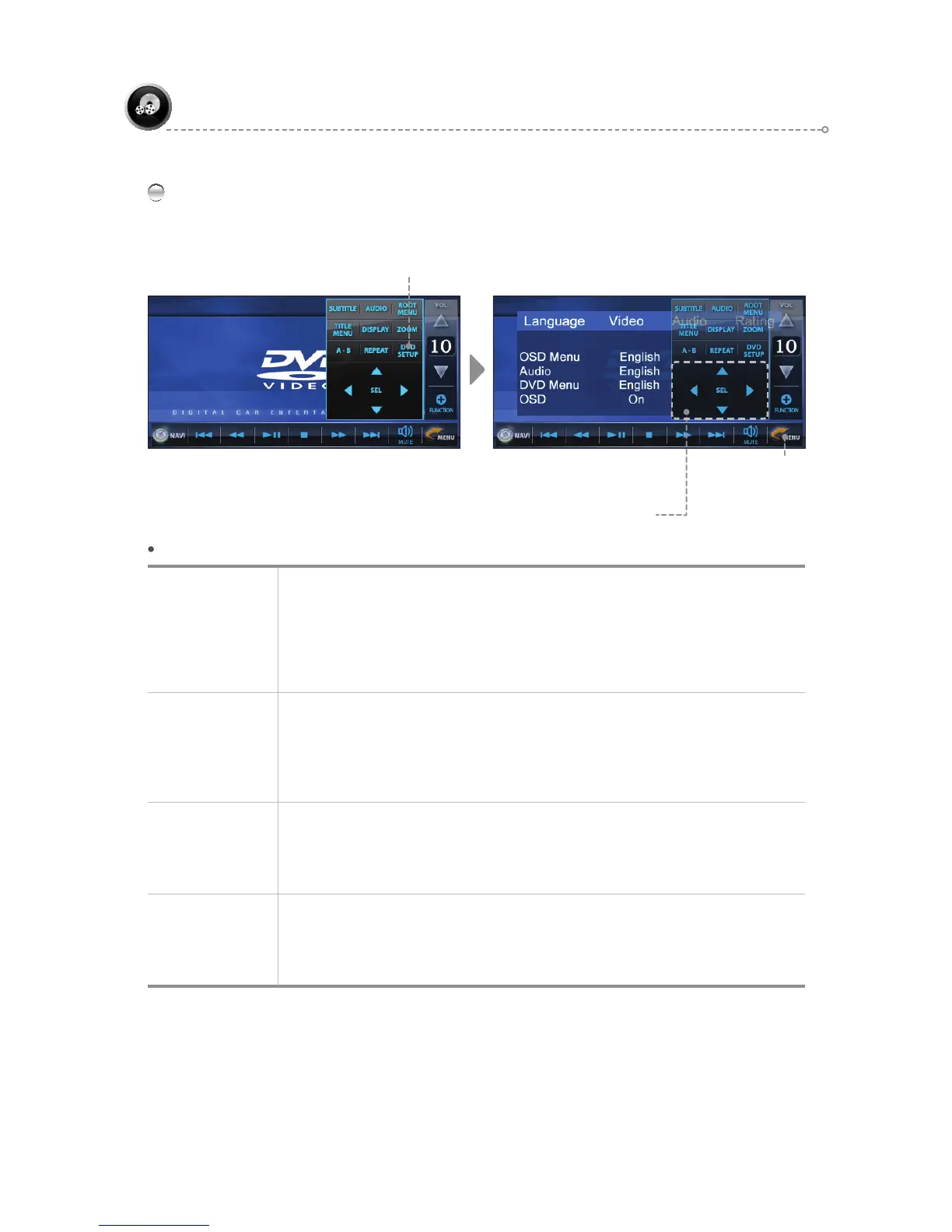
DVD SETUP
◄►: Move Left/Right, ▲▼: Move Up/Down
Press the [SEL] icon to move to the settings menu and/or move to the previous menu.
DVD
DVD - Menu Description
Language
Setup
The user can set the desired language.
OSD Menu : Set to English/Deutsch/Korean/Español, pyccкий.
Subtitle : Set to English/Deutsch/Korean/Español, pyccкий/Auto/Of
f.
Audio : Set to English/Deutsch/Korean/Español/pyccкий.
DVD Menu : Set to English/Deutsch/Korean/Español/pyccкий.
OSD : Set to On/Off.
Video Setup
Use for video-related setup.
TV Shape : Set to 4:3/16 9.
TV System : Set to NTSC/PAL/Auto.
View Mode : Set to FILL/Original/H FIT/ W FIT/Fit to Screen/Pan Scan.
JPG View : Set to Original/Fit to Screen.
Audio Setup
Use for audio-related setup.
Digital Output : Set to PCM/Raw/Off.
DRC : Set to Of
f/On.
DownSampling : Set to Off/On.
Rating
Use to set the password and rating, as well as reset.
Password : Set to ----.
Rating : Set to 1.Kid Safe/2.G/3.PG/4.PG-13/5.PG-R/6.R/7.NC-17/8.Adult.
Load Factory : Reset.
Move to Previous Screen
Move & Select Icon
DVD SETUP Menu



 To Next Page