90
USB /SD CARD
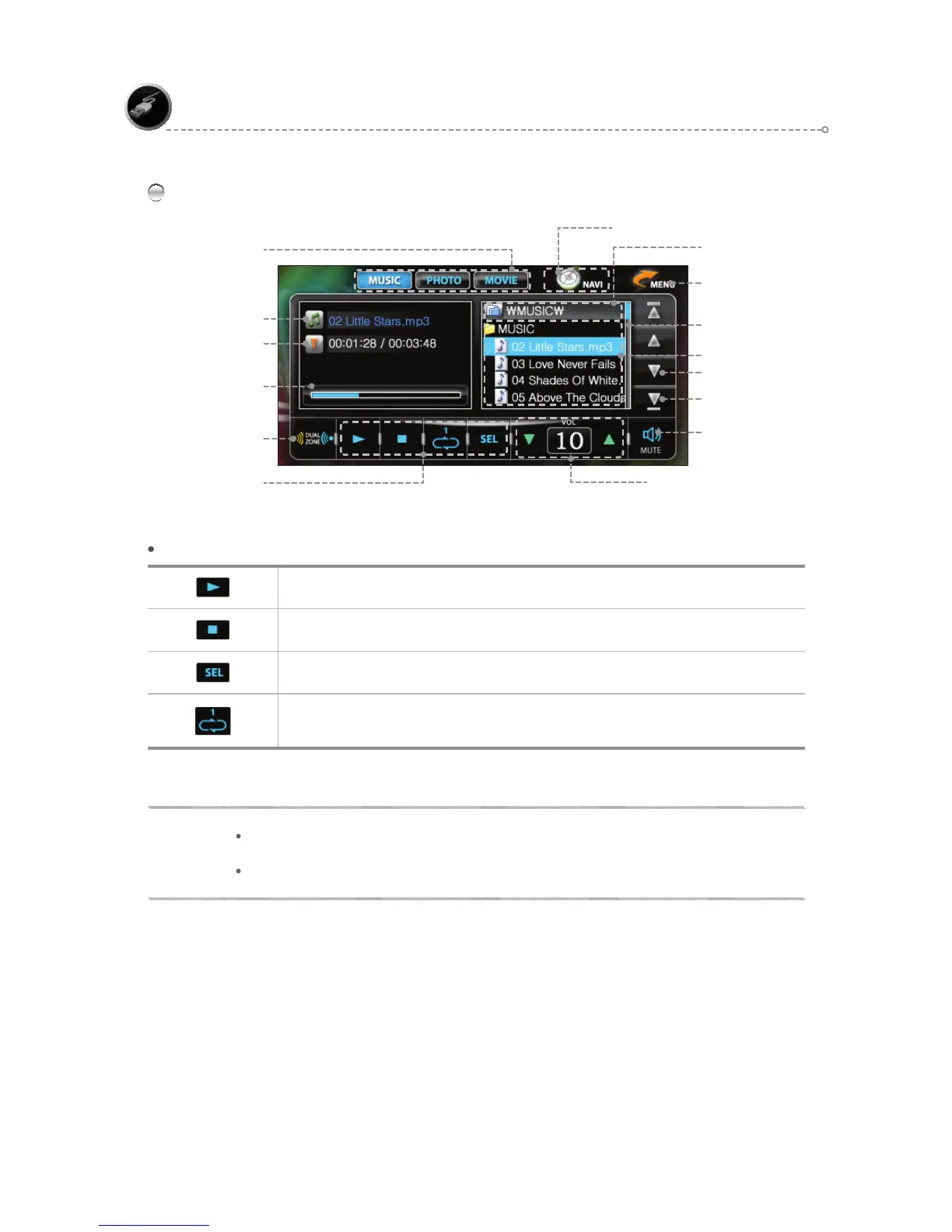
MUSIC Mode Main Screen
MOVE TO MENU Icon
Move by Track
Mute
Progress Bar
Dual ON/OFF
(Refer to page 105 .)
MUSIC FUNCTION Icons
MUSIC Function Icons
Play/Pause
Stops currently playing file
After moving to the desired track, press <SEL> to play.
Set Play to the desired mode.
REPEAT 1: Repeat once. REPEAT ALL : Repeat all tracks REPEAT OFF : Turn Repeat off.
Current File
Elapsed Time
Move by Page
Scroll Bar
Playlist
Volume Control & Display
Current Folder
Mode Select
NAVIGATION BUTTON ( PIP )
NOTE
You cannot play movies while the Navigation function is on.
The device may not detect some SD card or USB device.



 To Next Page