74
NAVIGATION
Restore
Restore utility is intended for restoring of previously backed up data to unit and, also,
to manage backed up data.
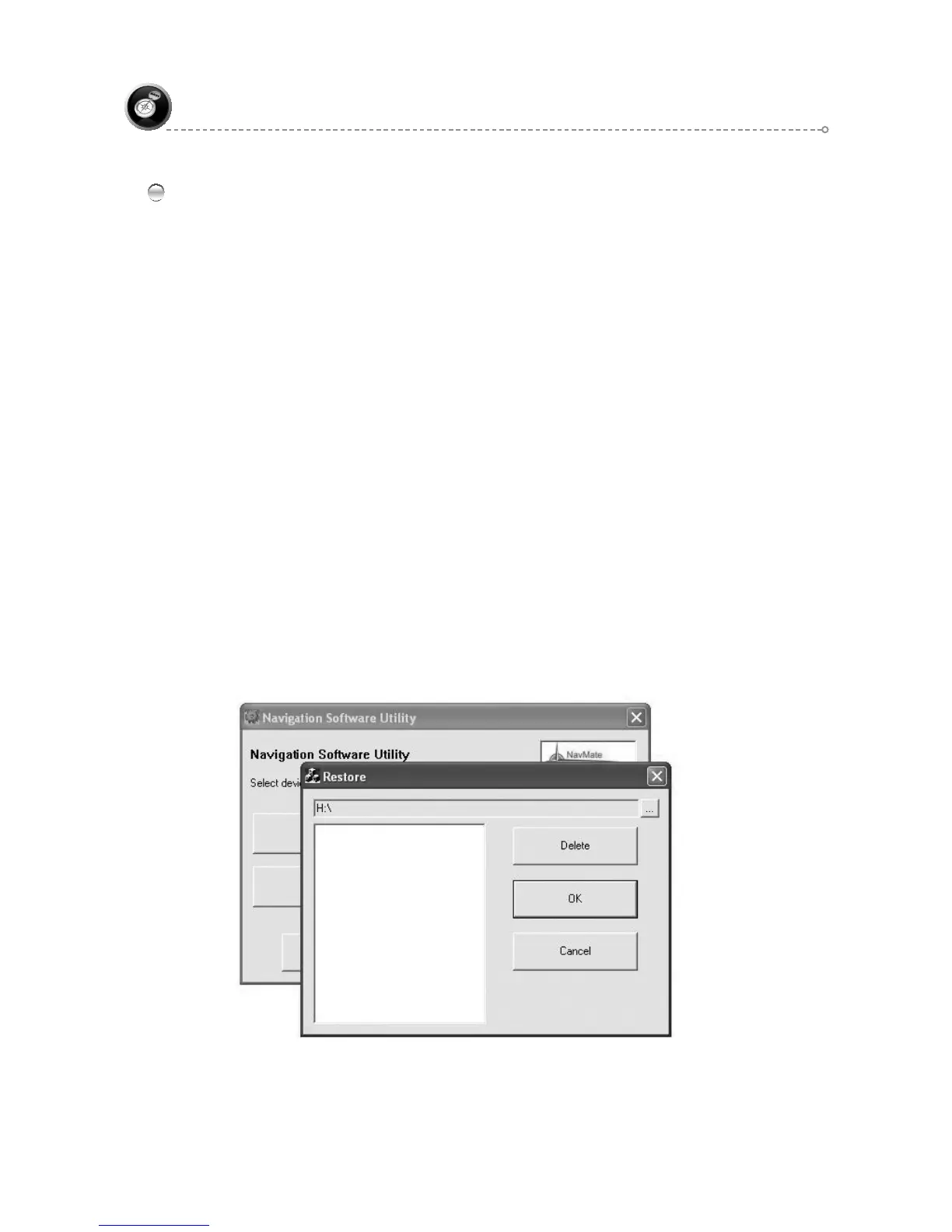
When restore utility is started dialog box appears. This dialog contains current ●
directory path and list of previously backed up data in current directory.
Change current directory button (…) starts dialog to select directory. The ●
dialog shows current directory and user can navigate through directory tree to
choose new selection. If user presses OK new current directory will be set and
backed up data list will be updated. Cancel button terminate selection process
and current directory will be not changed.
Delete button allows delete selected backed up data directory from list. Alter ●
activation of this button warning to delete popped up. If user confirms delete
operation, selected data directory will be removed with its content.
Cancel button terminate restore operation. ●
Restore button starts process to copy data from selected to backup directory ●
to Storage directory from unit’s root.
If there is some data in Storage directory, warning appears to confirm ●
overwriting files. When restoring process is started, progress box appears.
The progress box contains Cancel button to interrupt process. When interrupt ●
is taken, file structure in Storage directory is inconsistent. If restoring process
is finished successfully, Restore utility finishes its work.



 To Next Page