83
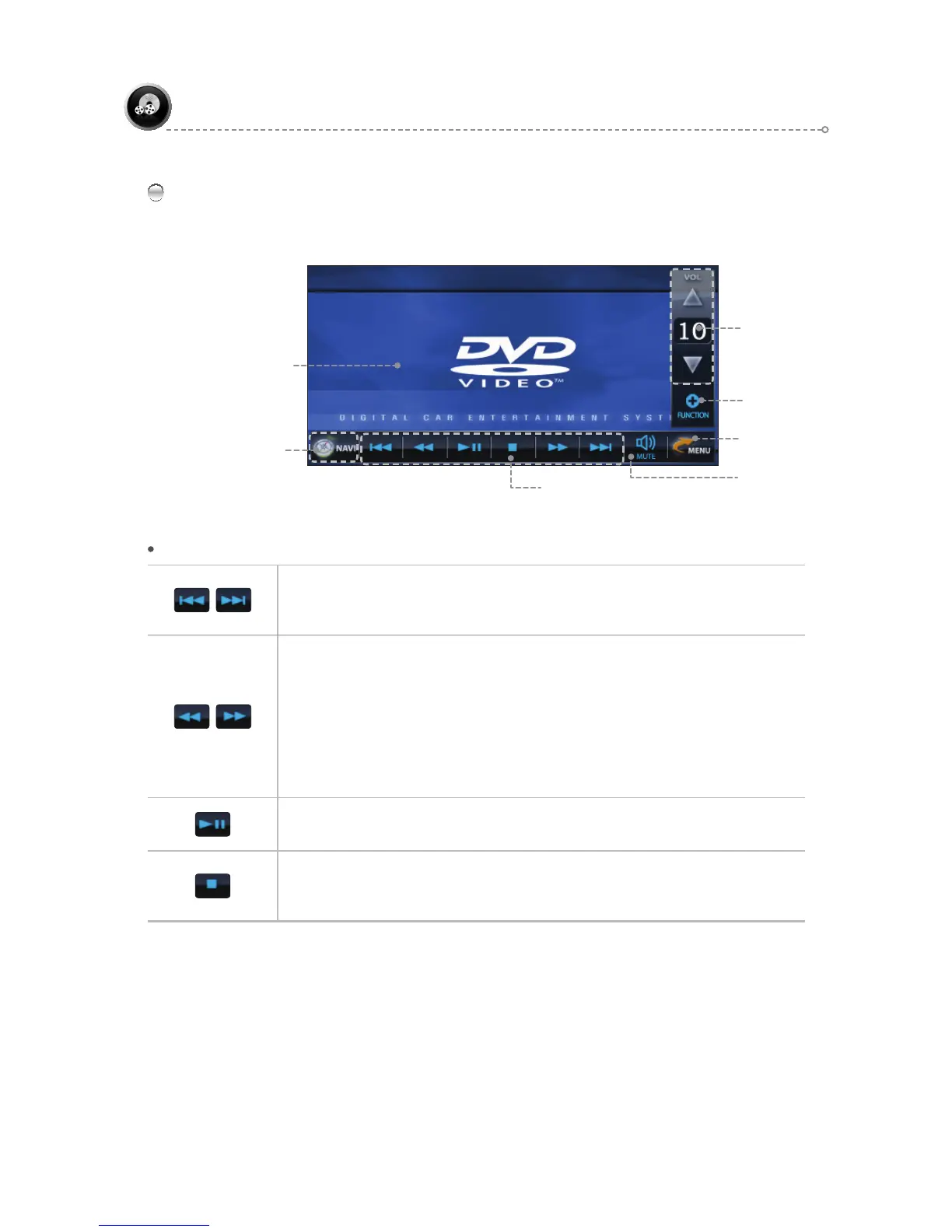
DVD Main Screen
Touch the playback screen in DVD mode to bring up the DVD function icons.
DVD
DVD Function Icons
DVD Function Icons
Volume
Control & Display
FUNCTION
Pop-Up Window
Mute
Move to Menu Icon
Previous / Next Track
Press to move to the previous or next track during playback.
(Note: Function buttons only work during playback.)
Rewind / Fast Forward Playback
Press during playback to play backward or forward.
Each press of the button cycles through speeds of 2x, 4x, 8x, and 20x.
(Note: Function buttons only work during playback.)
Speed Specs.
- DVD : 2x, 4x, 8x, 20x - VCD : 2x, 4x, 8x, 20x
- MP3,MPEG : 2x, 4x, 8x, 20x - CDDA : 2x, 4x, 8x, 20x
- DIVX : DIVX : 2x, 4x, 8x, 20x
Play / Pause
Press to play a DVD or pause during playback.
Stop
Press to stop DVD playback.
(Note: Function buttons only work during playback )
DVD Playback Screen
NAVIGATION BUTTON (PIP)



 To Next Page