87
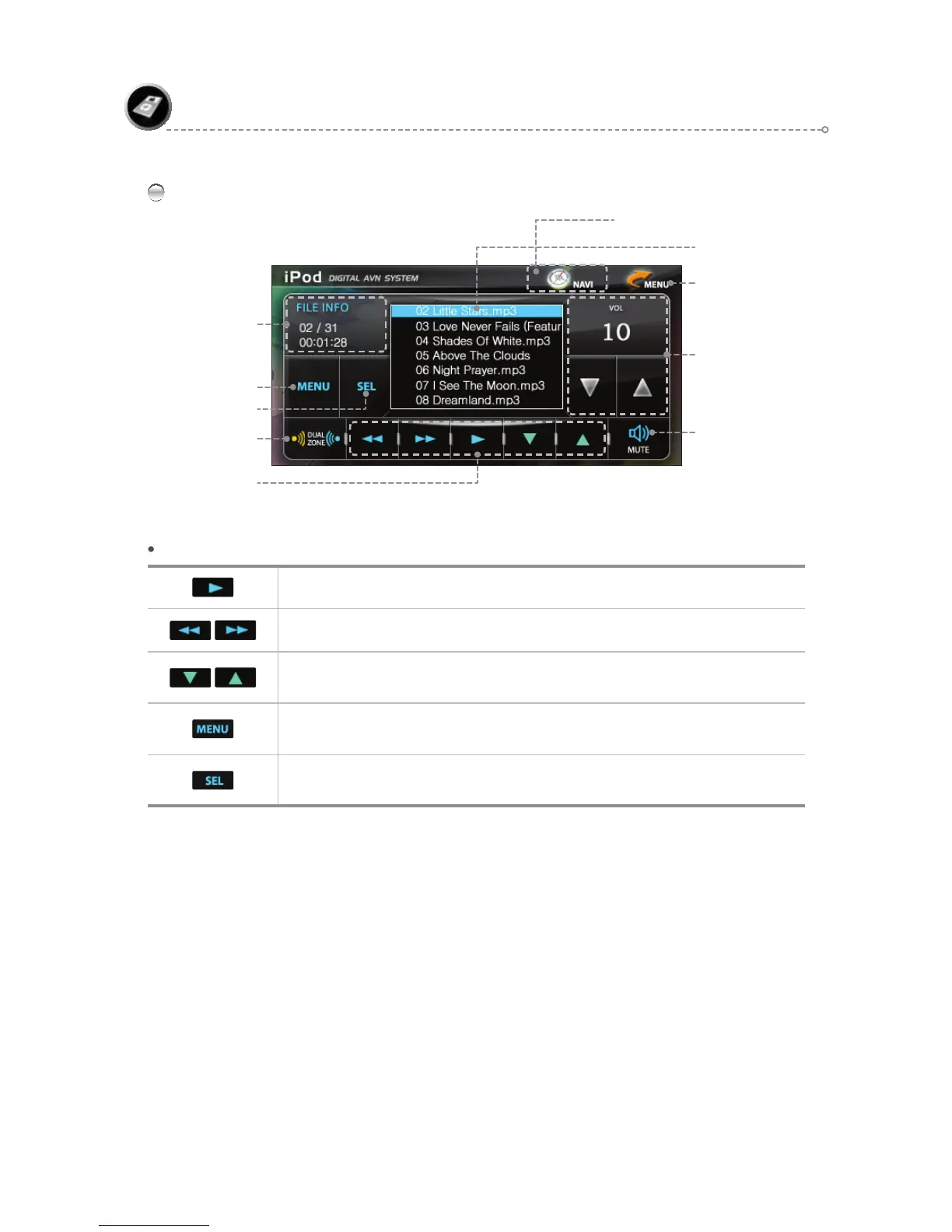
iPod Main Screen
iPod
Move to Menu Icon
Volume Control & Display
Mute
MENU
Dual ON/OFF
(Refer to page 105.)
iPod Function Icons
SEL
iPod Function Icons
Play/Pause
During playback, moves [backward/forward] by 5-second intervals.
During playback, plays the [previous/next] file.
Moves [up/down] the iPod MENU List.
Turns the iPod MENU List on/off.
MENU include PLAYLIST, ARTIST, ALBUM, GENRE, SONG, and COMPOSER.
After using the up/down icons to navigate the iPod MENU List, press <SEL> to play the
MENU selection.
Playlist
File Information
NAVIGATION BUTTON ( PIP )



 To Next Page