35
NAVIGATION
Route Calculation
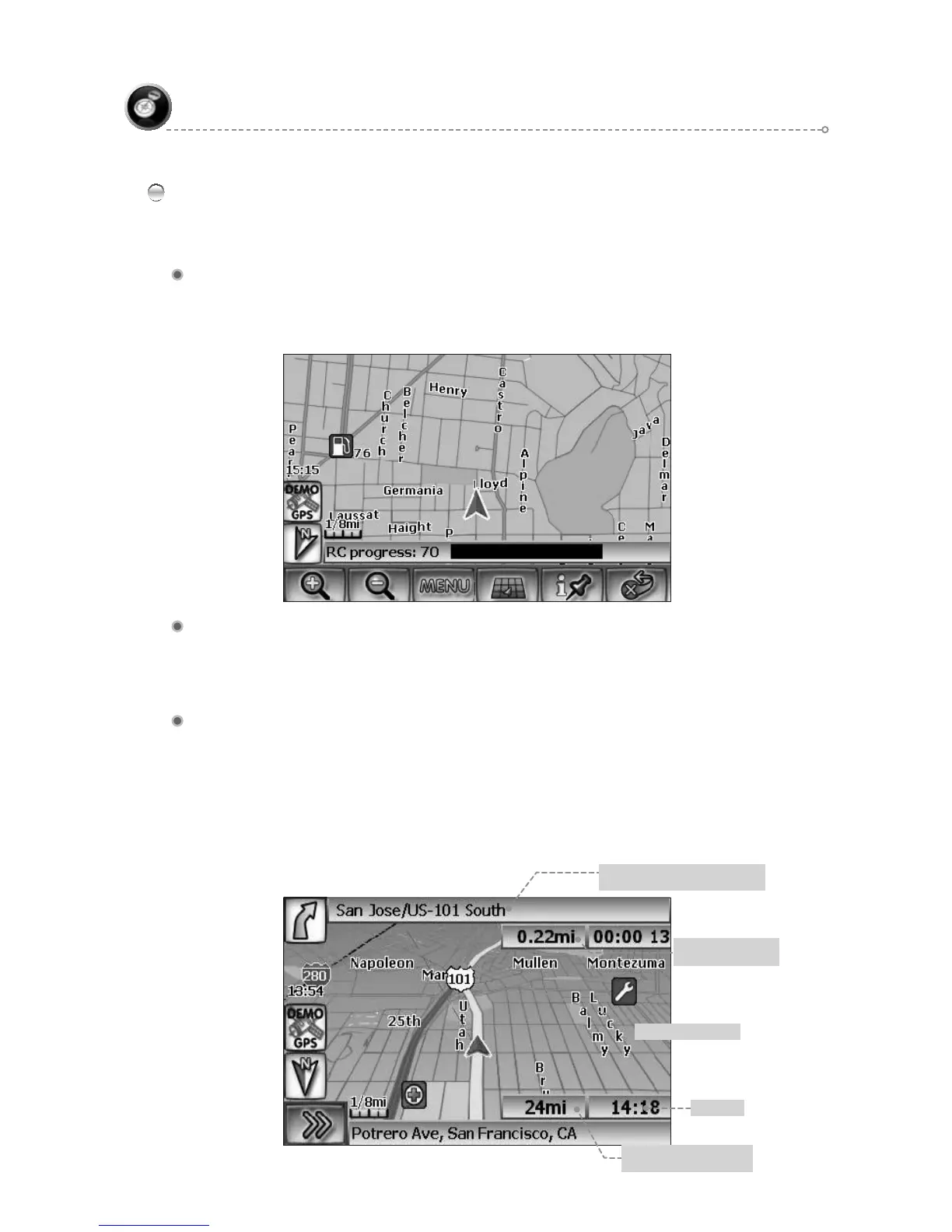
The status bar indicates route calculation progress.
Route Calculation Progress
Please Proceed
When route calculation is complete, the NavMate software will instruct you to
“Please proceed to the highlighted route” unless you are already on the route.
The highlighted route is indicated in magenta.
Route Guidance
Once on the highlighted route, guidance information is provided on the screen.
Glance at the screen only when necessary and safe to do so.
As you continue on the route, the guidance information is continually updated to
correspond with your progress to the destination.
Guidance display
Distance remaining to
destination
ETA
Road name or sign information
for upcoming turn
Distance and time
to next turn
Line to destination
Route Calculation and Guidance
After selecting a destination, the system calculates a route based on the route criteria
set in the Setup Menu.



 To Next Page