94
NOTE
Inserting the SD CARD in the opposite direction can result in its damage,
the liability for which lies solely with the user.
This unit does not play the movie file of over 640*480 resolution.
In case of SD and USB mode, only NAVIGATION VOICE GUIDENCE works,
but it does not convert to NAVIGATION MODE automatically.
In case of SD and USB mode, RESUME PLAY does not work to previous play location.
Front Rear
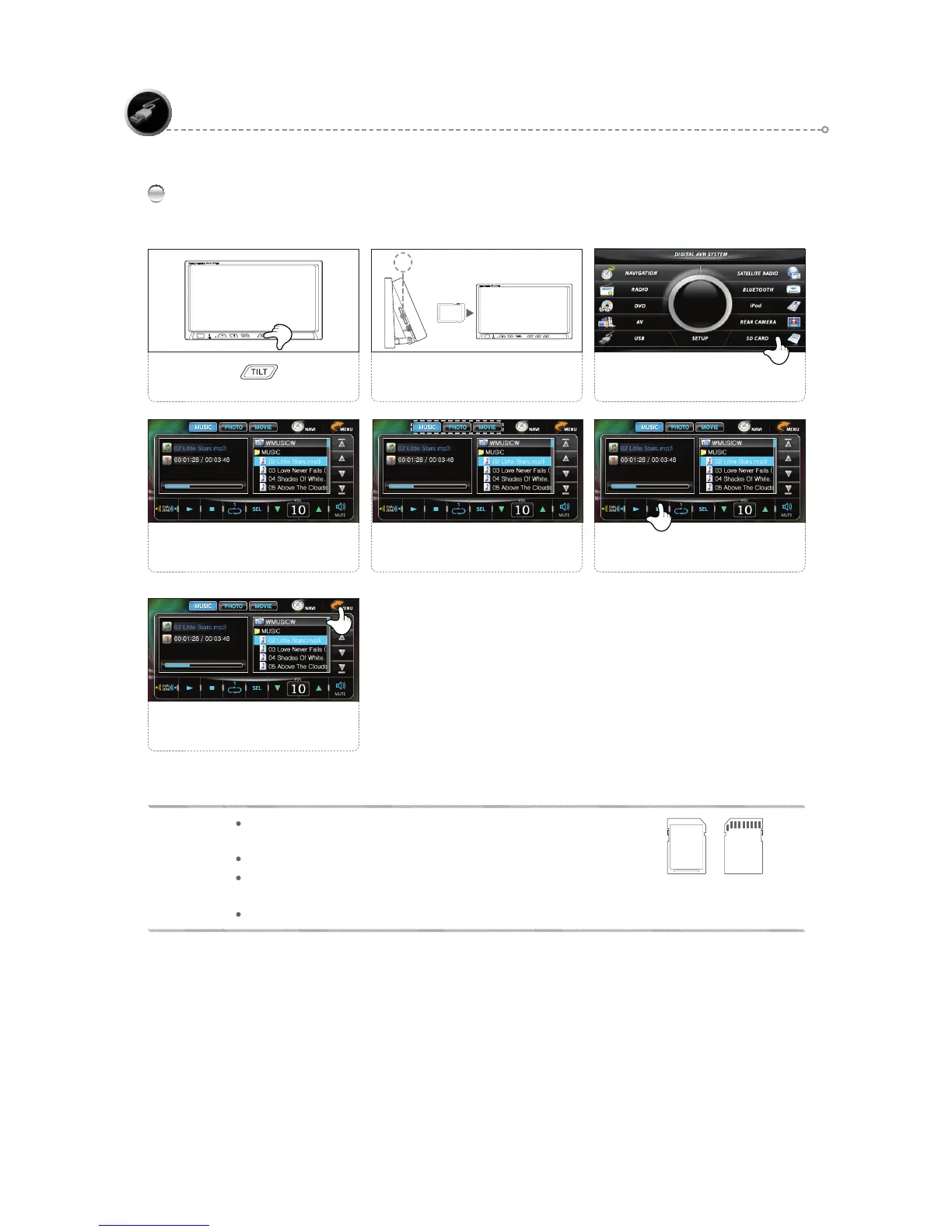
SD CARD Simple Operation
The SD CARD connection starts
automatically.
4
1
Use the FUNCTION icons as
desired.
6
Select the < > button
2
Insert the SD Card in 1 facing
forward.
1
Select a mode.
5
Press the <MENU> icon to return
to the main screen.
7
3
Select the <SD CARD> icon.
USB /SD CARD



 To Next Page