12
Basic Operation
Volume Adjustment
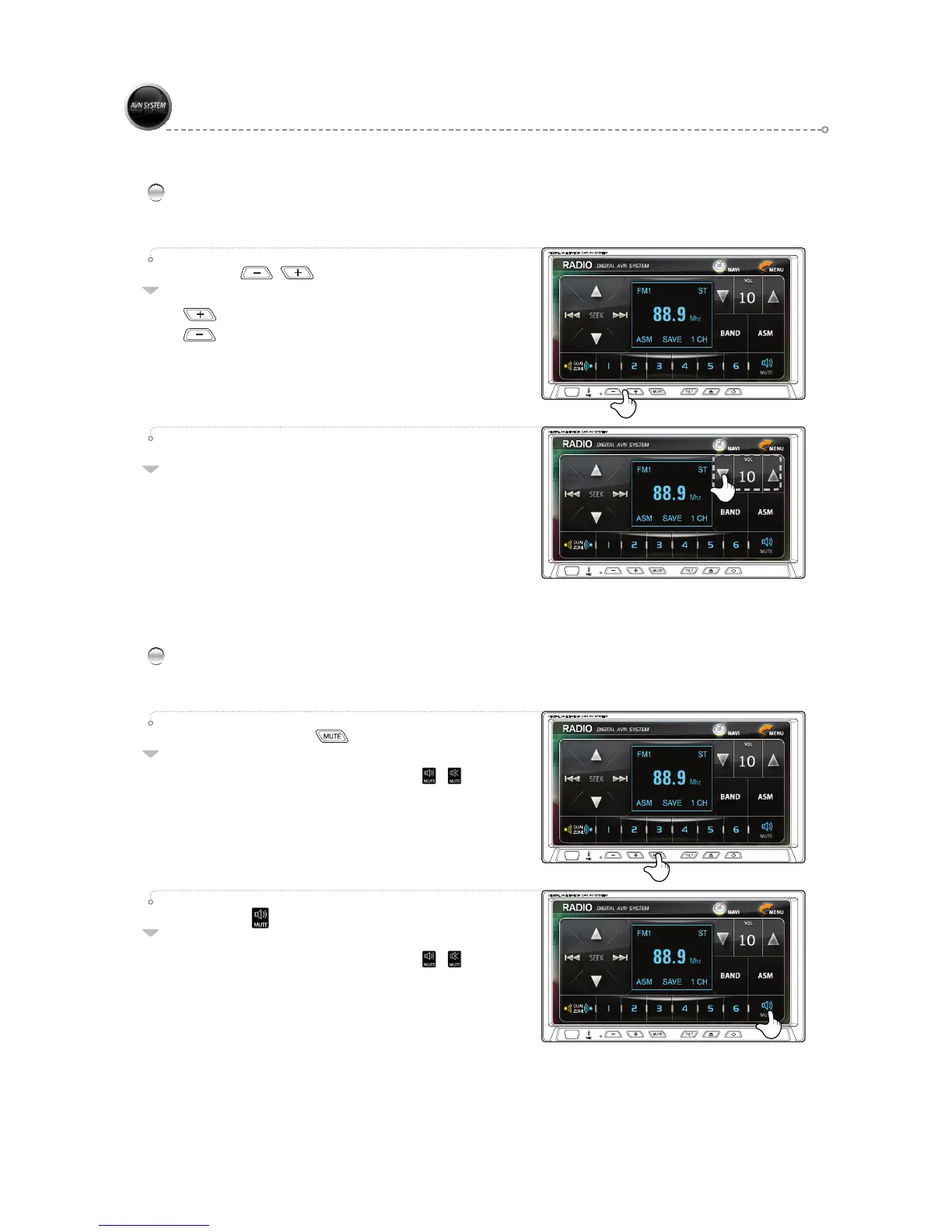
Use the [ , ] buttons to adjust the volume to
the desired level.
: Increase Volume.
: Decrease Volume.
01
Press the [ ▲,▼ ] buttons on the screen to adjust the
volume to the desired level.
▲ : Increase Volume.
▼ : Decrease Volume.
02
Mute
Press the product’s [ ] button.
The sound is muted.
The icon on the LCD screen changes from [ ► ].
Press and hold the Mute key to turn the screen on/off.
01
Press the [ ] button on the screen.
The sound is muted.
The icon on the LCD screen changes from [ ► ].
02



 To Next Page