89
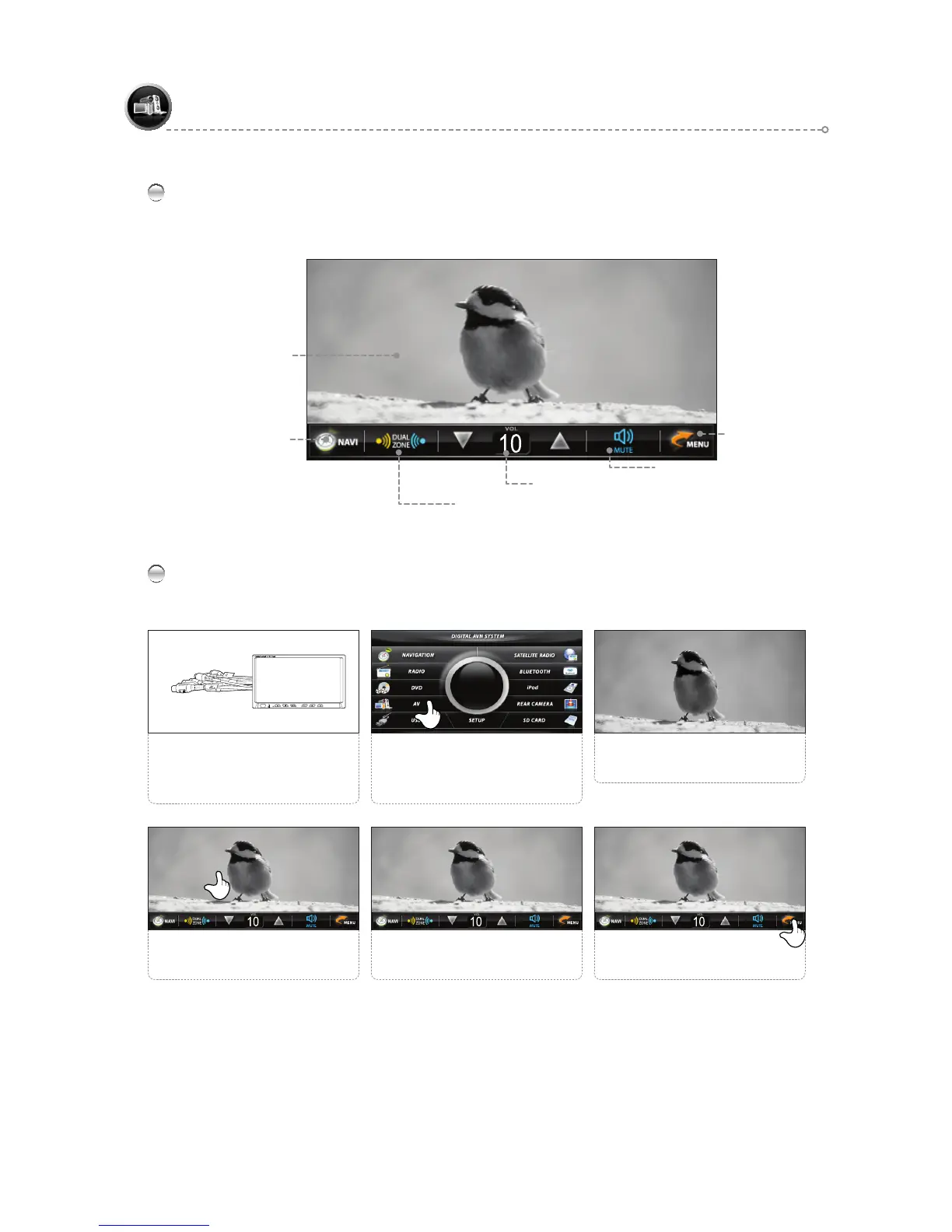
AV Main Screen
Connect to and use with an AV device such as a camcorder.
AV
AV Playback Screen
Mute
AV Simple Operation
Press the <MENU> icon to return
to the main screen.
6
4
Touch the screen to switch to the
MENU screen.
Use the FUNCTION icons as
desired.
5
The connected screen appears.
3
2
Select the <AV> icon.
Connect the A/V Cable (6P) to the
rear of the product and to the AUX
V DEO N jack of a display device.
1
Move to Menu Icon
Volume Control & Display
Dual ON/OFF
(Refer to page 105.)
NAVIGATION BUTTON ( PIP )



 To Next Page