104
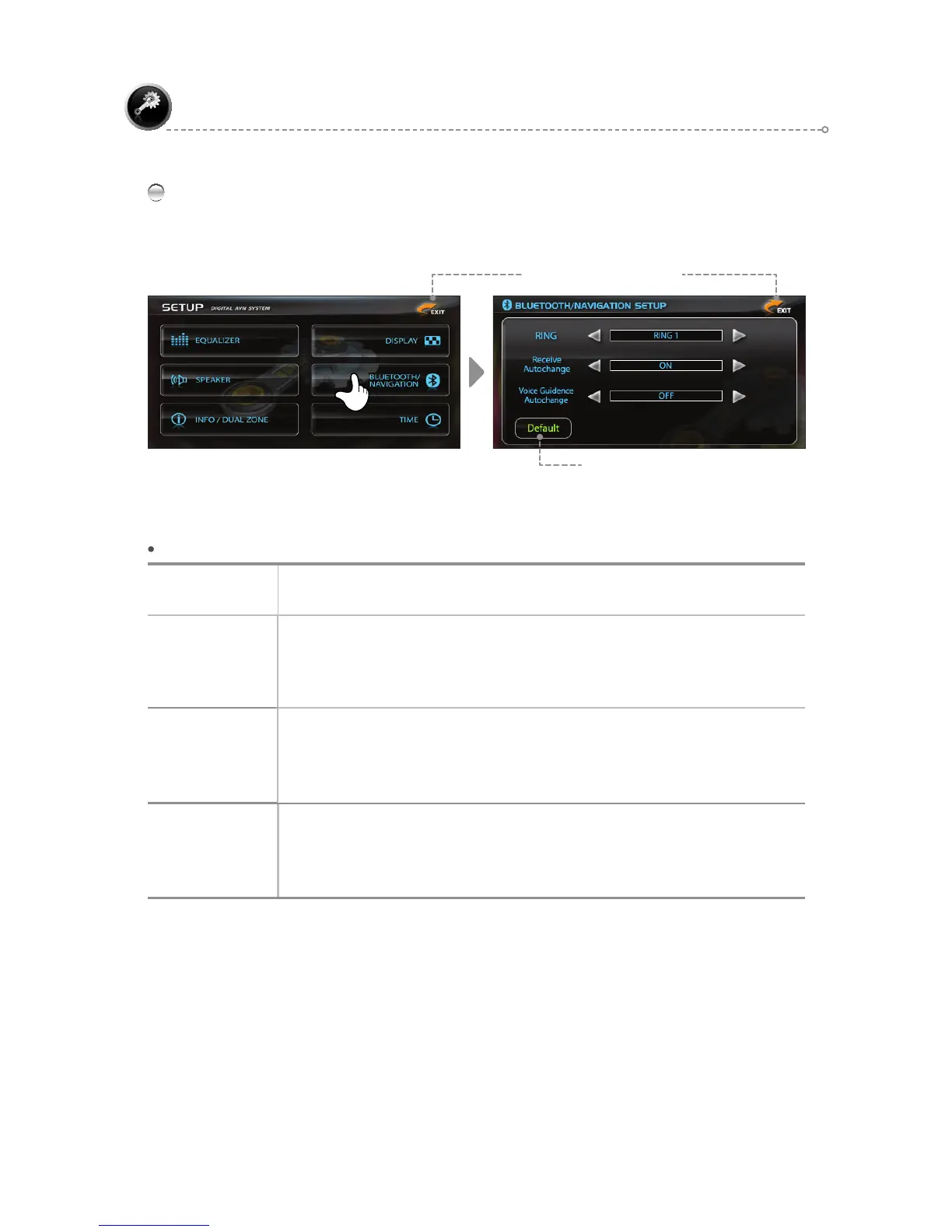
BLUETOOTH / NAVIGATION
Use the [◄►] icons to adjust settings in each menu.
SETUP
BLUETOOTH / NAVIGATION – Menu Description
RING
Set the Bluetooth ring tone.
Can be set to <Ring1, Ring2, Ring3>
Receive
Autochange
Set Receive Autochange <ON/OFF>.
When receiving calls in a mode other than BLUETOOTH
ON: Switches automatically to BLUETOOTH Mode.
OFF: Current mode is maintained.
Voice
Guidence
Autochange
Return to the Navigation screen during Voice Guiding
ON: Automatically switch to navigation mode during voice information.
OFF: Plays Voice Guiding only without navigation screen.
DEFAULT
ULQJ=ULQJ4
Uhfhlyh#Dxwrfkdqjh=RQ/##
Yrlfh#Jxlghqfh#Dxwrfkdqjh=RQ
Restore Default Settings
Move to Previous Screen



 To Next Page