97
BLUETOOTH Detailed Functions
PHONE
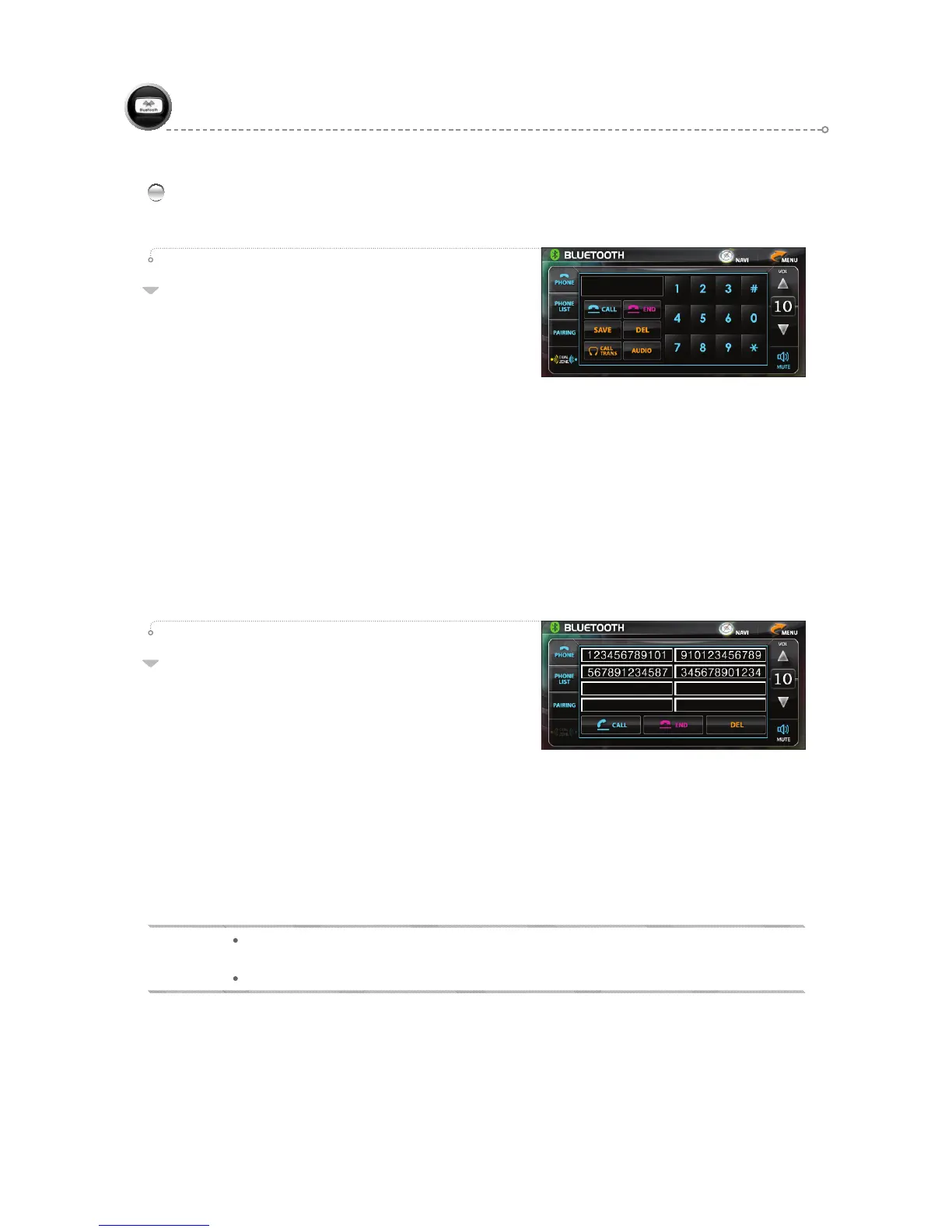
Use to make calls and enter phone numbers.
- Making
Calls
• Press the <CALL> icon to call the last phone
number connected.
• Enter the phone number directly and press the <CALL> icon.
(If an incorrect number has been entered, use the <DEL> icon to delete one digit at a time.)
- Receiving Calls
• Bluetooth mode:
Press the <CALL> icon to receive an incoming call.
When the call is complete, press the <END> icon to finish.
• Other modes:
Press the <CALL> icon when the Bluetoo h screen appears to receive an incoming call.
When the call is complete, press the <END> icon to finish.
(The Bluetooth screen disappears, and the previous mode is restored.)
01
PHONE LIST
- Use to make a call via the PHONE LIST or to delete
a stored phone number.
- Saving to PHONE LIST
• Save after directly entering a phone number.
• A total of six phone numbers can be saved.
• Pressing the <SAVE> icon during a call saves he current phone number.
- Deleting from PHONE LIST
•
After selecting he phone number from the PHONE LIST to be deleted, press the <DEL> icon.
(The next stored phone number in the sequence fills the space vacated by the deleted
phone number.)
02
BLUETOOTH(Handsfree)
NOTE
When an incoming call is received in another mode, enters B/T MODE. reverts back to the previous
mode after the call is ended.
In B/T MODE Audio ooutput is through the Front ( driver’s side, passenger’s seats)



 To Next Page