11
Basic Operation
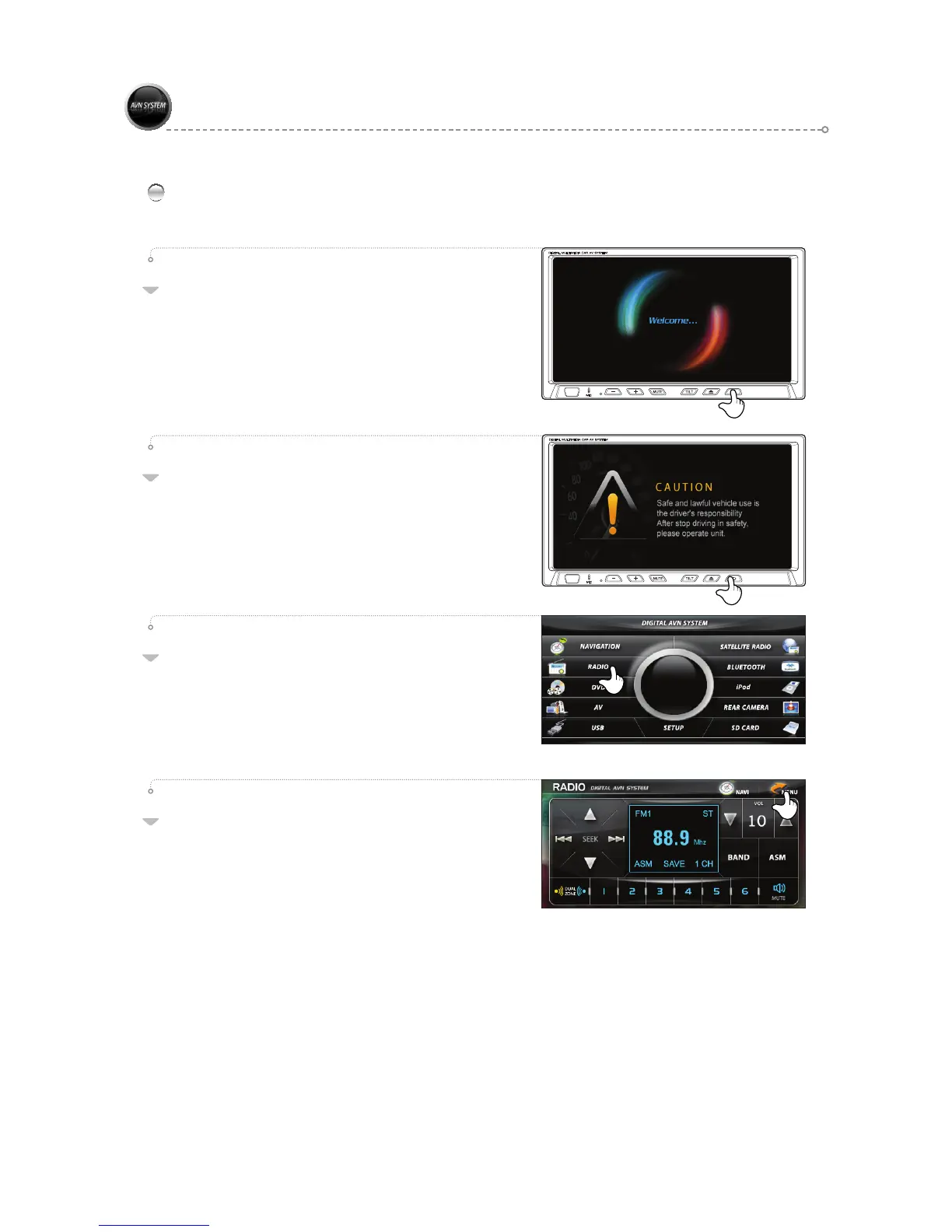
The initialization screen appears when turning
on power, followed momentarily by the
"CAUTION screen".
03
02
Mode Selection
Touch the desired mode to select.
Convert to the most recently used mode when the power is
turned on.
01
Press the <MENU> button to change the mode.
04
After reviewing the warning information on the
CAUTION screen.



 To Next Page