36
NAVIGATION
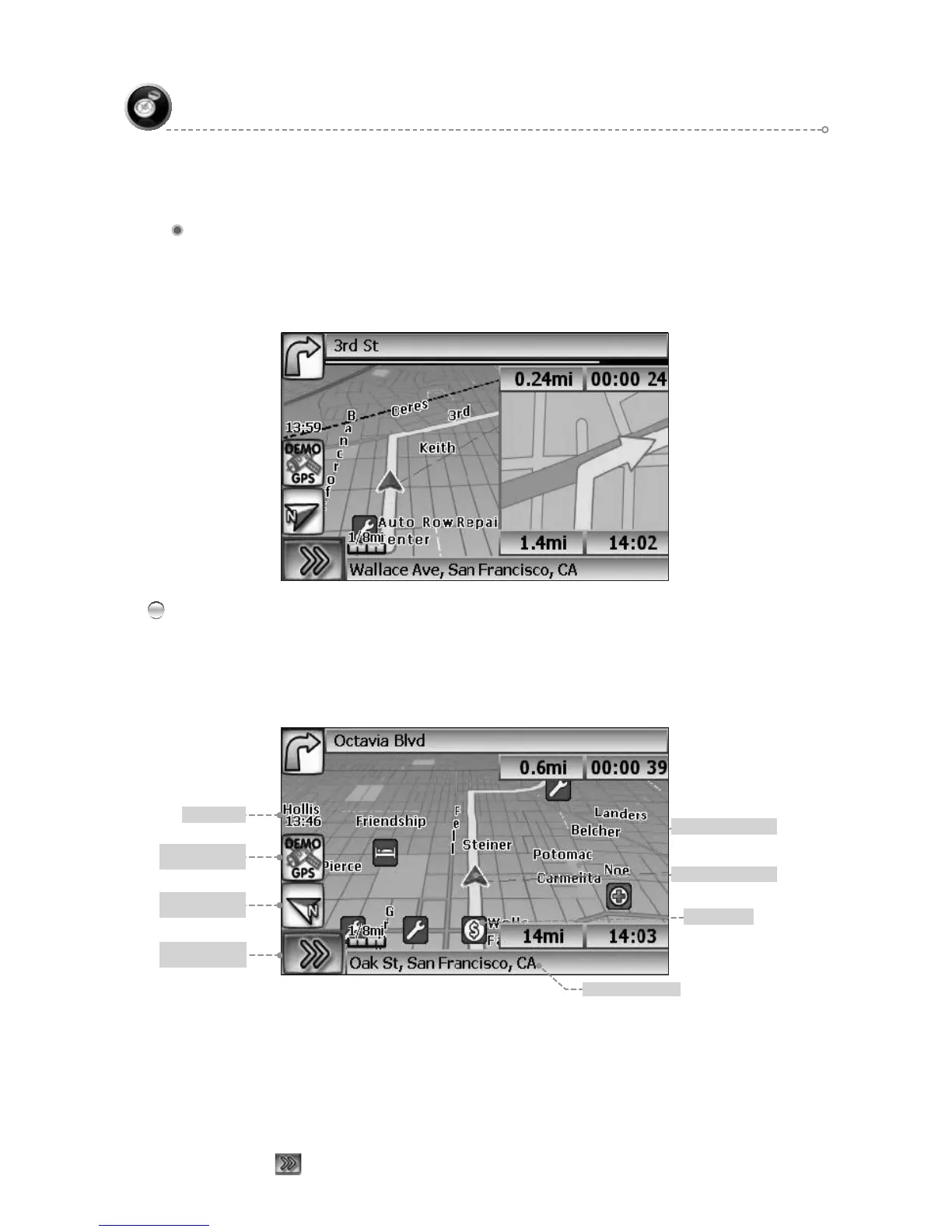
True View (Intersection Zoom)
Current location
Map Scale
Vehicle symbol
Park
Clock
GPS reception
status
Compass
heading
Display Function
buttons Icon
The GPS symbol may change colors indicating the strength of the signal. The GPS
symbol colors mean:
Green - GPS signal is free from obstruction and is being received regularly.
●
At least four satellites are being received.
Yellow - GPS signal is partially obstructed. Three satellites are being received.●
Red - GPS signal is unavailable. Two or fewer satellites are being received.●
Click●
to display Function buttons.
True View (Intersection Zoom)
Just before a turn point, the guidance display will show a close-up or “true view” of
the roads around the turn point.
Map Display
The Map Display shows roads, road names, and cartographic features like lakes
and rivers. You can adjust the map scale, the map orientation, map view, status
information display, and the distance units to your own preferences (See Setup section
of this manual).



 To Next Page