26
NAVIGATION
If you selected the “City Name” option, continue by following the prompts on the
display screen to select a city first, then street, then address number or intersection.
If you selected the “Street Name” option, follow the prompts to select a street name,
then a city, then a street address or intersection.
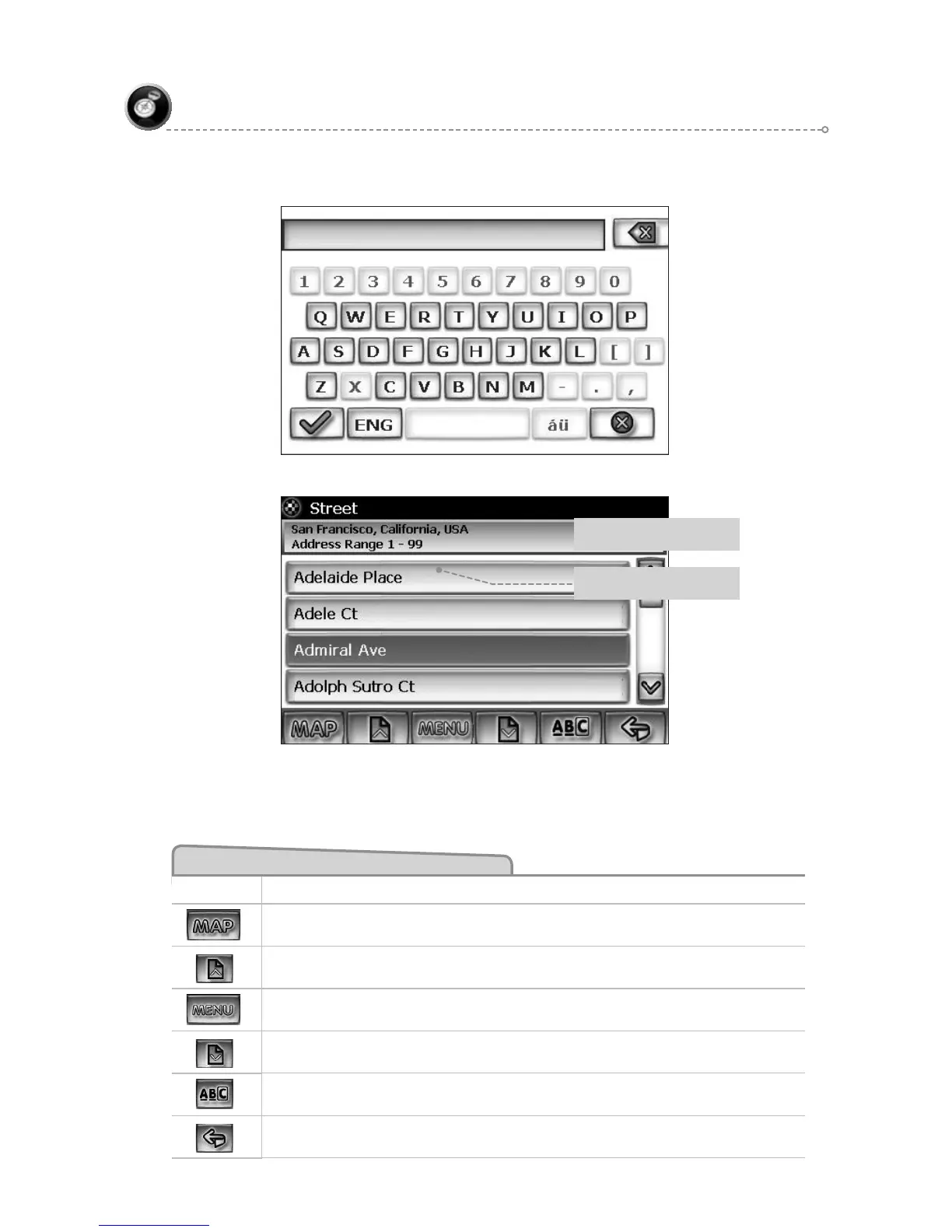
Select Street
City and local area where
street is located
House numbers on that road
segment
Select State or Province/City/Street List Mode Buttons
Button Press This Button to...
Return to map mode
Page up in displayed list.
Return to main menu.
Page down in displayed list.
Switch to Spell Mode.
Go back one step.
F1
F2
F3
F4
F5
F6



 To Next Page