67
NAVIGATION
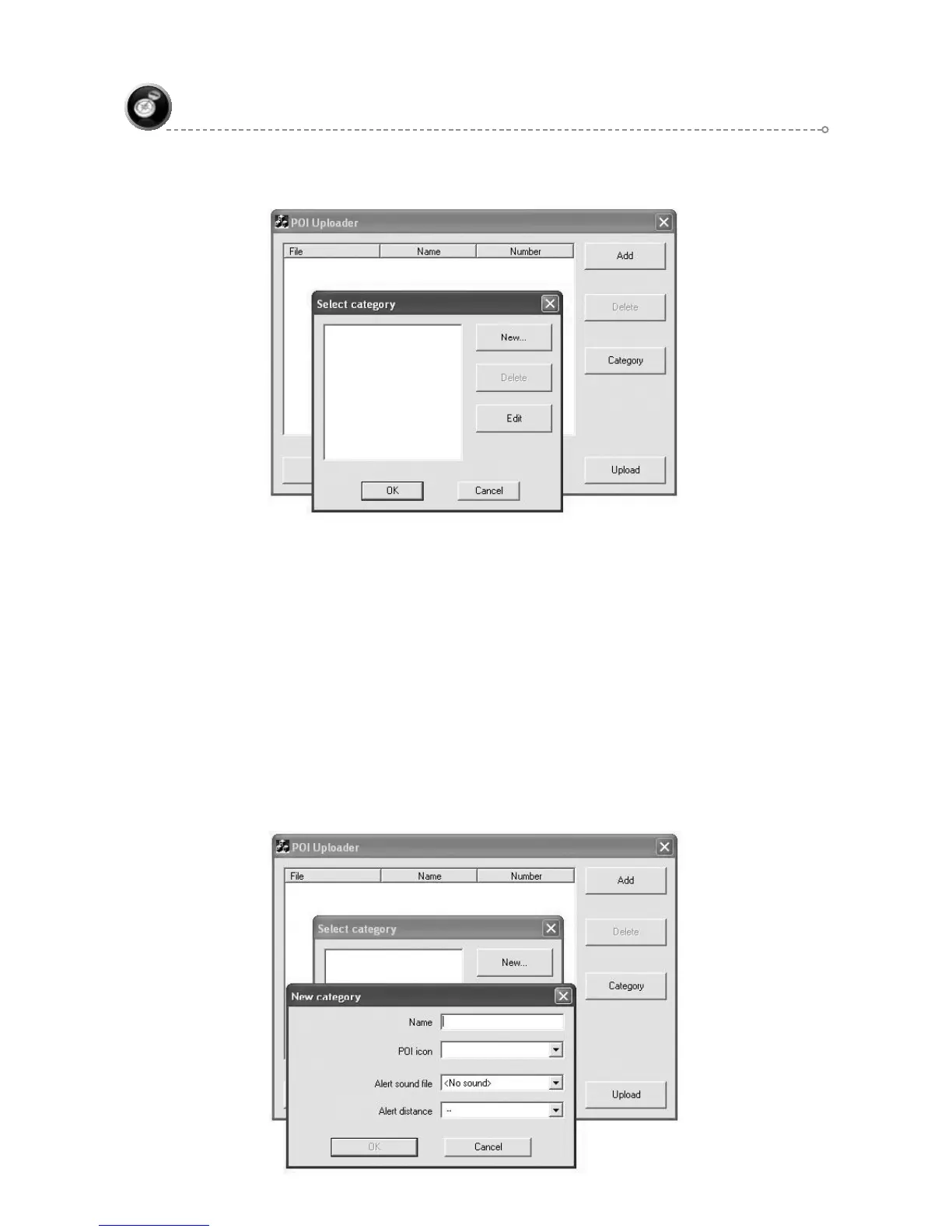
Button “New” is used to create new POI category. In the New Category dialog ●
box, name and POI icon is a must to create a new POI category.
Button “Delete” removes one or more selected categories. If category is
●
assigned to -some POIs, delete process is denied. While categories are not
selected in the list, “Delete” button is disabled.
Button “Edit” enables the user to change field of selected category. If there is ●
not selected category or more than one category is selected “Edit” button is
disabled.
Button “OK” assigns selected category to the selected main dialog files. If ●
more than one category is selected or no category is selected “OK” button is
disabled.
Button “Cancel” discards new assignment between category and POI file and ●
closes the dialog box. Also, canceling keeps changes in category list and
inside categories.



 To Next Page