Programmer
75
Chapter 2 Programming with Help Function
If is selected
Only the help mode can be set.
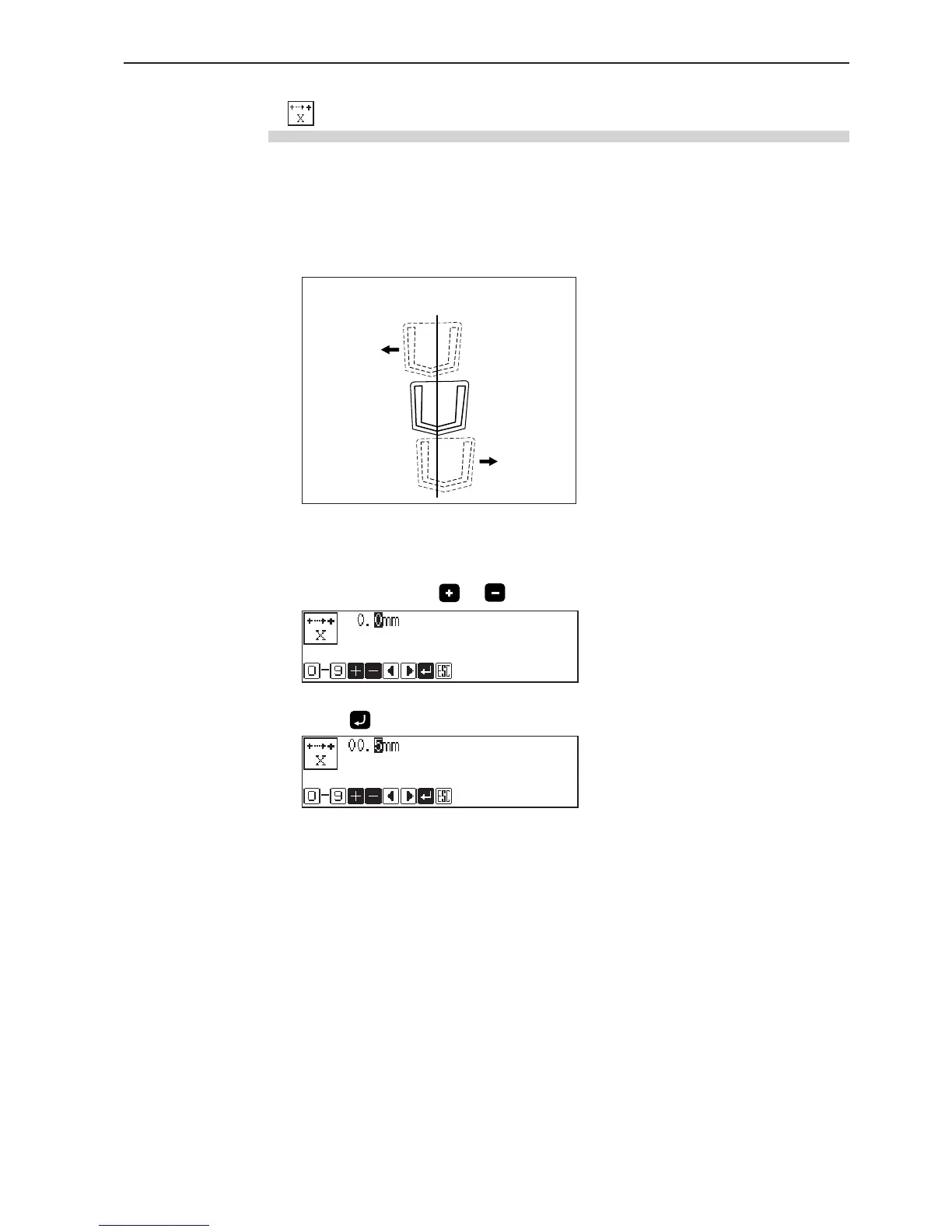
The position of the working clamp can be adjusted horizontally with the position detected
by the X origin sensor as 0. Values -2.0 and 5.0 mm are available for the position. The
values indicated in the right side of the working clamp are positive and those indicated in
the left side are negative.
1. Input the position to be changed.
Set the + and - signs with and .
2. Press .
Positive
values
Position detected by
the X origin sensor
Negative
values



 To Next Page