VLAN Status
Displays current VLAN and PVID (Port VLAN ID) status. Click [Edit] to edit the VLAN
selected. Click [Delete] to delete the VLAN selected. VLAN 1 cannot be deleted.
VLAN ID Specify VLAN ID from 2-4094.
VLAN Name
Enter the VLAN name. You may enter up to 17 alphanumeric characters, hyphens,
and underscores.
Management VLAN
Check it if the VLAN is a management VLAN. Only devices which belong to the
management VLAN can open Settings.
Tagged Select when you assign the port to tag member.
Untagged Select when you assign the port to untag member.
Not Member Select when you do not assign the port to any member.
Reset Click to reset the changes to the previous settings.
Uplink
Appears when “Privacy Separator” is selected.
A router should be connected to the uplink port to connect to the Internet.
Uplink ports can communicate with all downlink ports. Specify at least 1 port to
an uplink port.
Downlink
Appears when “Privacy Separator” is selected.
Downlink ports are the ones which each device connected to. Downlink ports can
communicate with uplink ports, but cannot communicate with each downlink
port.
Note: In privacy separator mode, only the device connected to an uplink port can open Settings. If you configure
the port that your PC is connected as a downlink port, you cannot open Settings any more.
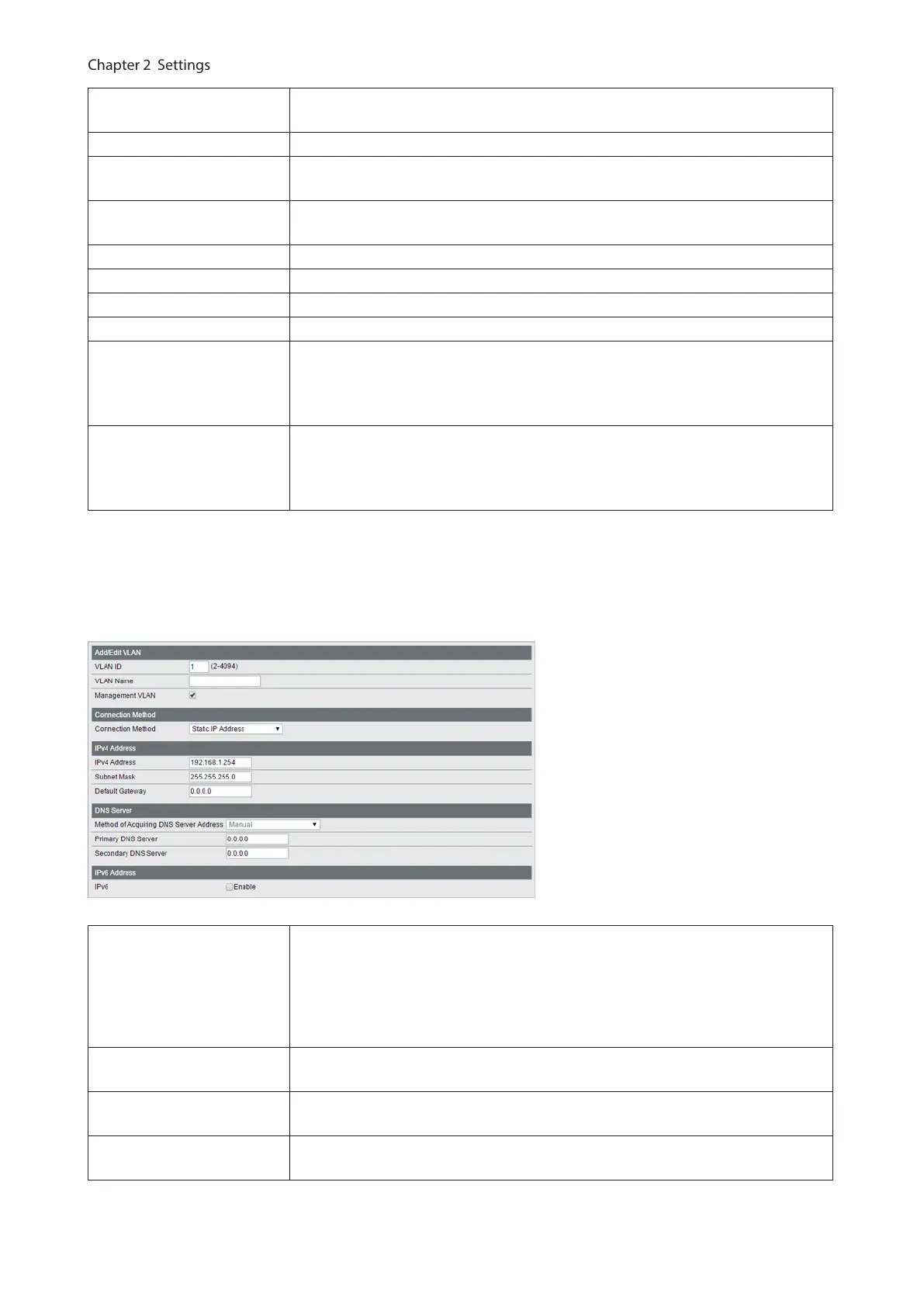
The following screen is displayed when you select VLAN 1 and click [Edit] or click [Edit] next to the IP address field in
privacy separator mode.
Connection Method
Select a method of obtaining the switch’s IP address.
Static IP Address
Enter the IP address manually.
Obtain from DHCP Server
Obtain the switch’s IP address from DHCP server.
IPv4 Address
Enter the switch’s IPv4 address if you select [Static IP Address] as the connection
method.
Subnet Mask
Enter the switch’s subnet mask if you select [Static IP Address] as the connection
method.
Default Gateway
Enter the switch’s default gateway if you select [Static IP Address] as the
connection method.
17



 To Next Page