30
EN
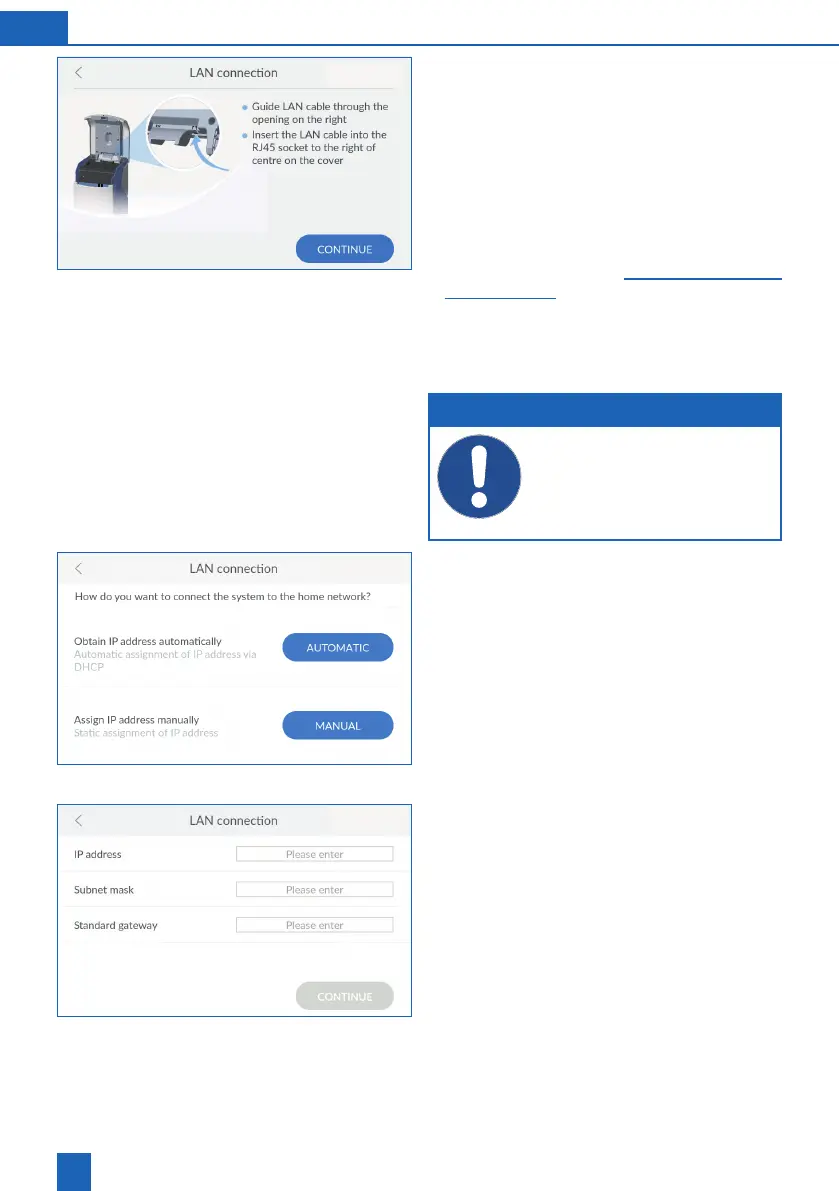
Connecting the network cable
Open the Easy Fill technology cover of the
product.
Connect an Ethernet cable to a network connec-
tion near the product.
Loosen the screws on the internal cover and
then remove it.
Route the Ethernet cable through the opening on
the back of the product.
Connect the Ethernet cable to the connector on
the product (see chapter -
18).
Attach the internal cover.
Close the technology cover so that the cables
are not pinched.
Press
CONTINUE
.
NOTE
The LAN connection must be initialised
via the connection wizard and thus automat-
ically activated.
Ensure that the technology cover can
be easily closed and that the cables do not
have any kinks.
Obtaining the network connections
automatically
The network settings can be obtained automatically
via DHCP.
Press
AUTOMATIC
to use your network settings.
If you do not want to obtain your network settings
via DHCP, you can also assign them manually. To
do so, you must know your network settings.
Press
MANUAL
if you want to assign the network
settings yourself.
Entering network settings manually
You must know your network settings. If necessary,
contact your system administrator.
IP address, subnet mask and standard gateway
according to your network settings.
Press
CONTINUE
.



 To Next Page