37
EN
10.1 Starting registration on the
product
Subsequent registration
You can begin registration at any time:
>
Settings
> Registration
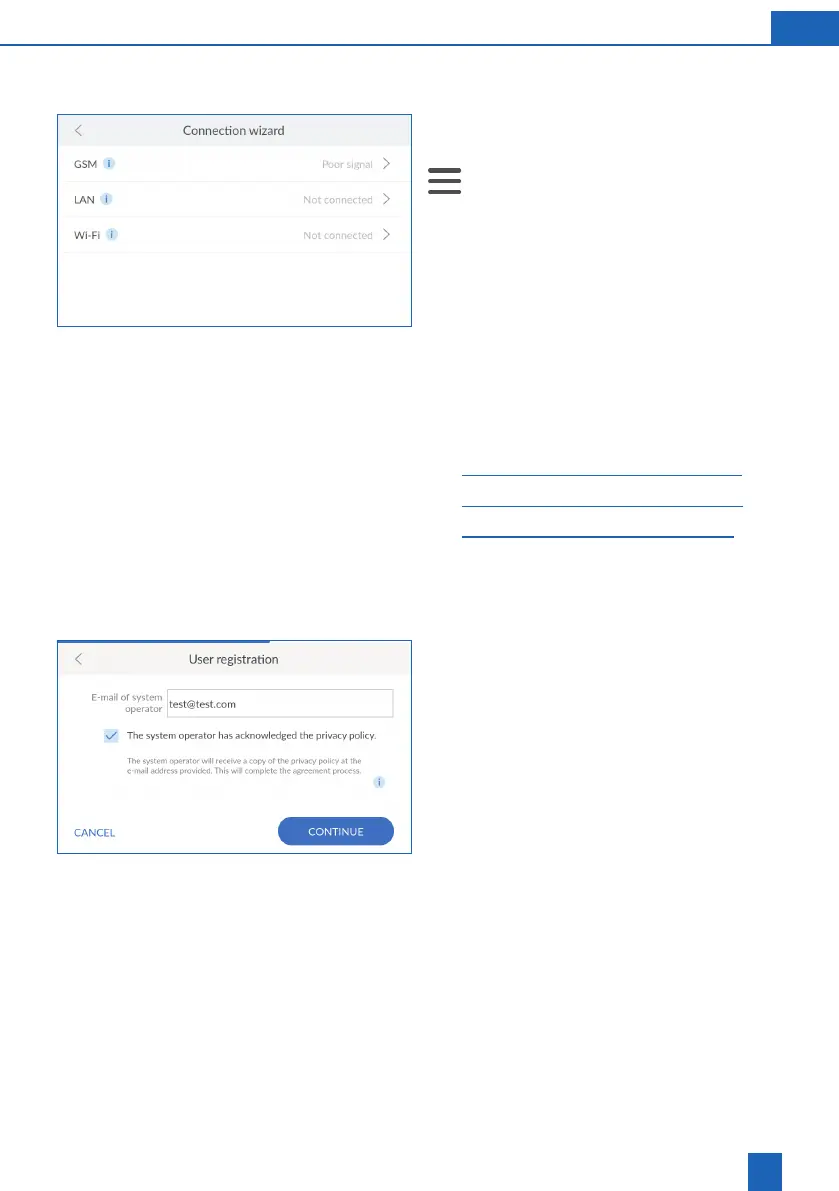
Selecting the connection type
Select the connection type used by the product
to connect to the Internet.
Refer to the related chapter for more information
on the selected connection type:
– 27
– 29
– 31
If you do not want to connect the product to the
Internet, press
X
in the header to exit the connec-
tion wizard.
Entering the e-mail address
Tap inside the text box. A keypad is displayed.
Enter your e-mail address.
understood the privacy policy.
Press
CONTINUE
.
Enter your e-mail address again. Double entry
eliminates input errors.
Press
CONTINUE
.



 To Next Page