42
EN
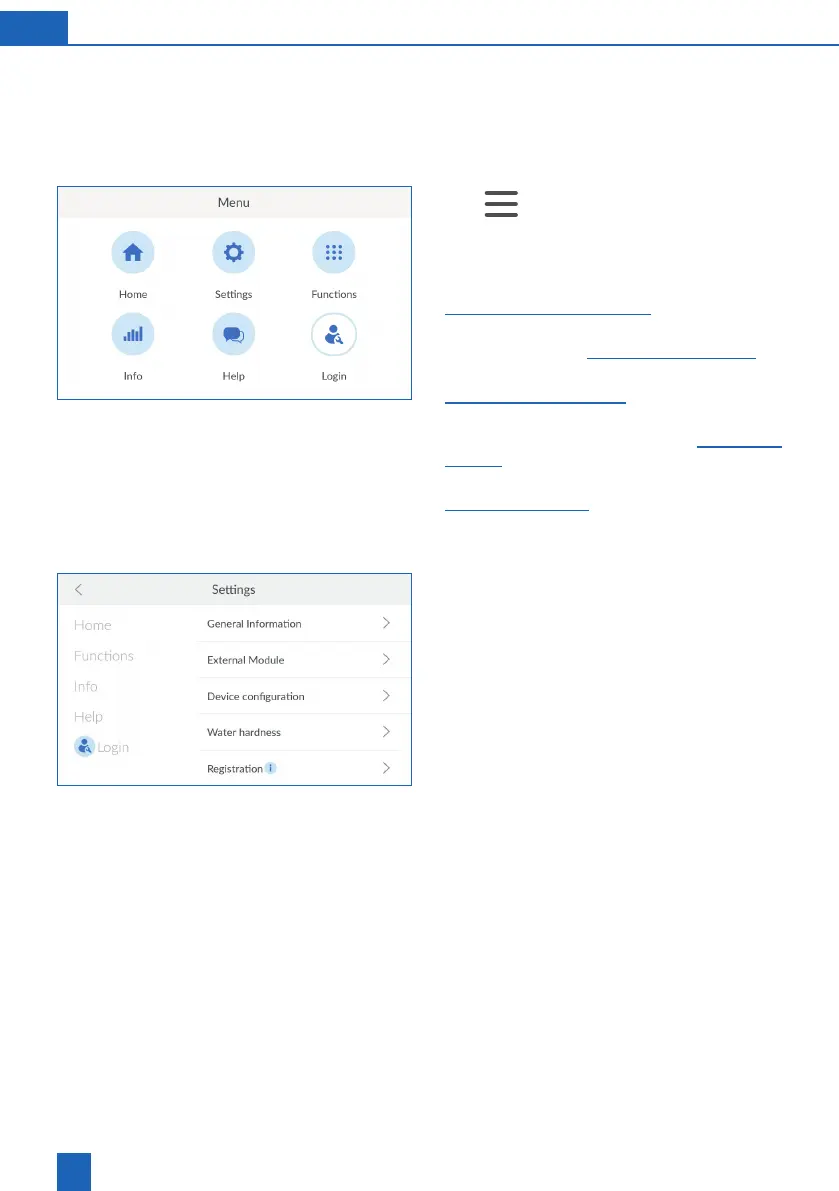
11.3 Menu overview
You can open the menu overview either with the
Home
button from any of the menus, or with the
button on the Home screen.
Open the menu overview:
Home
>
The menu overview is the starting point for all other
menus:
Home
: Current state of the product (see chapter
40).
Settings
: Settings, external modules and regis-
tration (see chapter 42).
Functions
: Trigger actions (see chapter
47).
Info
: Operating record, product information
and device status (see chapter
page 53).
Help
: Contact persons and FAQs (see chapter
57).
Login
: Login for service technicians.
11.4 Settings
The
SETTINGS
menu provides access to the following
options:
General Information
: Basic settings such as time,
language, function times and connections
External Module
: Connection of additional exter-
Device configuration
: Optional settings such as
AQA Watch, Rinse or acoustic alarm
Water hardness
: Setting of inflow and outlet
water hardness and unit for measuring the water
hardness
Registration
: Online product registration and
additional functions



 To Next Page