53
EN
Cleaning
Cleaning is the last step in the biannual maintenance
of your product. Only use the
BWT IOCLEAN
cleaning
tablets for this.
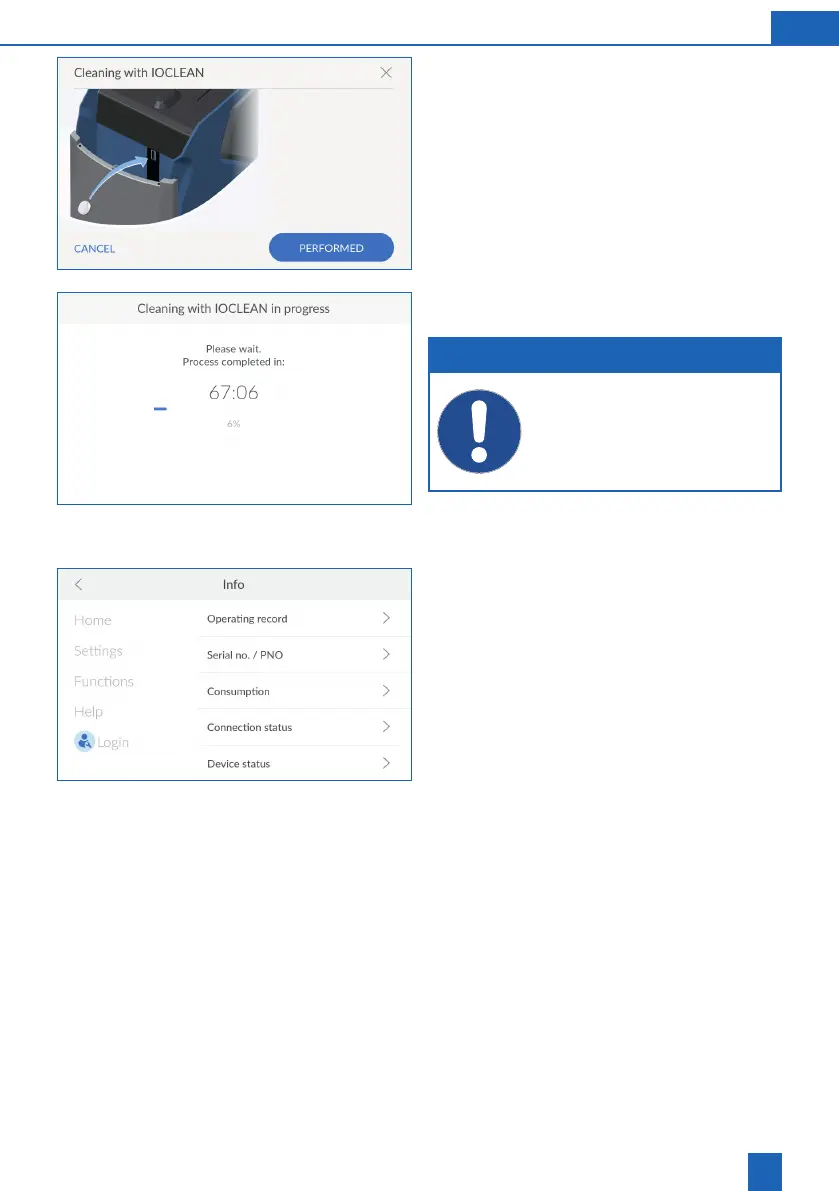
Open the Easy Fill technology cover of the
product.
Take a cleaning tablet out of the packaging and
insert it into the opening provided on the product
(see the adjacent image).
Press
PERFORMED
.
Cleaning starts and the remaining time until the end
of the rinsing procedure is displayed.
NOTE
During cleaning, no settings can be made
on the product.
Wait until regeneration is complete.
The Home screen is displayed once the cleaning
process is complete.
11.6 Info
The
INFO
menu provides access to the following
options:
Operating record
: Documentation of all mes-
sages and events
Serial no. / PNO
Consumption
: Information about water and
regenerative consumption
Connection status
: Information about the type
and quality of existing connections
Device status
: Information about softened water
capacity and regeneration progress



 To Next Page