34
EN
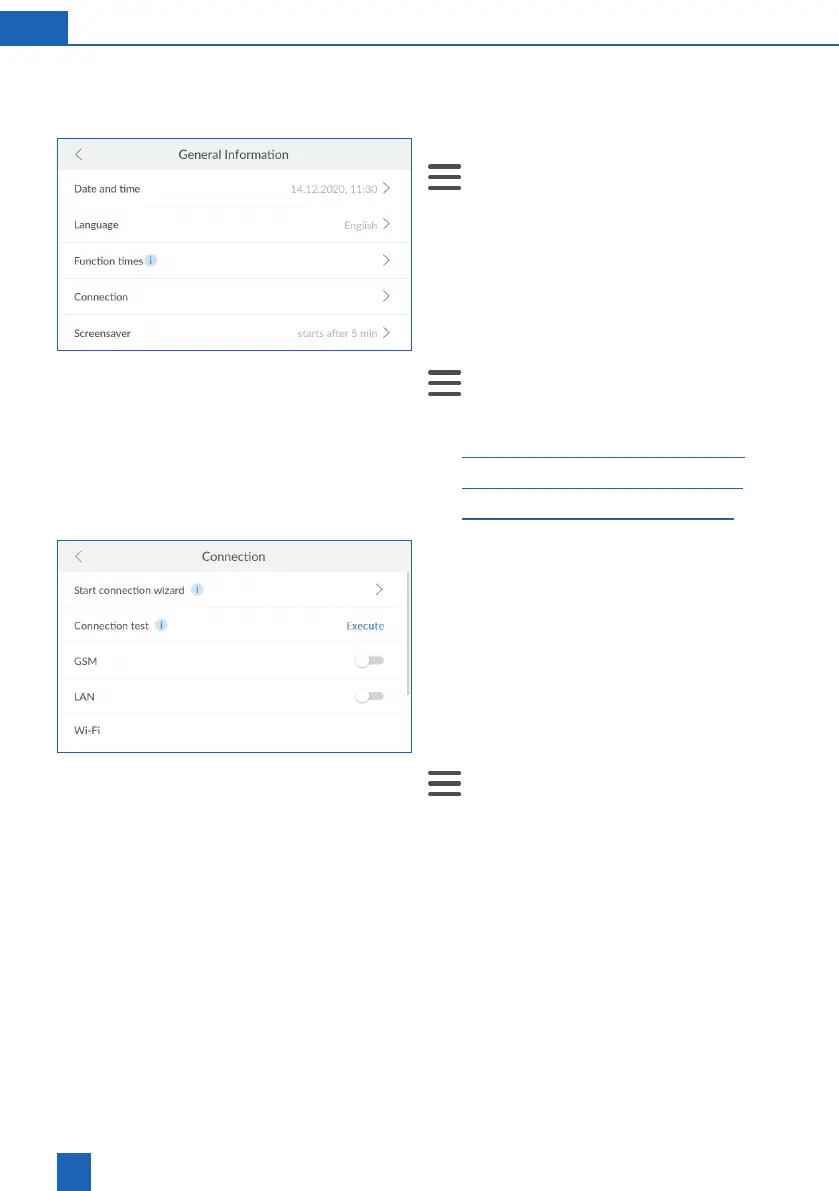
9.4 Connection
All connections can be activated or deactivated at
any time.
Open the connection settings:
>
Settings
>
General Information
>
Connec-
tion
You can start the connection wizard, perform a con-
nection test (ping), activate/deactivate connections
or set up a new connection in the
Connection
menu.
9.4.1 Using the connection wizard
If necessary, start the connection wizard:
>
Settings
>
General Information
>
Connec-
tion >
Connection wizard
Read the related section:
– 27
– 29
– 31
9.4.2 Performing a connection test
The connection test checks the connection of your
product to and from the cloud. This ensures that the
connection is working from both sides.
Requirement: Connection setup via GSM, LAN
or Wi-Fi, as well as registration, must have been
successfully performed.
Starting the connection test:
>
Settings
>
General Information
>
Connec-
tion
Press
Connection test
.
The connection is active if the response time is
displayed.
If
Failed
is displayed, check the connection or con-
tact your system administrator if necessary.



 To Next Page