33
EN
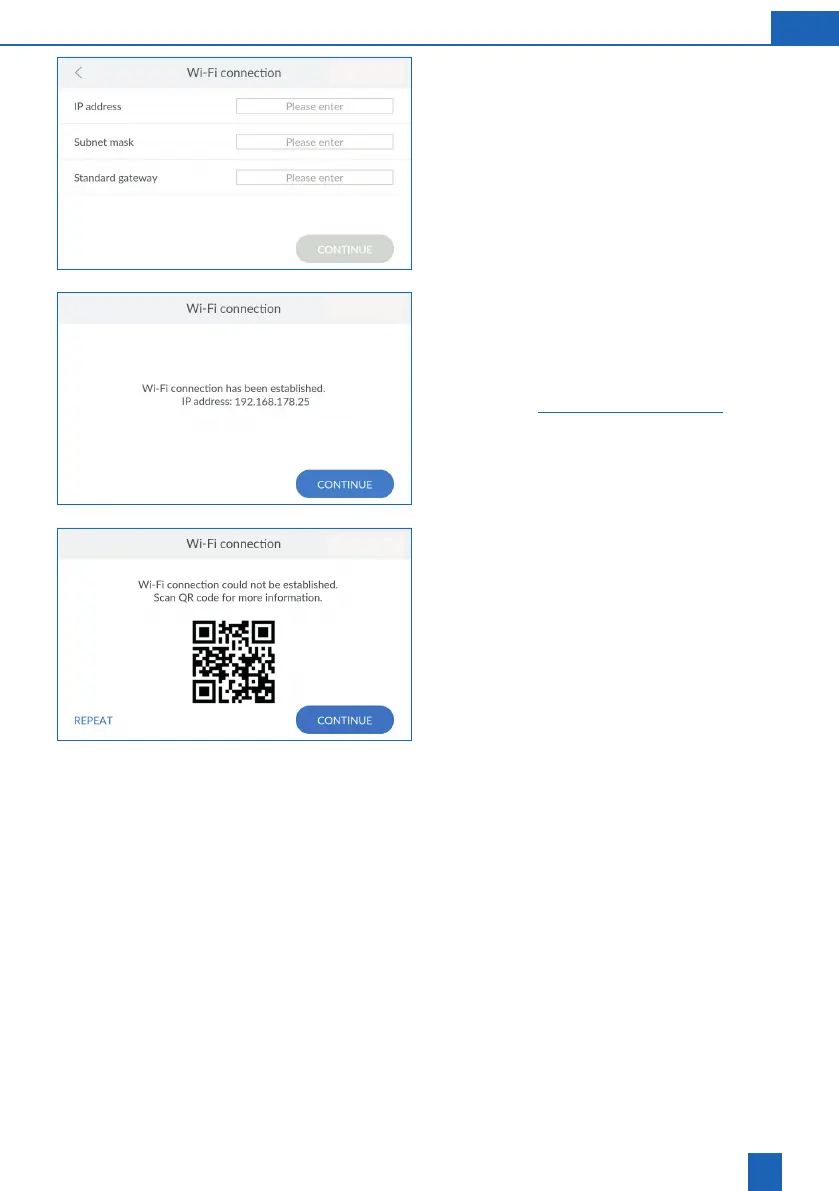
Setting the network settings manually
You must know your network settings. If necessary,
contact your system administrator.
IP address, subnet mask and standard gateway
according to your network settings.
Press
CONTINUE
.
Wi-Fi connection was successful
The IP address of the product is displayed if the
connection to the home network via Wi-Fi was
successful.
Press
CONTINUE
to continue with the registration
(see chapter 36).
Wi-Fi connection was not successful
If the connection to the home network via Wi-Fi was
not successful, you can scan the QR code with an
Internet-enabled mobile device to obtain further
information.
Press
REPEAT
to attempt to connect again.
Press
CONTINUE
to exit the connection wizard.
However, you can also connect the product via GSM
or LAN to continue with registration.
Registration can also be postponed until a later time.



 To Next Page