43
EN
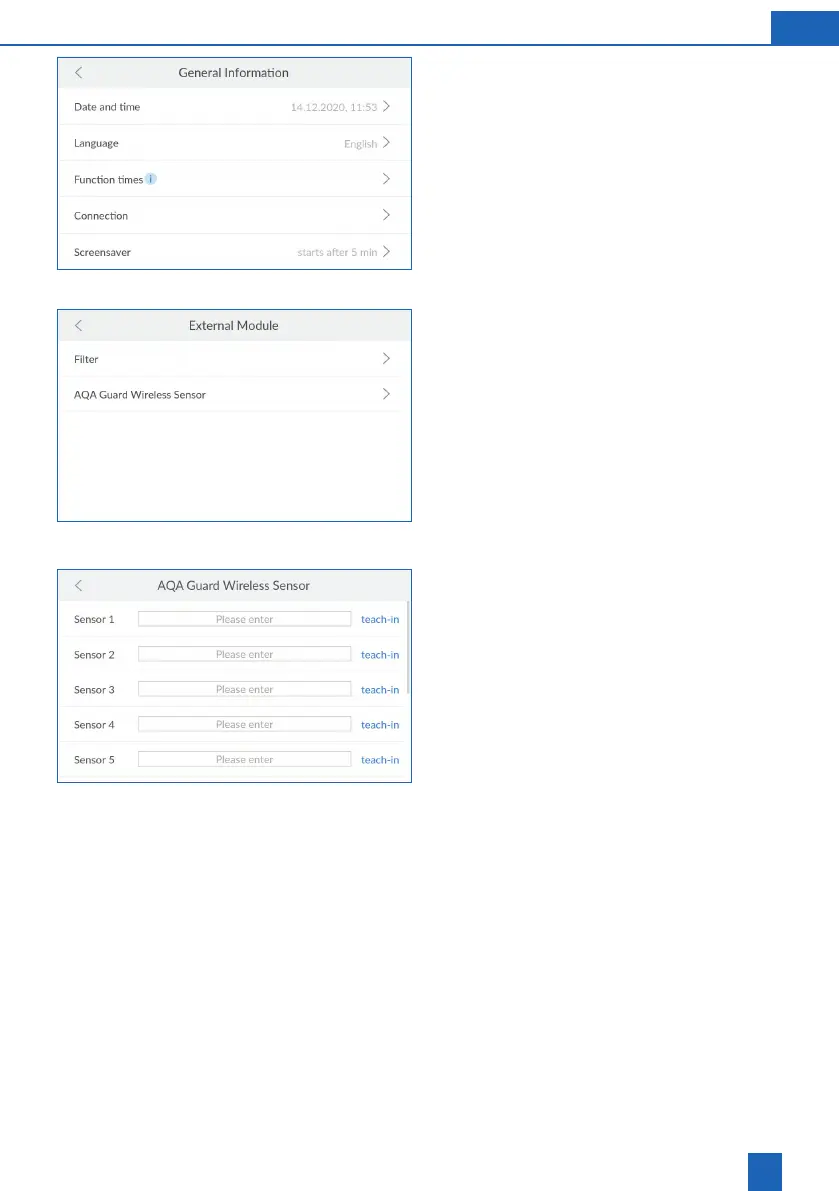
11.4.1 General Information
You can set the date, time, language, function
times, connection and screen saver in the
GENERAL
INFORMATION
menu.
Press
>
for the menu item in which you wish to
change the settings.
Press
<
or
>
to make the desired settings.
Follow the instructions on the display.
11.4.2 External Module
You can connect up to 10 wireless sensors via the
EnOcean interface. The sensors must go through
the teach-in process on the product.
Press
>
for the menu item in which you wish to
change the settings.
Press
<
or
>
to make the desired settings.
Follow the instructions on the display.
Teaching-in the AQA Guard Wireless Sensor
Select a sensor and press
Please enter
.
Enter a name for the sensor.
Press
teach-in
.
Pull the red test switch on the back of the sensor
three times.
The teach-in process for the sensor is complete.
Removing the AQA Guard Wireless Sensor
Select the sensor to remove and press
Remove
.
The connection to the sensor is deleted.



 To Next Page