59
EN
Installing the BWT Best Water Home app
Open the
Apple App Store
or
Google Play Store
on your mobile device.
Search for
BWT BEST WATER HOME
.
Install the
BWT BEST WATER HOME
app and then
open it.
Select
ADD BWT PERLA
and log in with your BWT
user account (e-mail address and password).
NOTE
You can only be logged in with one
account. Always use the same account to
activate all your BWT products.
Your BWT product is now integrated into the
BWT
BEST WATER HOME
app and can be used.
12.2 Remote operation of the product
via a direct Wi-Fi connection (ac-
cess point)
Activate this function to operate your product via a
direct Wi-Fi connection (access point) on a mobile
device.
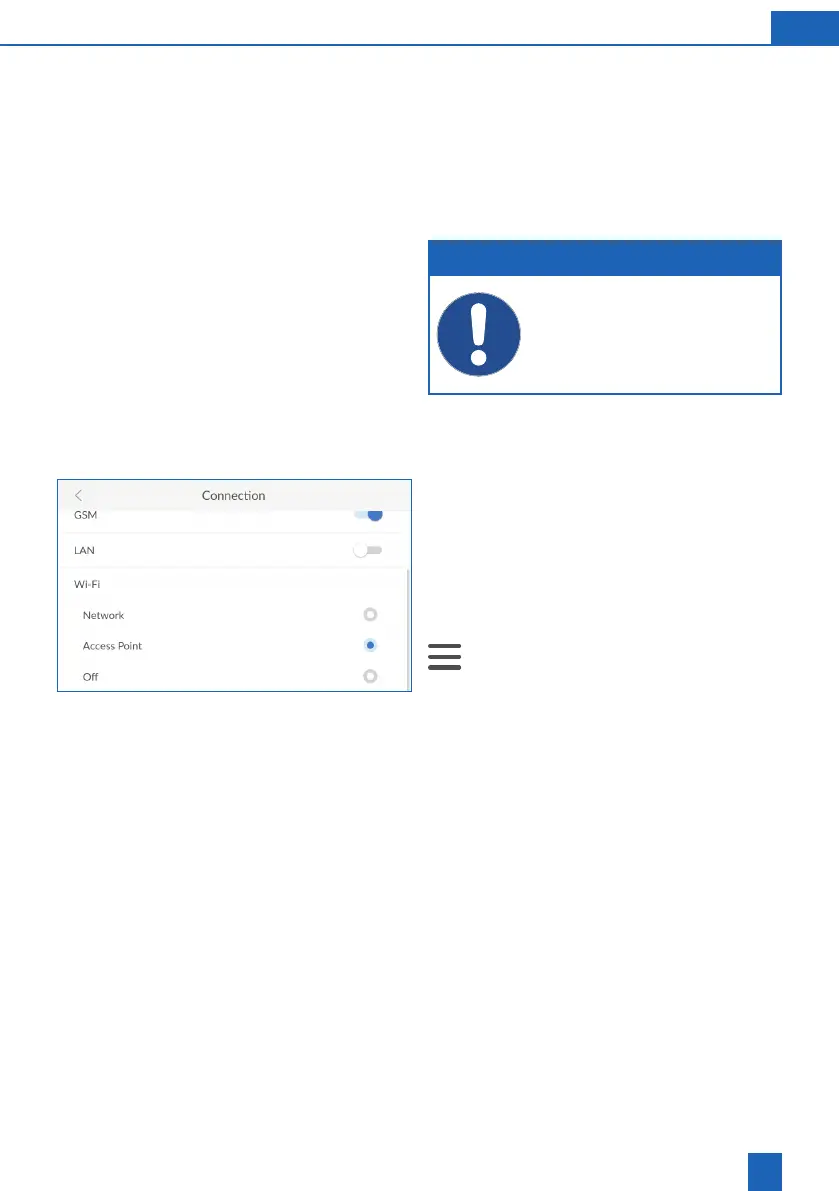
Open the connection settings:
>
Settings
>
General Information
>
Connec-
tion
Press
ACCESS POINT
.
Wi-Fi with the
BWTAP
SSID is displayed.
Enter the WPA2 key that you received via e-mail
when you registered the product.



 To Next Page