COPYRIGHT
©
1999 CANON INC. CANON 405/335 REV.0 JAN. 1999 PRINTED IN JAPAN (IMPRIME AU JAPON)
8-27
CHAPTER 8 PAPER DECK
3. Changing the Deck Paper Size
If the deck paper size needs to be changed
to suit the needs of the user, perform the
following:
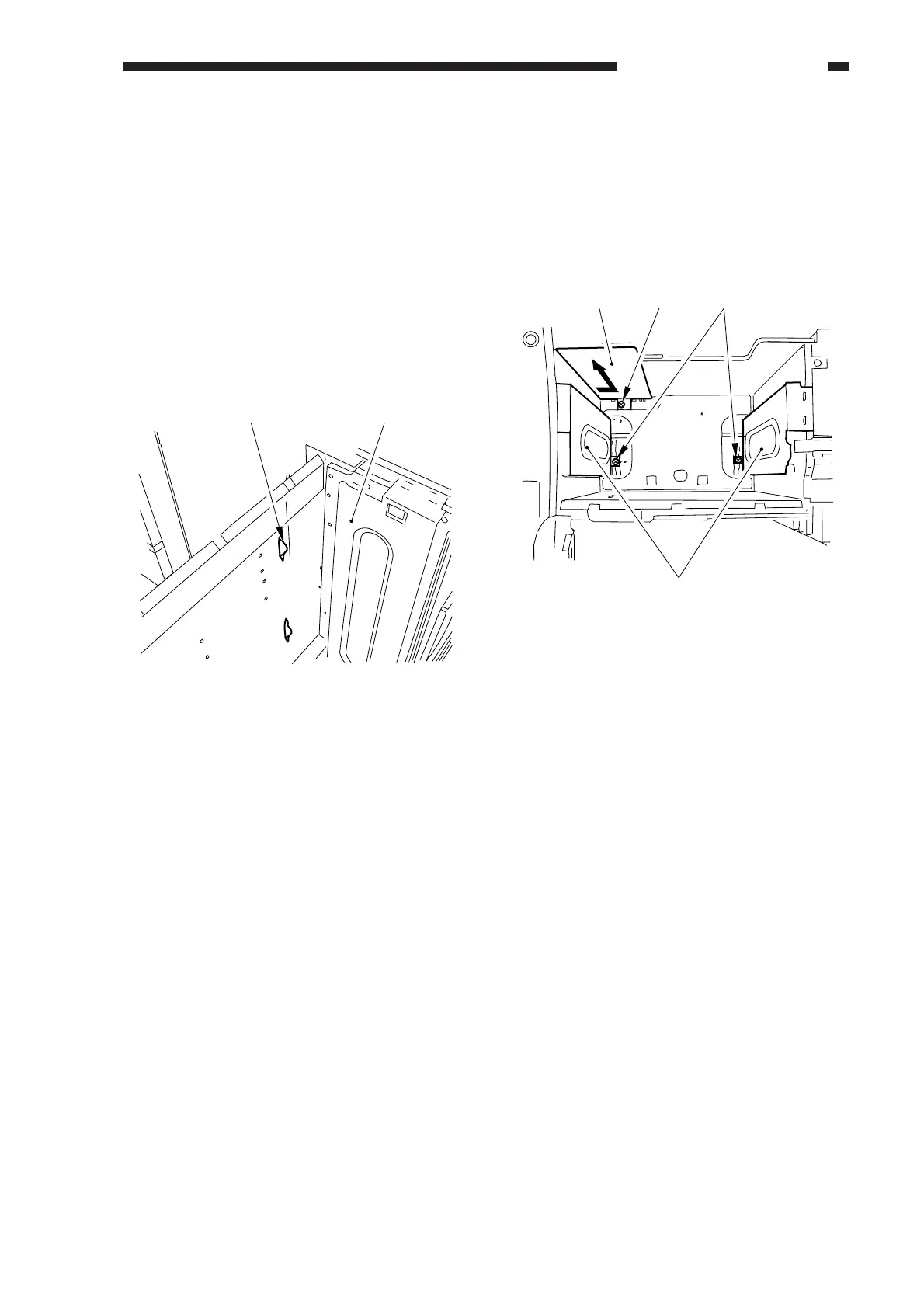
1) Open the compartment of the deck, and
remove any paper.
2) If the lifer of the paper deck is up, turn on
the copier's power switch, and press the
sensor lever [2] of the paper supply
position sensor inside the compartment
[1] to move the lifter to its lower limit.
Figure 8-319
3) Remove the screw [3], and mount the
paper trailing edge guide plate [4] to suit
the new paper size.
4) Remove the screw [5] (one each), and
mount the left and right guide plates [6] to
suit the new paper size.
Figure 8-320
5) Enter the new paper size in the copier's
service mode (OPTION>ACC>DK-P).
[2] [1]
[4] [3] [5]
[6]



 To Next Page